

TL;DR
A good diss track is specific, rhythmic and, if it is aimed at a friend, affectionate underneath: three or four harmless habits turned into punchlines over a beat that fits the attitude. The quickest way to make a diss track with AI is the diss track generator: the Prompt box opens with a full birthday roast recipe aimed at a friend called Jake, and six "Start from a vibe" tiles each play an example made on Suno v6 and copy its exact prompt into the box. Swap in your target and your reasons, press Generate Music for Free, and about a minute later you have two full tracks with a rap vocal. One run costs 10 credits, and new accounts get 16 credits on sign-up.
In this guide
- What makes a diss track land
- Step by step with the diss track generator
- How to make a diss track on someone without crossing the line
- Writing your own diss track prompt
- Six diss track styles with proven prompts
- Common diss track mistakes
- Choosing a model
- After the diss track is made
- FAQ
- Final take
What makes a diss track land
Diss tracks have a long history in hip hop, from battle-rap cyphers to answer records that went back and forth for months. The ones people remember share a few parts, and each is a word or two you can put in the Prompt box:
- A clear target. One person, named. My best friend Jake, a rival rapper called MC Static, last year's fantasy football league champion. A diss track aimed at "everyone" hits no one.
- Specific ammunition. Two to four concrete reasons: always late, never replies to texts, terrible dance moves. Specific details are what make a room laugh; vague insults are just noise.
- A style that matches the attitude. Bouncy trap for a playful roast, 90s boom bap for wordplay, drill for menace, G-funk for laid-back pettiness, grime for quick-fire bars.
- A voice. Playful male rap, gritty male vocal, cool female rap, sharp London MC. The delivery decides whether it sounds like a joke or a war.
- A landing. The best friendly roasts turn at the end. Ends with love is three words that change the whole diss track.
- Clean lyrics, if it will be played out loud. At a birthday, at school or in front of parents, clean lyrics keeps it playable.
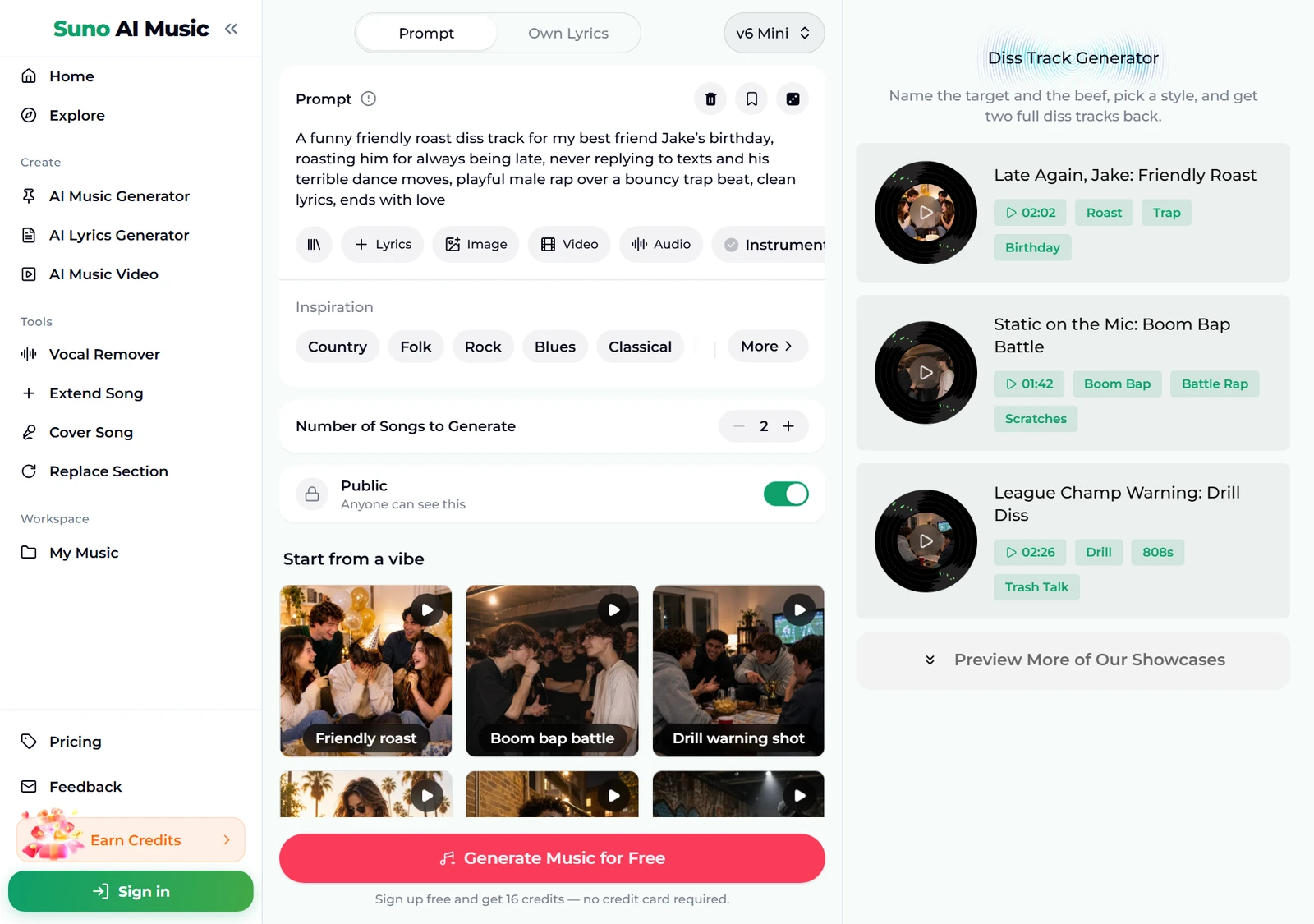
The preset on the page uses every one of these: A funny friendly roast diss track for my best friend Jake's birthday, roasting him for always being late, never replying to texts and his terrible dance moves, playful male rap over a bouncy trap beat, clean lyrics, ends with love. Change the name and the three reasons and you have your own diss track prompt.
Step by step with the diss track generator
- Open the diss track generator. It is the same studio as the main AI music generator, set up for diss tracks. The Prompt tab is selected, the box holds the Jake birthday roast, and Instrumental Only is off, so the track comes back with a rap vocal performing the lyrics.
- Check the rest of the form. Under the box are chips for your library, + Lyrics, a reference Image, Video and Audio, and the Instrumental chip. Below that sit an Inspiration row of genre chips, Number of Songs to Generate (2 by default) and the Public switch.
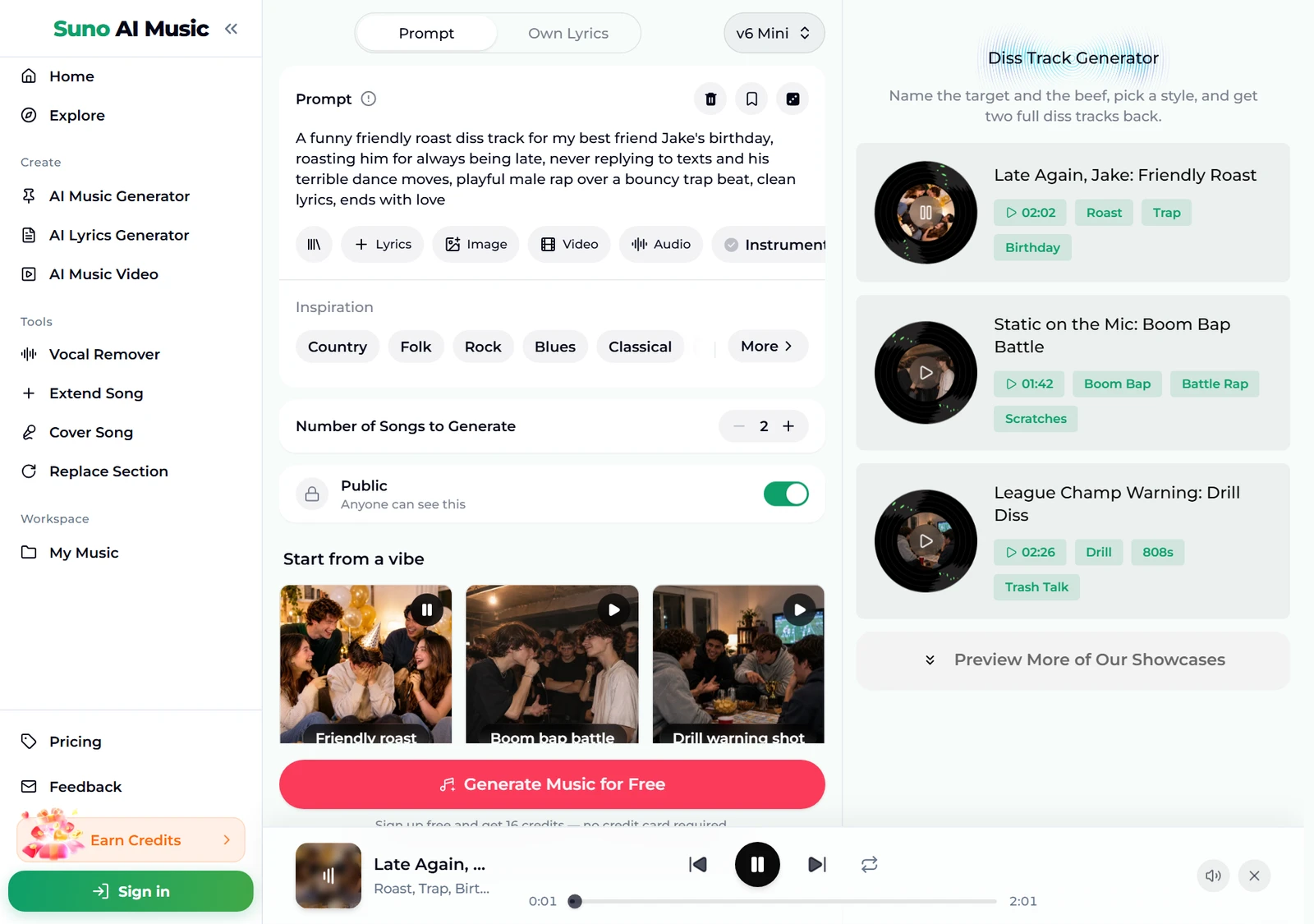
- Play a vibe before you spend anything. Tap a tile under Start from a vibe. One tap plays that tile's example in the player bar and copies its prompt into the Prompt box. Below, we tapped Friendly roast: the tile shows a pause icon and the player bar plays "Late Again, Jake".
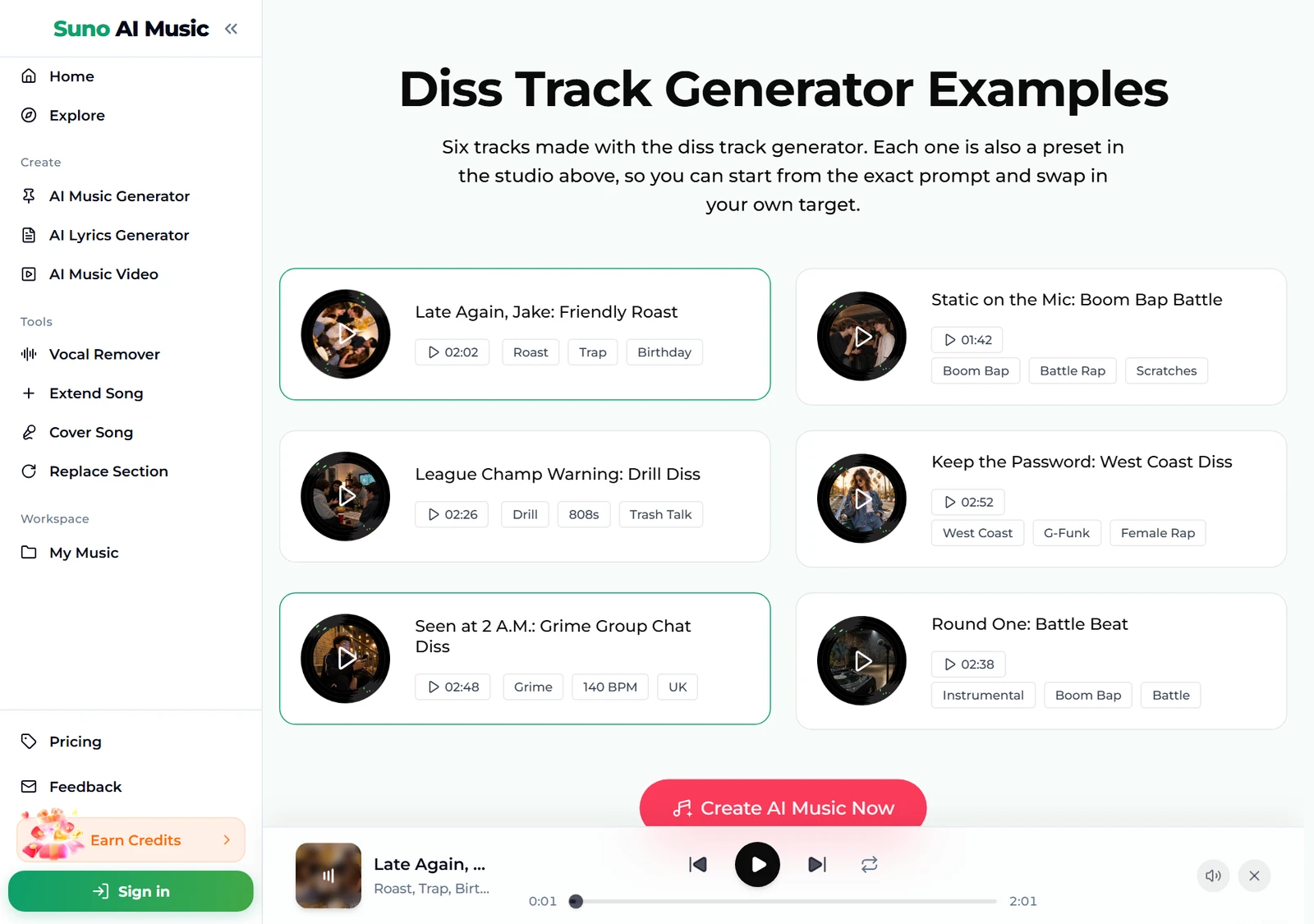
- Browse all six examples. Further down, the Diss Track Generator Examples section lists every track with its length and tags, from a 1:42 boom bap battle to a 2:52 West Coast diss. Each one was made on v6 from exactly the prompt its tile fills in.
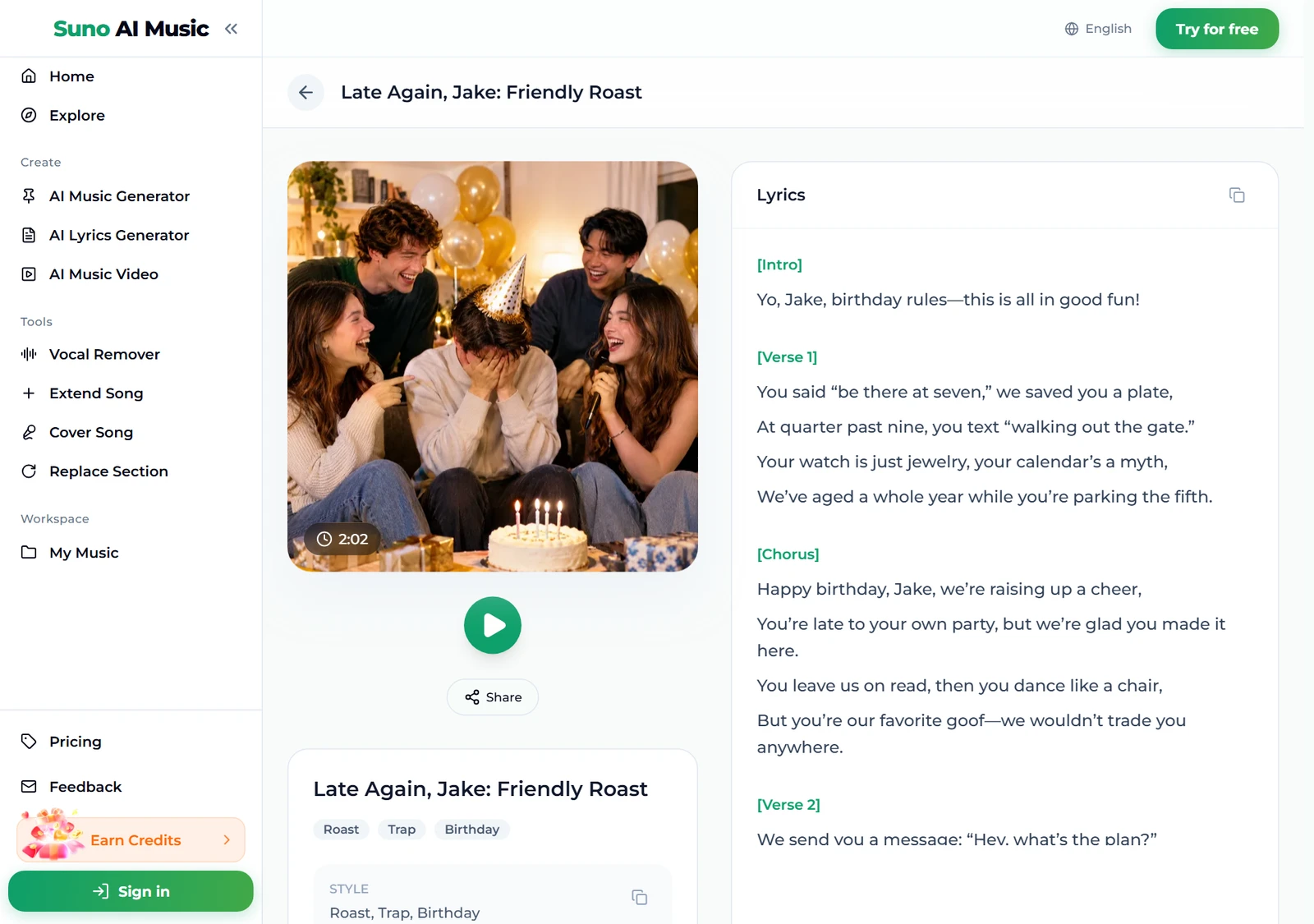
- Open an example to read the bars. Each track has its own page, for example Late Again, Jake, with the cover, a play button, Share, its tags and the full lyrics. Reading them shows how a one-line prompt turns into verses, a chorus and a soft landing.
- Press Generate Music for Free. Logged out, the button asks you to sign up; the note under it reads "Sign up free and get 16 credits — no credit card required." A run takes about a minute and returns two tracks. They are new diss tracks in the style of the prompt, not copies of the example, so the jokes and the beat will be different.
How to make a diss track on someone without crossing the line
The most common way people use a diss track generator is on a friend: a birthday, a lost bet, the group chat's worst replier. That is the fun version, and it is worth keeping it fun.
- Roast habits, not identities. Lateness, bad dancing, a terrible fantasy football draft. Never someone's looks, body, race, religion, sexuality or anything they cannot change.
- Make sure they are in on the joke. A diss track on your friend works when your friend laughs hardest. Playing it at their party is a gift; posting it to embarrass them is not.
- Do not go after real private people you are in conflict with. Harassing, threatening or spreading lies about someone is not a roast, and it can get you into real trouble. Keep slurs out entirely.
- Invent the rival when you want real heat. A made-up rapper like MC Static lets you write the most savage bars you like without hurting anyone.
- End with love. The page's friendly roast closes on affection, and it is why the track works at a birthday.
Writing your own diss track prompt
The presets cover six moods. To make a diss track that is actually about your target, change the details and one thing per run. Two tracks per run make comparing easy.
- Name the target and the occasion. A diss track for my brother Sam's 30th birthday.
- Give two to four reasons. Steals my hoodies, never pays back the pizza money, still thinks he can beat me at FIFA. The more specific, the funnier.
- Pick a style and a tempo. Bouncy trap, 90s boom bap, UK drill with sliding 808s, 140 bpm grime.
- Choose the voice. Playful male rap, cool female rap, sharp London MC. An accent such as London or the American South is fair game.
- Add the guardrails. Clean lyrics, funny not mean, ends with love.
- Write the bars yourself if you want. The Own Lyrics tab takes up to 5,000 characters of lyrics plus a style of up to 1,000, and the generator performs your words. If you only want lyrics to perform yourself, try the rap lyrics generator.
Six diss track styles with proven prompts
These are the six tiles on the diss track generator, with the exact prompt each one fills in. Every example was generated on v6 from that prompt, so you can hear each diss track before you use its recipe.
| Vibe | What it is | Prompt |
|---|---|---|
| Friendly roast | Birthday roast over trap, 2:02 example | A funny friendly roast diss track for my best friend Jake's birthday, roasting him for always being late, never replying to texts and his terrible dance moves, playful male rap over a bouncy trap beat, clean lyrics, ends with love |
| Boom bap battle | 90s wordplay battle, 1:42 example | A 90s boom bap battle rap diss track aimed at a rival rapper called MC Static, clever wordplay and punchlines about his weak rhymes and borrowed style, gritty male vocal, dusty drums, vinyl scratches, clean lyrics |
| Drill warning shot | Fantasy league trash talk, 2:26 example | A menacing drill diss track aimed at last year's fantasy football league champion, warning him the trophy is coming back to us, sliding 808s, dark piano, confident male rap, competitive trash talk, clean lyrics |
| West coast petty | G-funk aimed at an ex, 2:52 example | A laid-back west coast diss track to an ex who still uses my streaming password, smooth bouncy G-funk beat, talk box, cool female rap, petty but funny, clean lyrics |
| Grime quick-fire | Group chat callout, 2:48 example | A fast UK grime diss track aimed at the friend in the group chat who leaves everyone on read, 140 bpm, square wave bass, sharp London male MC, quick-fire bars, cheeky and funny, clean lyrics |
| Battle beat | Instrumental for your own bars, 2:38 example | hard battle rap instrumental, no vocals, aggressive boom bap drums with heavy kicks and snares, dark piano loop, record scratches and crowd ad-lib hits, room for diss verses, confrontational and gritty |
Two extra recipes of our own, untested, if you want to go beyond the six:
- Roommate roast (untested): a funny diss track aimed at my roommate who never washes the dishes and eats my leftovers, playful female rap over a bouncy pop rap beat, clean lyrics, ends with a truce
- Office league (untested): a dramatic diss track from the accounting team to the sales team after losing the office quiz, orchestral trap beat, confident male rap, clean lyrics, funny trash talk
For full rap songs that are not aimed at anyone, the AI rap generator is the better start, and our guide on how to make a rap song covers structure in more depth.
Common diss track mistakes
- No reasons. A diss track about my friend gives the model nothing to joke about. Feed it the habits.
- Too many reasons. Ten grievances become a list, not a song. Pick the best three.
- Asking for a famous rapper's voice or beat. The generator makes original vocals and beats rather than imitating real artists. Describe the style instead, such as 90s east coast boom bap or UK drill.
- Forgetting clean lyrics. If it is going to be played at a party or a school event, add it.
- Mismatched style and tone. Menacing drill for a joke about bad dancing can be hilarious on purpose, but if you want warm, pick trap or pop rap.
- Judging from one take. Each run returns two. If both miss the same way, change the prompt; if only one does, keep the other.
Choosing a model
The model picker sits at the top right of the form.
- v6 Mini is the free tier, described as "Fast drafts, high volume". It is fine for testing which jokes land.
- v6 is "Most powerful, for any song". All six examples were made on v6, and its clearer rap delivery makes punchlines easier to hear. It needs a paid plan.
- v6 Wild is "Best for experimental ideas", also on paid plans, for odd blends such as an opera diss track or a country rap roast.
Every run costs the same 10 credits for two tracks, whichever model you pick. Plans and credit packs cover everything after the 16 sign-up credits.
After the diss track is made
- Answer back. For a two-sided rap battle, generate the first diss track, then write the comeback as a second prompt aimed at the first rapper.
- Add a verse. Extend Song continues a track from any point.
- Rewrite a line that did not hit. Replace Section regenerates a stretch without touching the rest.
- Make an instrumental for live bars. The vocal remover splits the track into vocals and instrumental.
- Turn it into a video. The music video generator makes a video you can play at the party.
- Download it. Tracks download as MP3 with any plan or credit pack; pricing lists what each one includes.
FAQ
How do you make a diss track with AI?
Name a target, give two to four specific reasons, pick a style and a voice, and add clean lyrics if needed. Put that into the diss track generator, or tap a vibe tile to start from a proven prompt, and you get two full tracks with a rap vocal in about a minute.
Does the diss track generator make the voice too?
Yes. Every track comes with a rap vocal performing the lyrics over the beat. Ask for a male or female voice, a calm or aggressive delivery, or an accent.
How do I make a diss track on my friend that stays funny?
Roast habits, not identities, make sure your friend is in on the joke, keep the lyrics clean and end with love. The Friendly roast preset is built exactly that way.
Can I use my own lyrics?
Yes. Paste your bars in the Own Lyrics tab, describe the beat and the voice, and the generator performs your words.
Can I make a clean diss track?
Yes. Add clean lyrics to your prompt, as every vocal preset on the page does.
How long is a generated diss track?
Usually one to three minutes; the six examples run from 1:42 to 2:52. Use Extend Song to add another verse.
Final take
Learning how to make a diss track is mostly learning what to leave out: no slurs, no real cruelty, no list of twenty complaints. Pick one target, three specific habits and a style that fits the attitude, start from a vibe on the diss track generator, and change one detail per run until the diss track gets the biggest laugh from the person it is aimed at.