
TL;DR
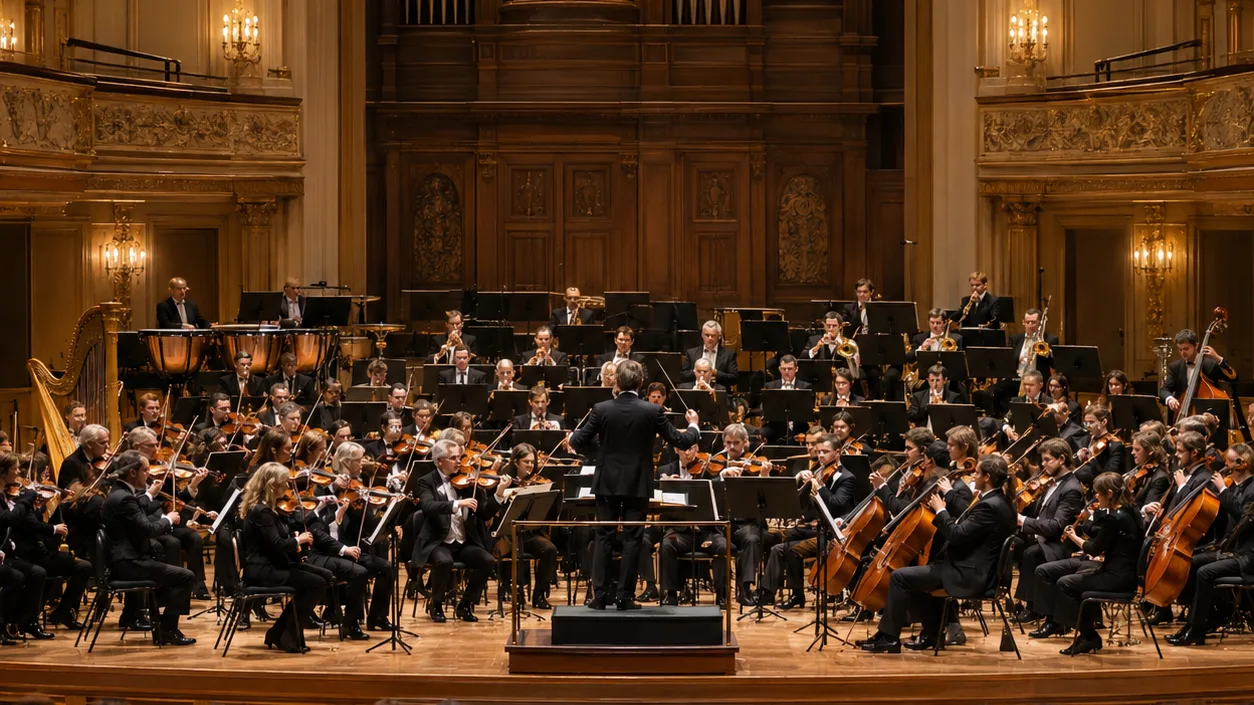
Instrumental music has no singer to carry it, so the instruments, the tempo and the scene you describe do all the work. On the AI instrumental generator you name two or three instruments and a mood, and the AI composes and performs the whole piece. The page opens with Instrumental Only on and a string quartet preset at 96 BPM. Six "Start from a vibe" tiles each play a piece made on v6 from exactly the prompt they load, from an epic orchestra to Caribbean steel drums. One run costs 10 credits and returns two pieces in about a minute. The rest of this guide shows how to make instrumental music that sounds arranged rather than generic.
In this guide
- What makes instrumental music work
- Step by step with the AI instrumental generator
- Writing an instrumental prompt
- Six proven instrumental prompts
- Common instrumental mistakes
- Choosing a model
- After the piece is made
- FAQ
- Final take
What makes instrumental music work
With vocals, the singer is the focus and everything else supports them. Without vocals, something else has to lead. These are the parts to decide, and each becomes a phrase in the prompt:
- The ensemble. This is the biggest decision. Two violins, viola and cello is a string quartet. French horn, strings, timpani and choir is a film orchestra. Koto and shakuhachi flute is a Japanese garden. The model responds directly to instrument names, so be specific.
- A lead voice. Something has to carry the tune: a heroic french horn theme, a bright steel pan melody, a soaring lead synth, a fingerpicked steel-string guitar. Name which instrument leads.
- How the parts interact. A graceful melody passed between instruments makes a quartet sound like players answering each other. A second strummed guitar under a fingerpicked one gives an acoustic piece depth. These are arranger's words, and they work.
- Tempo. Around 80 BPM is calm and meditative, 96–108 is walking pace and suits most pieces, and faster tempos push energy. Write the number; Suno follows it roughly.
- A scene or a time of day. Bright and elegant morning mood, open road feeling, retro 80s night drive, sunny tropical beach, peaceful zen garden. A scene changes the harmony more than any technical term, and every preset on the page ends with one.
- A style name when there is one. Classical, synthwave, Caribbean, epic orchestral. One genre word sets the production: gated reverb drums for synthwave, concert-hall space for orchestra.
Step by step with the AI instrumental generator
- Open the AI instrumental generator. It is the full studio with the Prompt tab selected, Instrumental Only switched on (shown in red) and v6 Mini in the model picker on the free tier.
- Read the preset. It is classical string quartet instrumental, 96 BPM, two violins, viola and cello, graceful melody passed between instruments, bright and elegant morning mood. It gives the ensemble, tempo, exact instruments, how they interact and a scene.
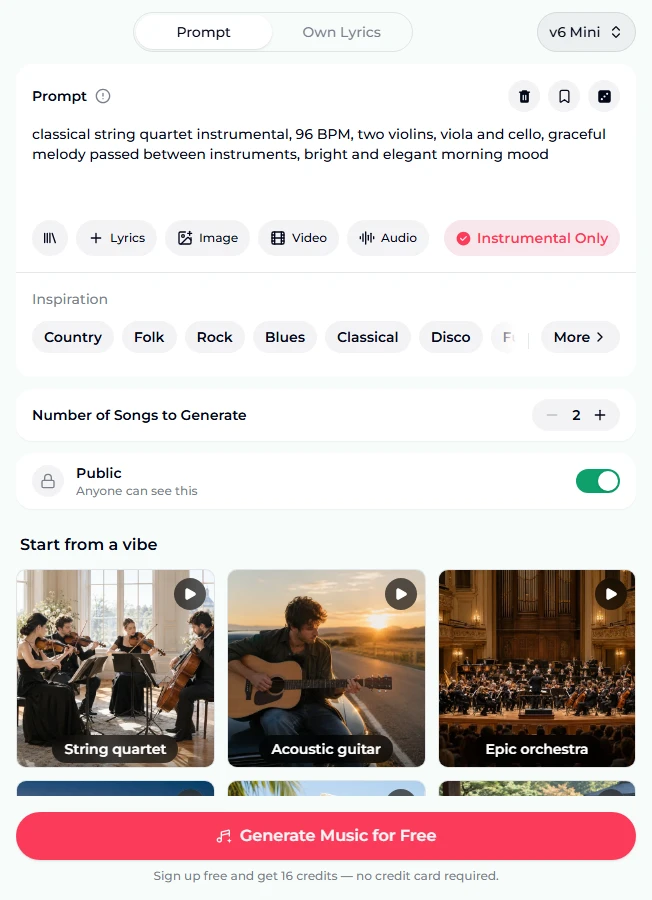
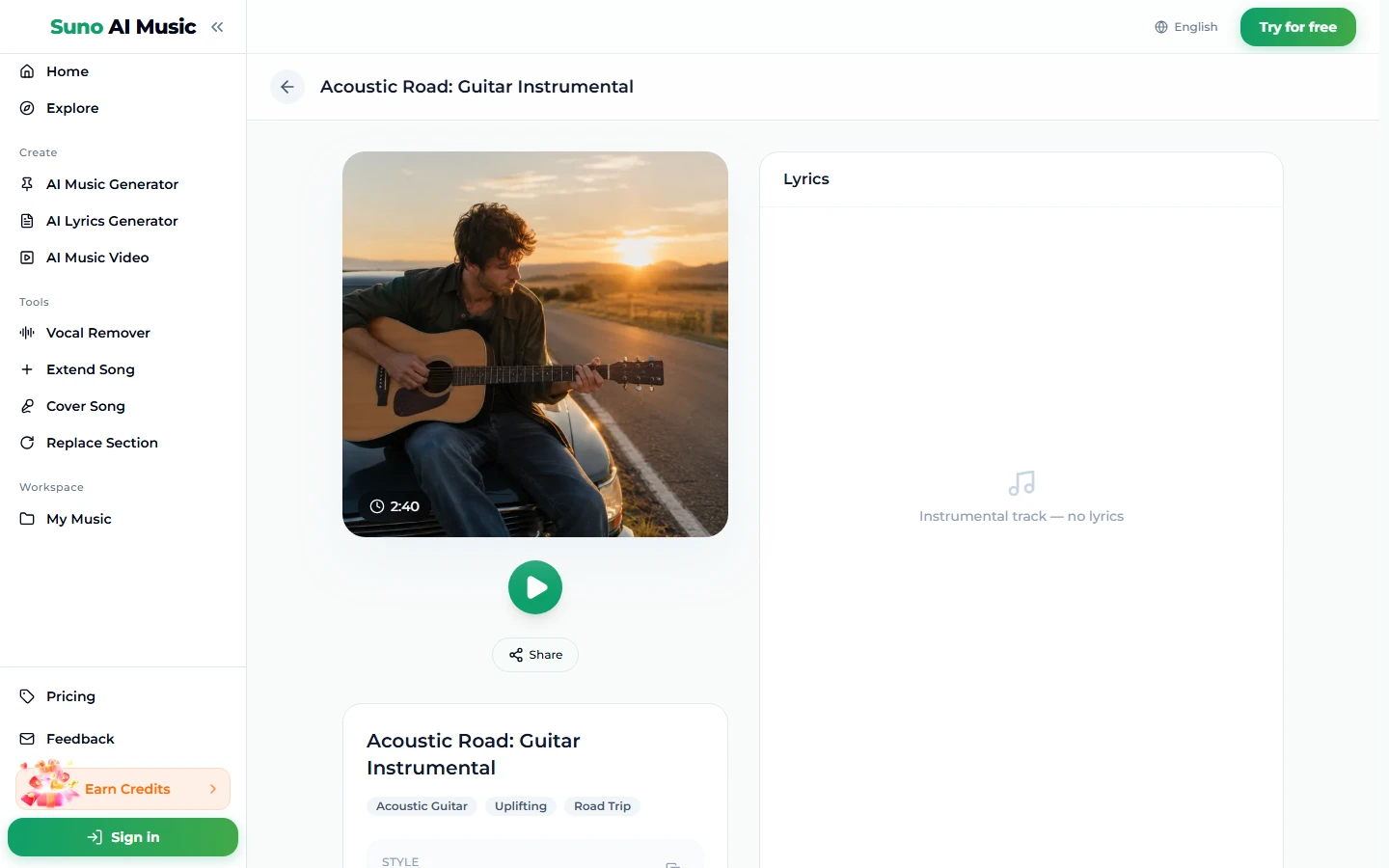
- Tap a vibe. One tap plays the example and copies its prompt into the box. Tapping Acoustic guitar loads the 100 BPM fingerpicked guitar prompt and plays Acoustic Road, the example on that tile, made on v6 from exactly this prompt. It runs 2:40.
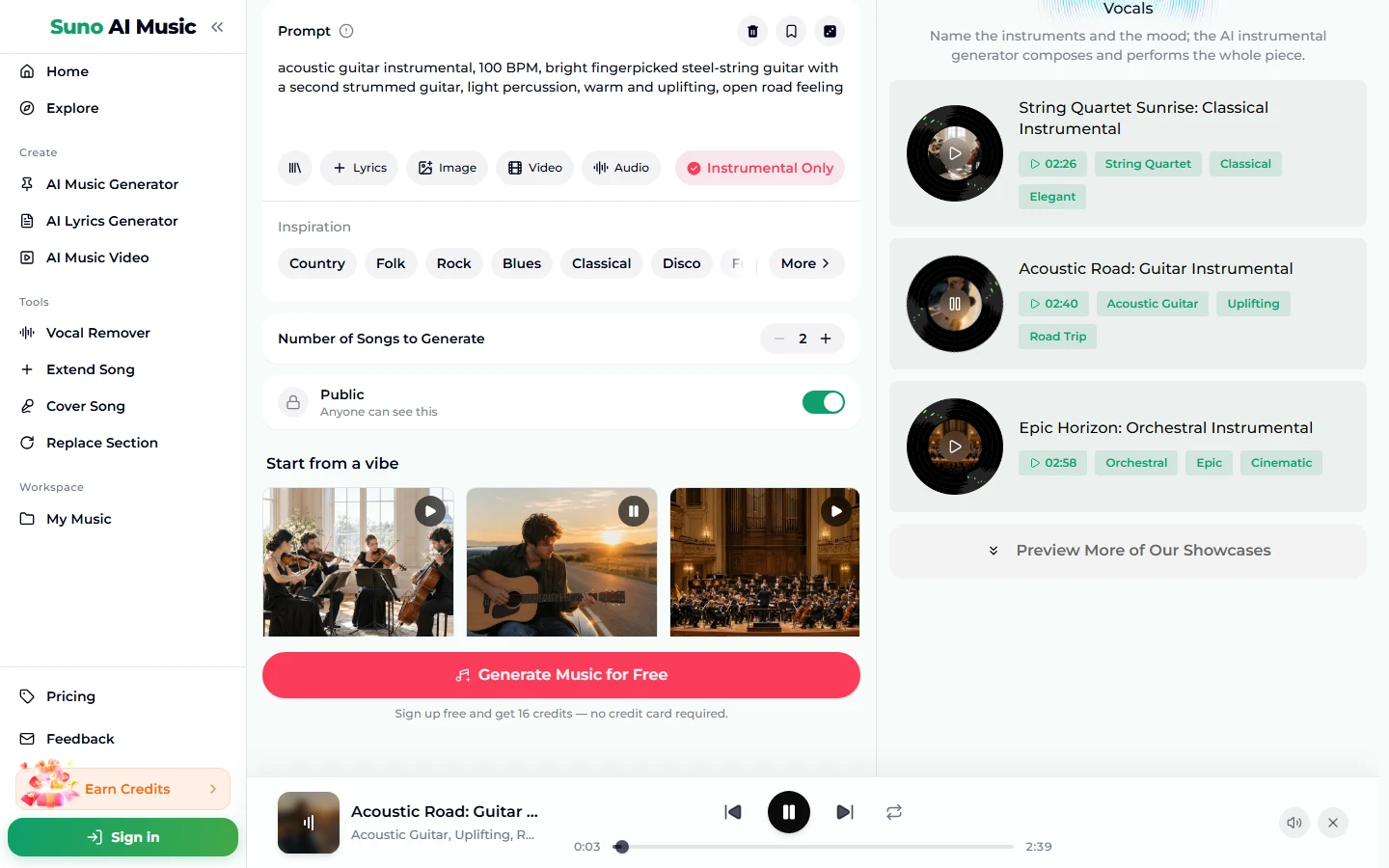
- Hear the range. The examples section lists all six pieces with lengths and tags. Playing the string quartet and then the synthwave piece shows how much the ensemble alone changes.
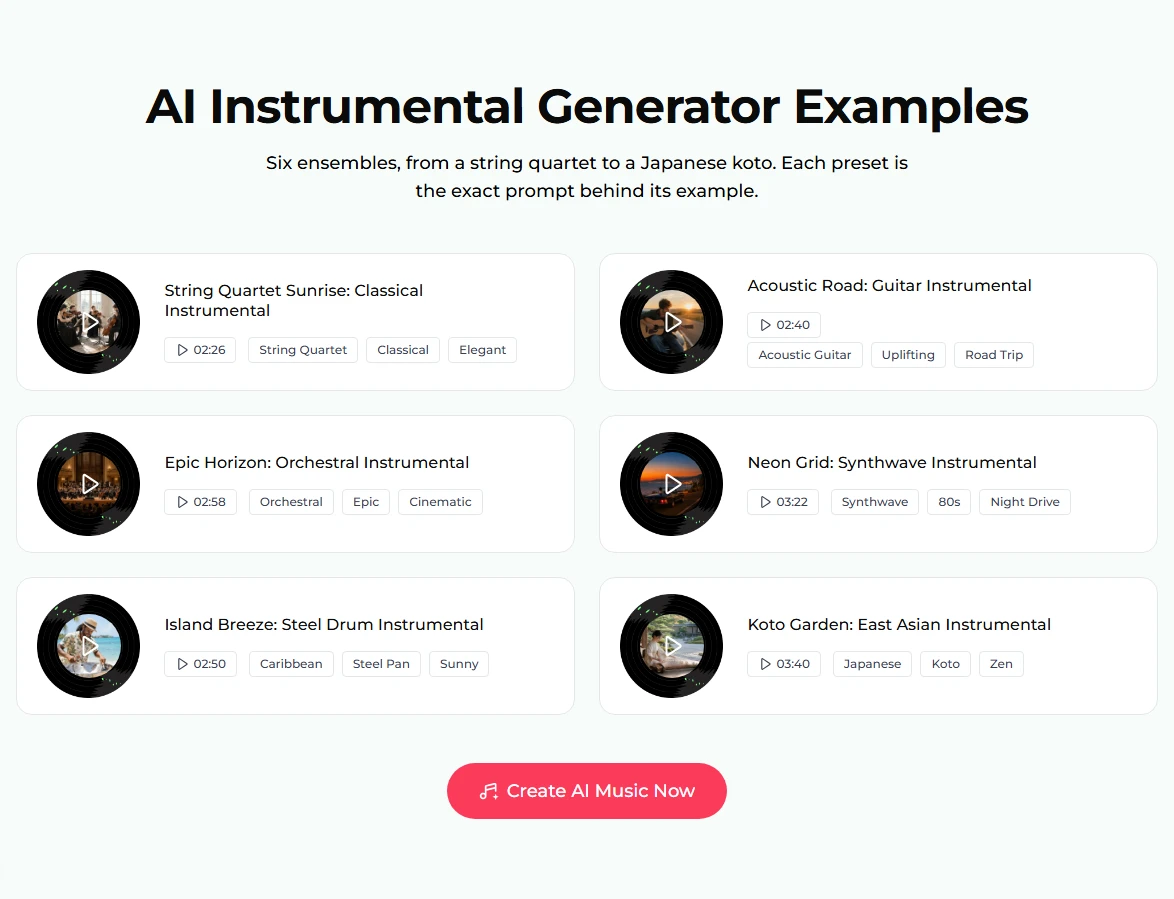
- Open a piece's page. Each example has its own page, such as Acoustic Road, with the cover, play button, Share, tags and the note "Instrumental track — no lyrics".
- Write your own ensemble. Keep the structure of the closest preset and change the instruments or the scene.
- Press Generate Music for Free. If you are logged out, sign up first; new accounts get 16 free credits, no card needed. One run is 10 credits for two pieces in about a minute. The stepper counts songs, so 2 is one run. The result is a new piece in that style, not a copy of the example.
Writing an instrumental prompt
The six presets follow one pattern: style + "instrumental" → BPM → ensemble → lead and interaction → texture → mood/scene. It fits comfortably in the 500-character Prompt box.
- Name two to four instruments. Koto and shakuhachi flute, soft taiko, gentle strings is clear. A list of eight gives a muddy piece with no clear lead.
- Say which instrument leads. Heroic french horn theme, bright steel pan melody, soaring lead synth.
- For a solo piece, say "solo". Solo piano or solo acoustic guitar keeps other instruments out. The piano music maker is set up for piano pieces.
- Add one production word if it matters. Gated reverb drums (80s), analog (synth), concert hall (orchestra).
- Key is optional. You can write in D minor in the prompt. Suno treats it as a guide, not a guarantee. There is no separate BPM or key field.
- Use a reference if words fall short. The Image chip (up to 5 photos) or Video chip (one clip, up to about 4 minutes) lets the piece pick up the mood of your pictures or footage. The Audio chip takes one track, 6 seconds to 30 minutes, and borrows its feel. The cost is the same 10 credits.
Want the instrumental of an existing song instead of a new one? That is a different job: the vocal remover takes the vocals out of a track you already have.
Six proven instrumental prompts
These are the six vibes on the AI instrumental generator, verbatim, each behind the example on its tile, made on v6.
| Vibe | What it is | Prompt |
|---|---|---|
| String quartet | Bright classical chamber piece (2:26) | classical string quartet instrumental, 96 BPM, two violins, viola and cello, graceful melody passed between instruments, bright and elegant morning mood |
| Acoustic guitar | Uplifting road-trip guitar (2:40) | acoustic guitar instrumental, 100 BPM, bright fingerpicked steel-string guitar with a second strummed guitar, light percussion, warm and uplifting, open road feeling |
| Epic orchestra | Heroic film-style score (2:58) | epic orchestral instrumental, 100 BPM, heroic french horn theme, soaring strings, timpani and choir swell, adventurous and cinematic |
| Synthwave | Retro 80s night-drive synths (3:22) | synthwave instrumental, 108 BPM, pulsing analog bass arpeggio, lush polysynth chords, gated reverb drums, soaring lead synth, retro 80s night drive |
| Steel drums | Sunny Caribbean steel pan (2:50) | caribbean steel drum instrumental, 104 BPM, bright steel pan melody, marimba, bongos, soft bass, sunny tropical beach mood |
| Koto garden | Calm Japanese-inspired piece (3:40) | japanese inspired instrumental, 80 BPM, koto and shakuhachi flute, soft taiko, gentle strings, peaceful zen garden atmosphere |
Two of our own, untested:
- celtic folk instrumental, 112 BPM, tin whistle lead, fiddle, bodhrán, acoustic guitar, lively village dance at dusk (untested)
- solo piano instrumental, 72 BPM, gentle felt piano, slow melody with soft chords, quiet rainy evening (untested)
Common instrumental mistakes
- Only a mood, no instruments. "A sad instrumental" leaves the model to choose everything. Name the ensemble.
- Too many instruments. Every added name takes space from the others. Three or four is plenty for most pieces.
- No lead. If nothing is named as the melody, the piece can feel like a backing track waiting for a singer.
- Genre words that imply vocals. Pop song or ballad can pull in a vocal-like lead. Leave Instrumental Only on and write "instrumental" in the prompt, as every preset does.
- Conflicting eras. Baroque harpsichord with trap 808s can work on purpose, but by accident it just sounds confused. That kind of experiment is what v6 Wild is for.
- Judging from one take. Two pieces come back per run with different melodies. Keep the one where the lead instrument sings.
Choosing a model
The model picker sits at the top right of the form:
- v6 Mini is the free tier, described as "Fast drafts, high volume". It's good for trying ensembles and scenes.
- v6 is described as "Most powerful, for any song". All six examples were made on it. Use it when instrument detail matters, as with strings, solo guitar or orchestra.
- v6 Wild is described as "Best for experimental ideas". It's the one for unusual pairings and fusion.
v6 and v6 Wild need a paid plan; see pricing. Every model costs the same 10 credits per run for two pieces.
After the piece is made
- Make it longer with Extend Song for a long scene, a ceremony or a playlist.
- Rewrite one passage with Replace Section.
- Hear it in another style with Cover Song, for example turning a guitar piece into a string arrangement.
- Score a video with the music video generator.
- Look at the specialised pages. The AI background music generator is tuned for music that sits under a voice. The AI ambient generator is for long, slow textures. The game music maker and 8-bit music generator are for game soundtracks.
- Download it. Downloads come with a plan; see pricing.
FAQ
Can I make instrumental music for free?
Yes. New accounts get 16 free credits with no card, and one run costs 10 credits for two pieces on v6 Mini.
Which instruments can I ask for?
Almost any: piano, guitars, strings, brass, woodwinds, synths, drums, and world instruments like koto, shakuhachi, steel pan and marimba. Two to four names give the clearest result.
Can I set the tempo or key?
Write them in the prompt, for example 100 BPM, in D minor. Suno follows them roughly, not exactly.
Can I use the instrumental commercially, on YouTube or on Spotify?
Commercial use is included only on the Standard plan and above, 2,500+ credit packs, and Team plans. Pieces made with free credits, the Starter plan or Mini credit packs are for personal use only.
How long are the pieces?
The six examples run from 2:26 to 3:40. Extend any piece if you need more.
Can I get separate tracks for each instrument?
No. Splitting is limited to two stems, vocals and instrumental, via the vocal remover. Per-instrument stems are not available.
Can I keep the piece private?
Yes, on a paid plan: turn Public off before you generate.
Final take
How to make instrumental music with AI comes down to thinking like an arranger for one sentence. Choose the ensemble, name the lead, say how the parts talk to each other, give a tempo and a scene. Open the AI instrumental generator, tap the vibe nearest your idea, listen to how its prompt turned into a performance, then swap in your own instruments and generate two pieces of your own.