Music Maker — Any Kind of Music, Made Online

Instrumentals, soundtracks or songs with vocals: describe it and the music maker composes two full tracks.

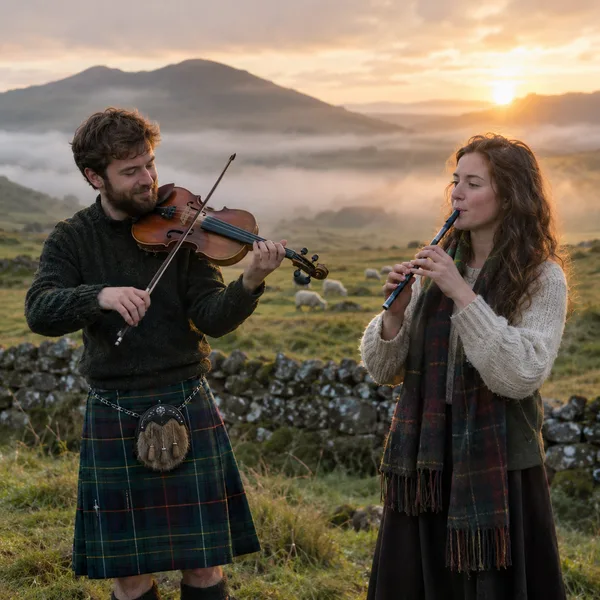
Highland Morning: Celtic Folk Instrumental

Wave Rider: Surf Rock Instrumental

Glass City: Trip Hop with Female Vocal
Music Maker Examples
Three instrumentals and three songs, each from one short description. Every one is a preset in the studio above: listen, then make your own.
Highland Morning: Celtic Folk Instrumental
Wave Rider: Surf Rock Instrumental
Glass City: Trip Hop with Female Vocal

Mirrorball Heart: Nu-Disco Dance Song
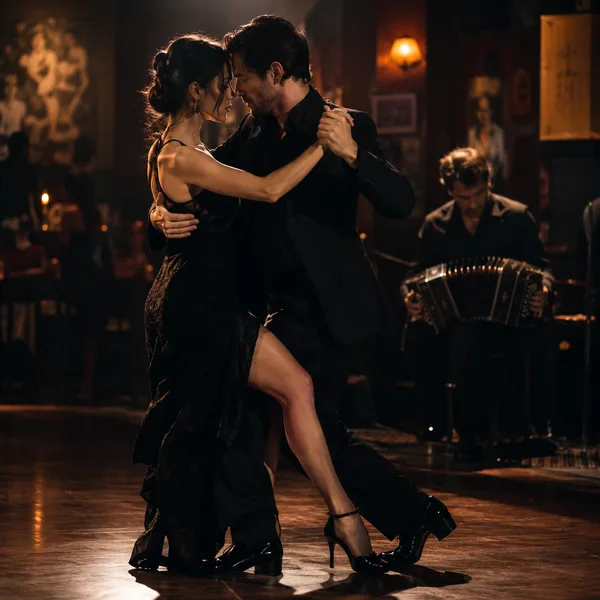
Last Dance in Buenos Aires: Tango Nuevo Instrumental

Skyline Runner: Anime Opening J-Pop
What Is an AI Music Maker?
An AI music maker composes, performs and mixes music from a written description. You say what you need — a Celtic jig for a travel video, a surf rock track for a summer ad, a moody trip hop song for a late-night playlist — and the music maker writes the parts, plays every instrument, adds a singer if you want one and delivers a finished track in about a minute.
A traditional music maker app gives you loops, a timeline and a lot of buttons, and expects you to arrange everything yourself. Our music maker works the other way round: you describe the result and the AI does the arranging. You still control what matters — the genre, the tempo, the instruments, the mood, whether there are vocals — but you do it in plain words instead of dragging clips around.
Every run returns two full tracks from the same description, each with its own melody and arrangement. Keep the better one, adjust your description and try again, or take the track into the studio to extend it, replace a section, split the vocals from the instrumental or put it under a video.
Because it is one studio for every kind of music, you can switch between an orchestral cue, a dance track and a pop song in the same session without changing tools. That makes this music maker useful for anyone who needs a lot of different music quickly: video editors, game developers, teachers, podcasters and hobby musicians alike.
Quality has moved fast. Current models produce clear, well-balanced mixes with convincing acoustic instruments — a fiddle that sounds bowed, a bandoneon that breathes, brushes that swish on the snare — and singers who phrase lines like people do. You will still hear the occasional odd note or abrupt ending, which is exactly why every run gives you two versions and why the studio lets you replace a single section instead of starting over.
Instrumentals or vocals
Switch Instrumental Only on for soundtracks and beats, off for songs with lyrics and a singer.
Hundreds of genres
Folk, surf rock, tango, trip hop, disco, J-pop, cinematic, lo-fi, jazz, EDM and many more, including blends.
Instruments by name
Ask for a fiddle, a bandoneon, a slap bass or a tin whistle and the music maker writes a part for it.
Two tracks per run
Each generation returns two complete versions with different melodies and arrangements.
Reference media
Upload a photo, a video clip or an audio track and the new music takes its mood or style from it.
Edit after generating
Extend, replace a section, split vocals from the instrumental or make a music video from any track.
Video and film
Music Maker for Videos, Vlogs and Short Films
Every edit needs music that fits its pace and mood. Describe the scene — a sunrise over the hills, a chase along the beach, a tense midnight meeting — and let the music maker score it. Instrumental tracks sit under dialogue; on the Standard plan and above they come with a commercial licence for monetised channels.
Games and apps
Music Maker for Games and Interactive Projects
Menus, levels, boss fights and credits all want their own theme. Generate a batch of tracks in the same style, pick the ones that fit, and extend the favourites into longer loops. It is the fastest way to give a prototype a real soundtrack. For loops, ask for a steady groove with no big ending, then trim the start and end on a bar line; for stingers and jingles, ask for a short piece and an obvious final hit.
Artists and hobbyists
Music Maker for Songwriting and Sketching Ideas
Use the music maker as a sketchbook: try your melody idea as trip hop and then as disco, hear a lyric sung by a different voice, or generate a backing track to jam over. Keep what inspires you and build on it. Split the vocals from a track you like to practise over the instrumental, or use a generated arrangement as a reference when you record the song with your own band.
Events and brands
Music Maker for Parties, Ads and Social Posts
A dance track for the launch party, an upbeat opener for a product video, a theme song for a stream. Describe the energy and the audience, and you have custom music instead of the same stock track everyone else uses. Custom tracks also make a brand easier to recognise: use the same style description for every video and your channel starts to sound like itself.
How to Make Music Online
From a description to a finished track in four steps.
Describe the music
Genre, mood, tempo and two or three instruments — or tap one of the six vibes to start from an example.
Instrumental or song
Leave Instrumental Only on for music without vocals, or switch it off and add lyrics or a topic for the singer.
Generate two tracks
Press Generate. In about a minute the music maker puts two finished tracks in your library.
Refine and export
Keep the better take, extend or edit it, and download MP3 — or WAV on Standard and above.
Describing Music the Music Maker Understands
You do not need production vocabulary, but a few specifics go a long way.
- Genre or blend
- "Tango nuevo", "60s surf rock", "trip hop with strings". A blend of two styles often gives the most original result.
- Lead instrument
- Name the instrument that carries the melody: fiddle, bandoneon, twangy guitar, rhodes, synth.
- Tempo
- A BPM number or a feel: "slow and heavy", "fast jig", "four on the floor".
- Scene or mood
- "Misty hills at sunrise", "smoky dance hall at midnight". Images tell the music where it is.
- Shape
- "Starts solo and builds to a full band", "big drop after the intro", "quiet ending". Arrangement words shape the whole track.
- Vocals, if any
- Say who sings and how, or leave vocals out entirely with Instrumental Only.
Why Use Our Music Maker
No software, no samples
Everything runs in the browser; the music maker writes original parts instead of stitching loops.
Hear examples first
Every preset has a finished track, so you know what a prompt produces before you spend a credit.
Latest Suno models
Start free on v6 Mini; v6 and v6 Wild are on paid plans for richer detail and longer tracks.
One studio, every format
Instrumentals, songs, extensions, stems and music videos from one library and one set of credits.
Clear commercial rights
Original, copyright-free music, with a commercial licence and certificate on Standard and above.
Free to start
New accounts get 16 credits with no card — enough for a first run of the music maker and two tracks.
Music Maker FAQ
More Music Tools
AI Instrumental Generator
Music without a voice for videos, study and scores.
AI Instrumental GeneratorAI Background Music Generator
Unobtrusive music beds for videos and podcasts.
AI Background Music Generator