

TL;DR
8-bit music, or chiptune, is the sound of old game consoles: a square-wave melody, a triangle-wave bass, noise-channel drums and fast arpeggios standing in for chords. On the 8-bit music generator you describe a level in plain words and get a finished chiptune track back. The form opens with a platformer prompt and Instrumental Only on, and six "Start from a vibe" tiles play example themes (platformer, dungeon, boss battle, shop, victory fanfare and chiptune pop) before you spend a credit. One run costs 10 credits, takes about a minute and returns two tracks; new accounts get 16 free credits.
In this guide
- What makes 8-bit music sound retro
- Step by step with the 8-bit music generator
- Writing a chiptune prompt
- Six chiptune prompts from the page
- Common 8-bit music mistakes
- Choosing a model
- After the track is made
- FAQ
- Final take
What makes 8-bit music sound retro
Classic 8-bit consoles had a sound chip with a handful of channels, each able to play one note at a time. On the best-known console of the era, that meant two pulse (square) wave channels, one triangle wave channel, and one noise channel. Composers turned those limits into a style. Each piece of it is a word you can use:
- Square wave lead. The bright, buzzy tone of the main melody. Write square wave melody or square wave fanfare.
- Triangle bass. A soft, round bass one octave below everything else. Bouncy triangle bass or low pulsing bass.
- Noise drums. Hi-hats and snares made of filtered white noise. Noise channel drums.
- Arpeggios. With only a few channels, chords were played as very fast broken notes. Fast arpeggios, rising arpeggios, minor key square wave arpeggios.
- Tempo by scene. Shops and towns around 100–115 BPM, overworld and platformer stages around 130–150, boss fights 160 and up. Write the number.
- Loops. Game music repeats under play, so ask for it: loopable or loops cleanly.
- Scene and mood. The fastest way to set the harmony is to name the level: dungeon, mysterious and tense or shop, playful and cozy.
Keep the palette words the same across prompts and your tracks will sound like they come from one cartridge.
Step by step with the 8-bit music generator
-
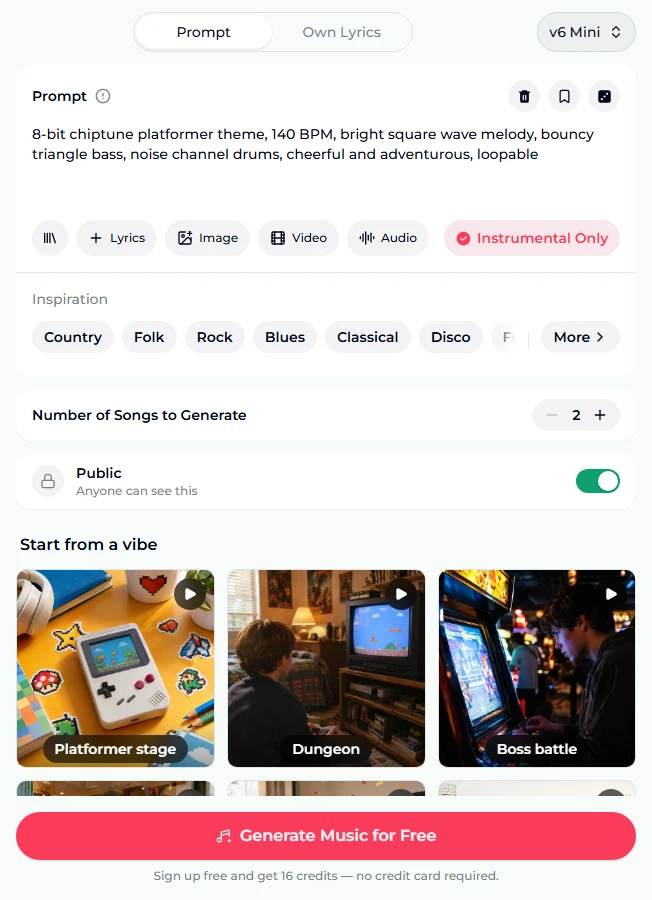
Open the 8-bit music generator. The Prompt tab is selected and the model picker in the corner reads v6 Mini, the free tier.
-
Read the preset. The Prompt box holds 8-bit chiptune platformer theme, 140 BPM, bright square wave melody, bouncy triangle bass, noise channel drums, cheerful and adventurous, loopable, with Instrumental Only on. Below it are the Inspiration chips, Number of Songs to Generate at 2, the Public switch and the vibe tiles.
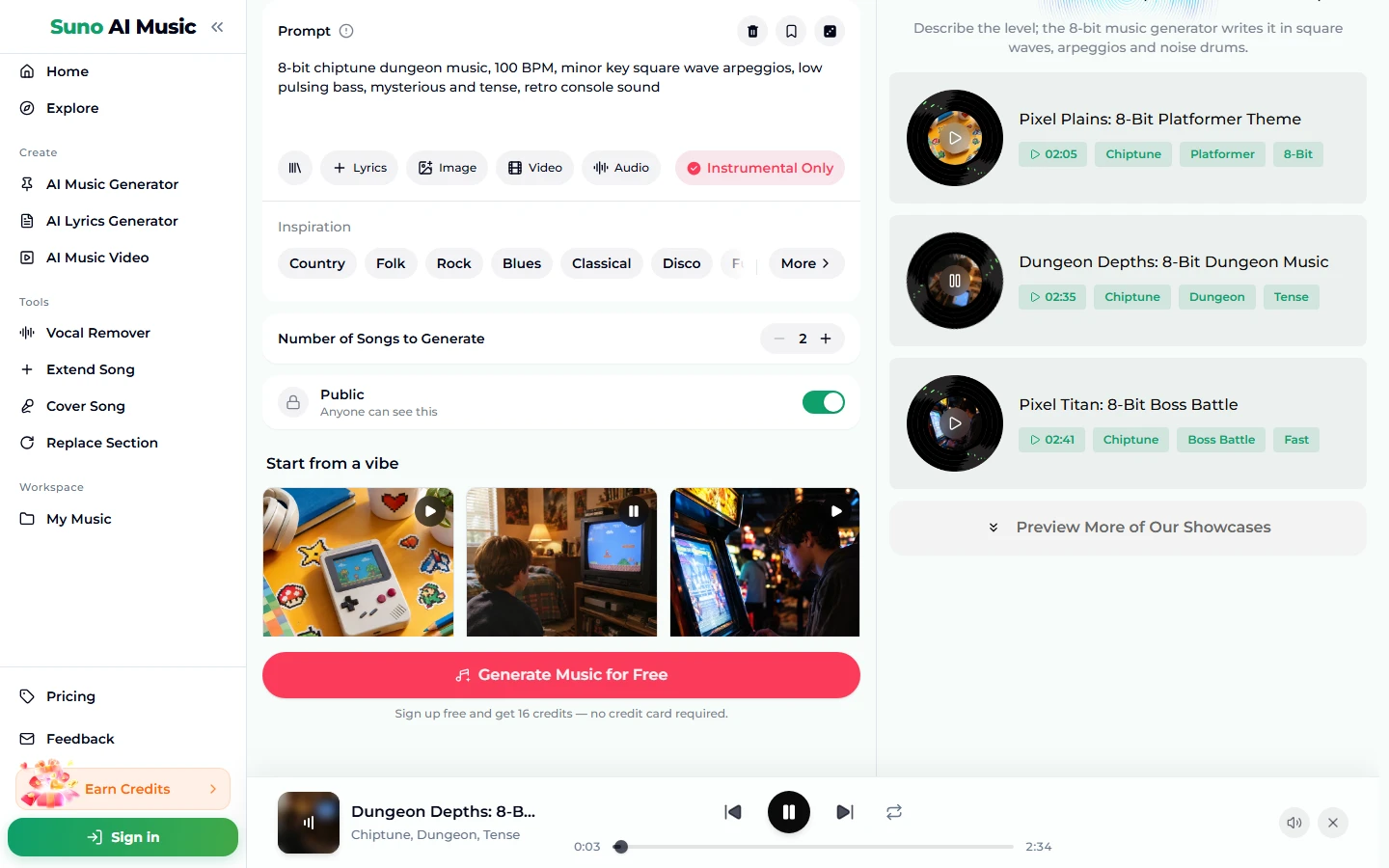
- Tap a vibe. A tap plays that tile's example and copies its prompt into the box. Tapping Dungeon fills in 8-bit chiptune dungeon music, 100 BPM, minor key square wave arpeggios, low pulsing bass, mysterious and tense, retro console sound; the tile shows a pause icon, and the player bar plays Dungeon Depths: 8-Bit Dungeon Music, which is 2:35 long.
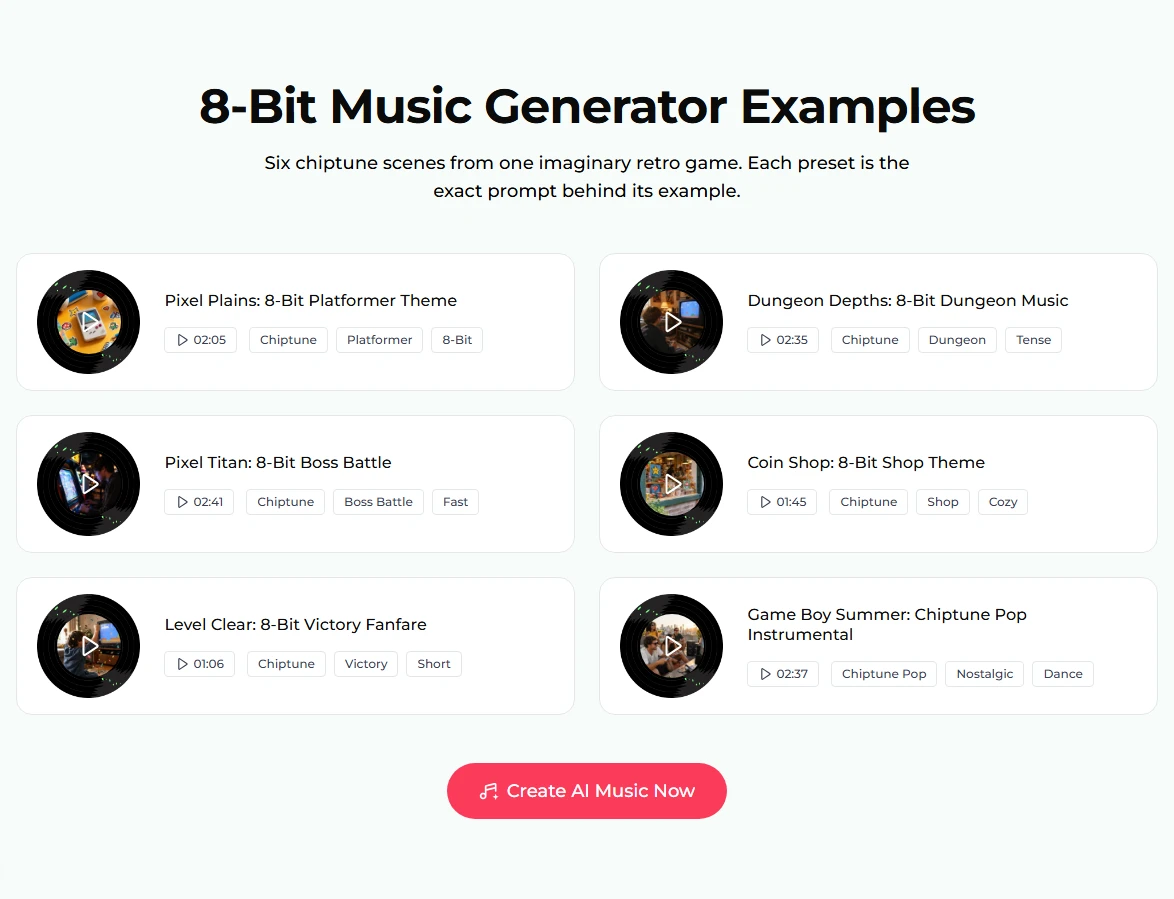
- Scan all six examples. Further down, the examples section lists every theme with its length and tags. The victory fanfare is only 1:06, which is exactly what a fanfare should be.
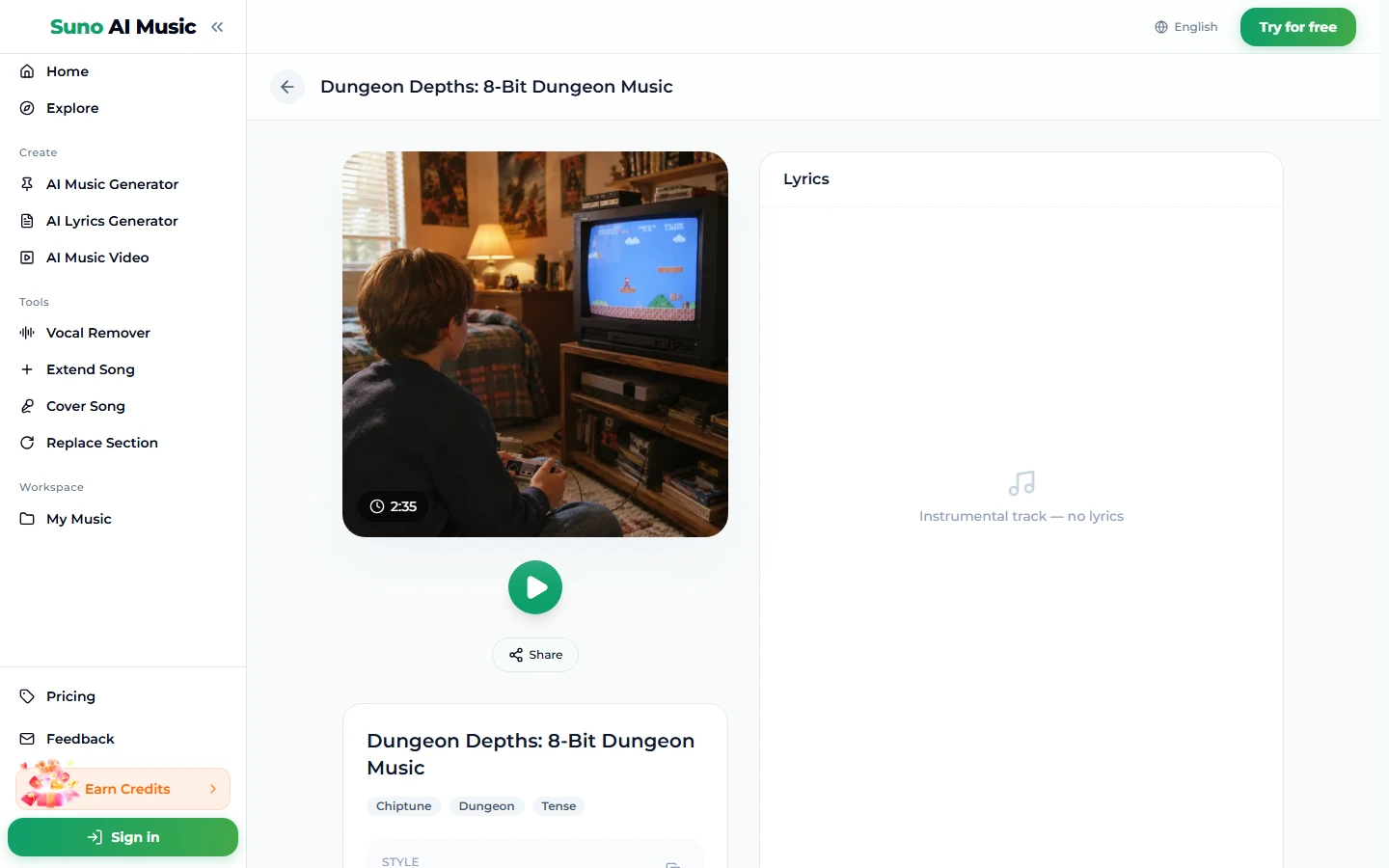
- Open a song page. Each example has its own page, for example the dungeon theme, with the cover, a play button, Share, the tags and "Instrumental track — no lyrics".
- Change the scene and press Generate Music for Free. About a minute later you have two new tracks in that style. They are fresh compositions, not the example.
Writing a chiptune prompt
The Prompt box takes up to 500 characters, and the example prompts use about 130. They all follow one pattern:
"8-bit chiptune" + scene, tempo, lead, bass, drums, mood, and "loopable" if it plays under gameplay.
Rules that make the difference:
- Start with "8-bit chiptune". Without it, the model may reach for modern synths that only imitate retro.
- Name the scene. Platformer theme, dungeon music, boss battle, shop theme, victory music. The scene carries a lot of information about harmony and rhythm.
- Always write a tempo. It is the biggest single difference between a shop and a boss fight.
- Keep the palette words fixed across a soundtrack: square wave, triangle bass, noise drums. Change the scene and the mood, not the sound chip.
- Use "minor key" for danger. Dungeons, caves and bosses. Major is the default for happy stages. Suno usually honours key words roughly, not exactly.
- Ask for "short" for stingers. Fanfares, game-over jingles and level-clear sounds should be brief, as in the victory example.
For a soundtrack, write one prompt for your first level, then copy it and change only the scene, tempo and mood for each other level.
Six chiptune prompts from the page
These are the six vibes on the 8-bit music generator, prompts copied exactly. Each example was made on v6 from exactly that prompt. All six are instrumental.
| Vibe | What it is | Prompt |
|---|---|---|
| Platformer stage | Cheerful level theme, example Pixel Plains (2:05) | 8-bit chiptune platformer theme, 140 BPM, bright square wave melody, bouncy triangle bass, noise channel drums, cheerful and adventurous, loopable |
| Dungeon | Tense exploration, example Dungeon Depths (2:35) | 8-bit chiptune dungeon music, 100 BPM, minor key square wave arpeggios, low pulsing bass, mysterious and tense, retro console sound |
| Boss battle | Fast, urgent fight, example Pixel Titan (2:41) | 8-bit chiptune boss battle, 170 BPM, fast aggressive arpeggios, driving bass, urgent noise drums, dramatic key changes, intense retro fight |
| Coin shop | Cozy shop loop, example Coin Shop (1:45) | 8-bit chiptune shop theme, 110 BPM, jaunty square wave melody, walking bass, playful and cozy, loops cleanly |
| Victory fanfare | Short level-clear music, example Level Clear (1:06) | 8-bit chiptune victory music, 130 BPM, triumphant square wave fanfare, rising arpeggios, celebratory and short, retro game ending |
| Chiptune pop | 8-bit lead over a dance beat, example Game Boy Summer (2:37) | chiptune pop instrumental, 124 BPM, catchy 8-bit lead melody, modern dance beat under retro sounds, bright and nostalgic summer |
Three extra recipes of our own, untested, in the same format:
- 8-bit chiptune overworld theme, 128 BPM, heroic square wave melody, steady triangle bass, noise channel drums, sense of adventure, loopable
- 8-bit chiptune title screen music, 120 BPM, bold square wave fanfare into a catchy loop, triangle bass, noise drums, exciting
- 8-bit chiptune game over music, 70 BPM, slow sad square wave melody, falling arpeggios, short
Common 8-bit music mistakes
- Leaving out "8-bit" or "chiptune". You may get polished synthwave instead of console sound.
- Changing the palette per level. If one prompt says square wave and the next says synth lead, the soundtrack stops sounding like one game.
- Too many instruments. Real 8-bit music had only a few channels. Adding orchestra, guitars, choir breaks the illusion. For modern layers, use the chiptune pop pattern on purpose.
- Forgetting the tempo. A shop and a boss fight differ mostly in speed.
- Long stingers. A victory tune that runs three minutes loses its point. Say short.
- Judging from one take. Each run gives two tracks. Keep the catchier one and use the other as a variation.
Choosing a model
The model picker sits in the top-right corner of the form:
- v6 Mini: free, "Fast drafts, high volume". Great for trying scenes for a whole game quickly.
- v6: "Most powerful, for any song". The six examples were made on v6. Pick it for crisper detail in the final soundtrack.
- v6 Wild: "Best for experimental ideas". Try it for odd mashups, such as chiptune with jazz chords.
v6 and v6 Wild need a paid plan. A run costs 10 credits and returns two tracks on every model; see plans.
After the track is made
- Make a longer loop. Extend Song continues a track so a level theme does not repeat too soon.
- Fix a bar. Replace Section regenerates just the part that stumbles.
- Remix it. Cover Song re-performs the theme in another style, for example an orchestral version of your chiptune.
- Make a video. The music video generator turns the track into an MP4 for a trailer or a channel intro.
- Download it. Downloads come with a plan; see pricing.
For a full game soundtrack beyond chiptune, see the game music maker and our guide on how to make video game music. For short intro stings, try the jingle maker; for a tune on another instrument, the melody maker; for the modern dance side of chiptune pop, the AI EDM generator.
FAQ
Can I make 8-bit music for free?
Yes, to start. New accounts get 16 free credits with no card, and one run costs 10 credits for two tracks on v6 Mini.
Is it real chiptune or a modern imitation?
It is generated audio, not code for a real sound chip. With the palette words in the prompt, it follows the 8-bit style closely: square waves, triangle bass, noise drums and arpeggios.
Can I use the tracks in a game I sell?
Commercial use is included only on Standard plan and above, 2,500+ credit packs, and Team plans. Free credits, the Starter plan and Mini credit packs are personal use only.
Will the tracks loop cleanly?
Asking for loopable or loops cleanly helps the track repeat well, but check the ends in your editor before shipping.
How long are the tracks?
The six examples run from 1:06 (victory fanfare) to 2:41 (boss battle). Extend a track for longer levels.
Can I add vocals to chiptune?
Yes. Switch Instrumental Only off and describe the singer, or use the Own Lyrics tab to write the words. Most game music stays instrumental, though.
Can I keep my soundtrack private?
Songs are public by default. Private songs, with the Public switch off, are a paid-plan option.
Final take
8-bit music is one of the easiest styles to describe because its palette is fixed: square waves, triangle bass, noise drums and arpeggios. The work is choosing the scene, the tempo and the mood. Start on the 8-bit music generator, tap the vibe closest to your level, change the scene words, and generate. Keep the palette words the same from level to level, and the soundtrack will sound like one game.