
TL;DR
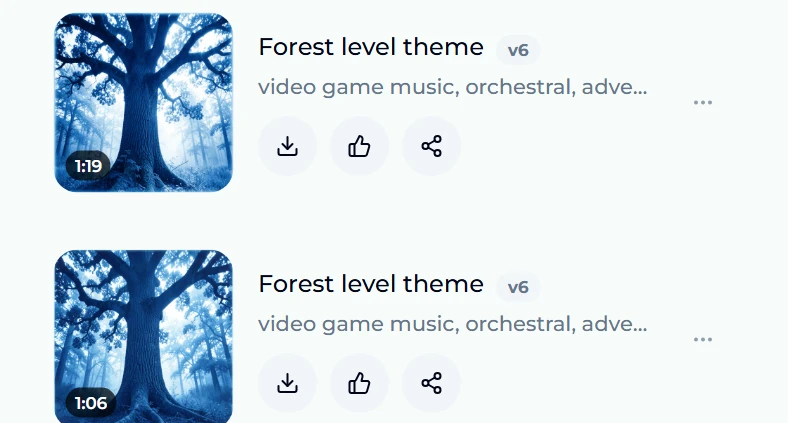
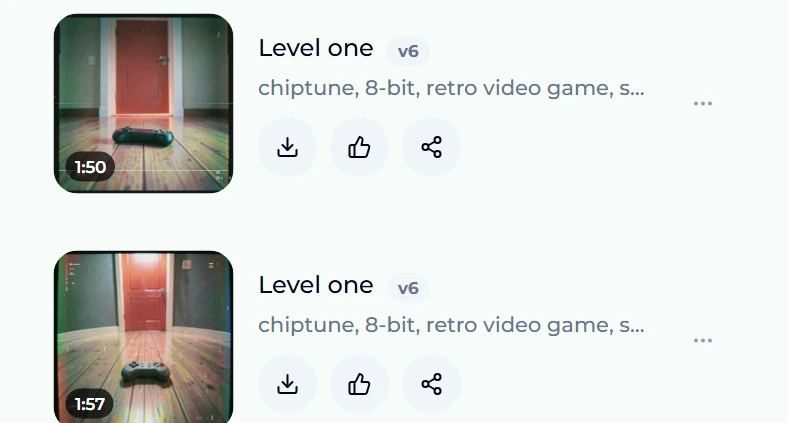
Game music is scene music: every track has one job — a level, a menu, a boss, a shop — and the fastest way to make it is to describe that job, not a genre. Open the game music maker, keep Instrumental selected, write the scene into the Style box ("video game music, orchestral, adventurous, epic, loopable" is the preset), give it a title and press Generate Music (10 credits). You get two takes in a minute or two. For a retro sound, the 8-bit music generator is the same engine seeded with chiptune. We ran both for this guide: "Forest level theme" came back as two orchestral takes of 1:19 and 1:06, and "Level one" as two chiptune takes of 1:50 and 1:57.
In this guide
- What makes music sound like a game
- Pick the job before the genre
- Step by step with the game music maker
- Making 8-bit and chiptune music
- Style prompts that work for games
- Making a track loop
- From two takes to a soundtrack
- FAQ
What makes music sound like a game
Film music follows a picture that never changes; game music has to survive a player who does. That difference explains almost every convention of the form:
- It repeats. A player can spend twenty minutes in one level. The track has to be pleasant the fifth time round, which is why game themes lean on a strong, simple melody rather than a long arc.
- It stays out of the way. Sound effects, dialogue and footsteps sit on top of it. Busy vocals and wide dynamic swings fight the gameplay, so most in-game music is instrumental and fairly even in level.
- It signals state. Players learn the soundtrack as information: the calm exploration theme, the tense stealth loop, the boss music that tells you this fight matters. Each track has one mood and holds it.
- It has a palette. A pixel platformer, a fantasy RPG and a racing game sound different before a single note is played — chiptune, orchestra, synthwave. The palette is what makes a soundtrack feel like one game.
Keep those four in mind and the prompts write themselves.
Pick the job before the genre
Before opening any tool, list the tracks the game actually needs. A small game typically needs five to eight:
| Track | Mood to ask for | Typical length |
|---|---|---|
| Title screen | Inviting, a little grand, sets the palette | 1–2 min, loops |
| Exploration or overworld | Curious, steady, easy to hear for a long time | 2–3 min, loops |
| Level theme | Energetic, forward-moving | 1–2 min, loops |
| Boss fight | Urgent, heavy percussion, higher tempo | 1–2 min, loops |
| Shop or safe room | Relaxed, small, warm | 1 min, loops |
| Victory or level clear | Short and bright | 5–15 sec, one-shot |
| Game over | Short and falling | 5–10 sec, one-shot |
Write the job into the prompt. "Boss fight, orchestral, pounding drums, brass stabs, fast" is a far better instruction than "epic orchestral", because the model hears the scene you mean.
Step by step with the game music maker
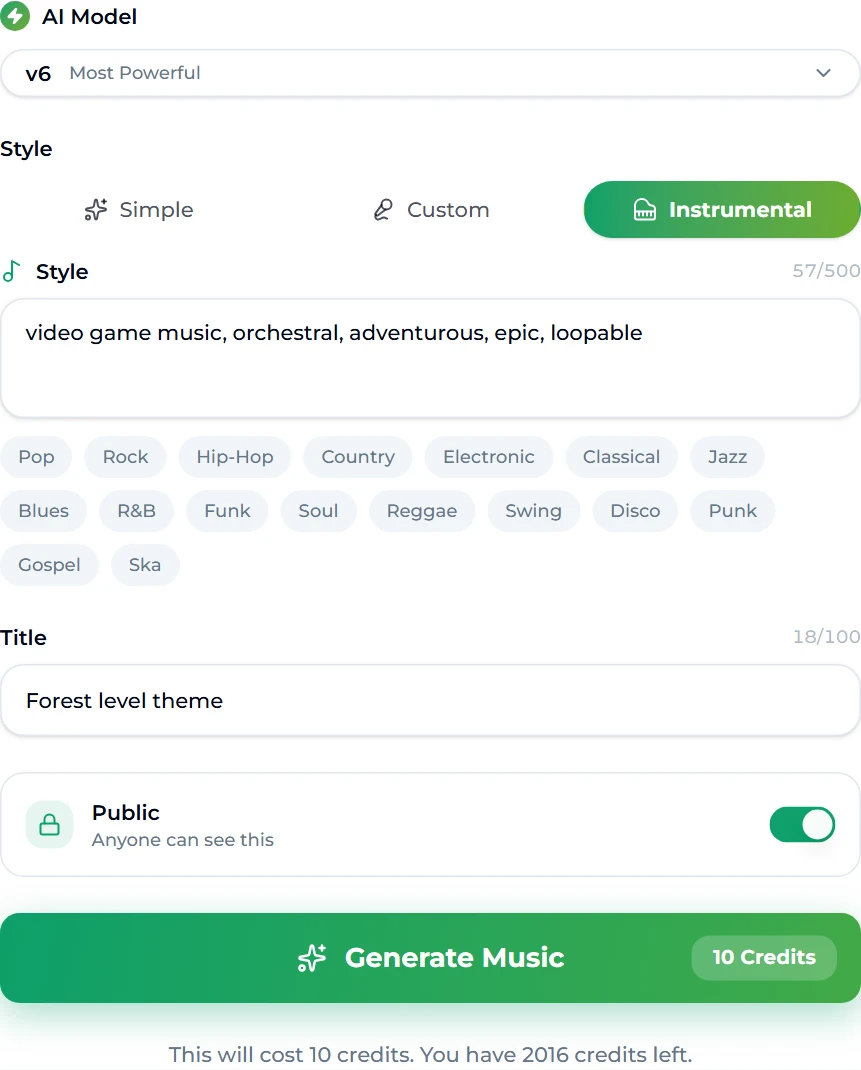
- Open the game music maker. It is the site's song generator, pre-seeded for games: the Instrumental tab is selected, the Style box already reads "video game music, orchestral, adventurous, epic, loopable", and the title is "Forest level theme".
- Choose the model. The picker at the top of the form sets the Suno model. Free accounts generate on v6 Mini; v6 and v6 Wild come with the paid plans. Our test account is on a paid plan, which is why the screenshot shows v6.
- Edit the Style box to describe your scene — up to 500 characters. Add the job (level, boss, menu), the palette (orchestral, chiptune, synth) and two or three mood words. The genre chips below the box (Classical, Electronic, Jazz…) add a tag in one tap.
- Name the track. The title is how you will find it in your library later; naming by scene ("Swamp level", "Final boss") keeps a soundtrack organised.
- Press Generate Music. One run costs 10 credits and returns two takes. The page moves you to the creation studio, where both appear in the Songs panel while they render.
This is the form exactly as we ran it:
And this is what came back about a minute later — two different takes of the same brief, each with its own cover art and duration:
Listen to both before deciding. Two takes of one prompt differ in melody and arrangement, and for a looping level theme the one with the more memorable hook almost always wins — even if the other sounds grander on first listen.
Making 8-bit and chiptune music
If your game is pixel art, the palette probably wants to be chiptune: square waves, fast arpeggios, a noise channel for drums. The 8-bit music generator is the same engine seeded for that sound — its preset style is "chiptune, 8-bit, retro video game, square wave, arpeggios, upbeat" with the title "Level one".
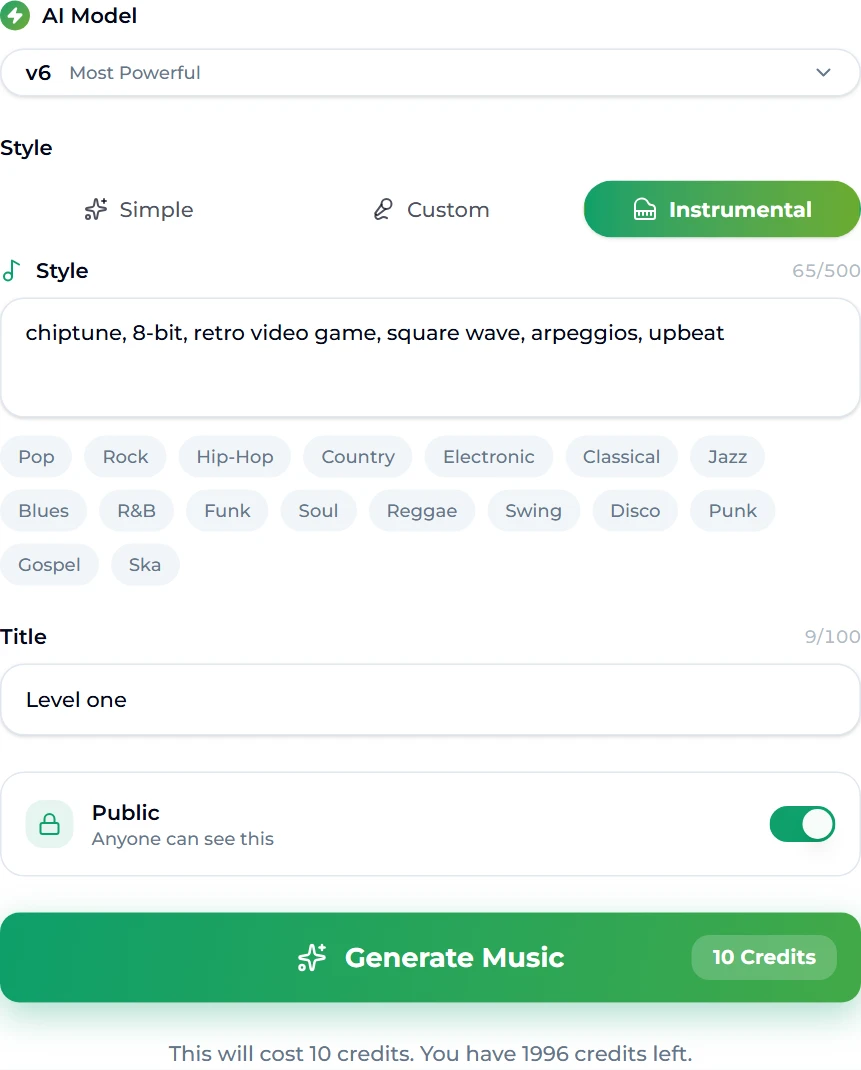
We ran the preset unchanged and got two chiptune takes of 1:50 and 1:57:
A few words steer chiptune well:
- Platform flavour: "NES style", "Game Boy", "16-bit SNES" — the later ones sound richer, with more channels and softer tones.
- Tempo and energy: "fast arpeggios, 150 bpm" for action, "slow, gentle, lullaby" for a village.
- Mixing eras: "chiptune with modern drums" or "8-bit melody over synthwave bass" gives the retro-modern sound many indie games use.
Style prompts that work for games
The Style box rewards specifics. Some that describe common game scenes cleanly:
- Forest exploration: "video game music, gentle orchestral, woodwinds, pizzicato strings, curious, light percussion, loopable"
- Final boss: "video game boss battle, orchestral and choir, pounding taiko drums, brass stabs, urgent, fast tempo"
- Cyberpunk city: "video game music, synthwave, dark arpeggiated bass, rainy city, mid tempo, atmospheric"
- Cozy farming game: "video game music, acoustic guitar, ukulele, soft glockenspiel, warm, relaxed, loopable"
- Racing: "video game racing music, electronic rock, driving drums, distorted synth lead, 160 bpm"
- Horror: "video game horror ambience, low drones, dissonant strings, sparse piano, unsettling, no melody"
Two rules help. Put the most important words first — the job and the palette. And keep one mood per track; "calm but intense" asks for two tracks at once and gets neither. For a broader library of style wording, see our Suno prompt guide and the genre guide.
Making a track loop
"Loopable" in a prompt nudges the model toward steady, repeating structure, but no generator guarantees a seamless loop — the model writes an intro and an ending like a song. Getting a clean loop is a short editing job:
- Find two matching points. Pick a bar where the track has settled into its main section, and a bar a few phrases later where it returns to the same chord. A tempo reading from the song BPM finder tells you how long one bar is.
- Cut on the downbeat in any audio editor and loop that region.
- Crossfade the seam by a few milliseconds so there is no click.
- Most engines loop a region for you. Unity, Godot, GameMaker and the FMOD and Wwise middleware all support loop points, so you can often keep the intro and loop only the body.
If a take is too short for a long level, extend it from a point in the body instead of looping a one-minute track; our guide on extending a song covers choosing that point. And if a take has a melody you love under a section you do not, Replace Section redoes just those seconds.
From two takes to a soundtrack
A soundtrack sounds like one game when every track shares a palette. Three habits get you there:
- Reuse your palette words. Decide once — say "orchestral, woodwinds, warm, hand percussion" — and start every prompt with it. Change only the job and mood.
- Generate the title theme first, pick the take whose melody you like most, and describe that melody in later prompts ("playful flute melody, same instrumentation as the forest theme").
- Use covers for variations. The cover tool re-performs a song in another style while keeping its melody — a calm village version of your main theme, or a boss version at double intensity, is exactly what composers do by hand.
On licensing: generated tracks are copyright-free, and on the Standard plan and above they carry a commercial licence with a downloadable certificate — which is what a game you sell needs. The free tier and Starter plan are for personal use. The pricing page lists what each plan includes.
FAQ
Can AI really make music for a video game?
Yes, especially for indie and prototype work. You describe the scene and palette, and the generator returns two finished instrumental takes in a minute or two. For a commercial release you still choose, trim and loop the tracks — the curation is the part that makes it feel like your game.
How long are the generated tracks?
In our runs, one to two minutes: the forest theme came back at 1:19 and 1:06, and the chiptune track at 1:50 and 1:57. For longer level music, loop a section or extend the track.
How much does it cost to make game music here?
Each run costs 10 credits and returns two takes. A new account gets 16 credits on sign-up, so the first run is free; after that, credits come with a plan or credit pack.
Can I sell a game that uses this music?
Commercial use needs the commercial licence, which comes with the Standard plan and above and includes a downloadable certificate. Personal and hobby projects are fine on the free tier and Starter.
How do I make 8-bit music without learning a tracker?
Use the 8-bit music generator: the style is pre-filled with chiptune tags, and adding a platform word like "NES" or "Game Boy" steers the sound. You get the track as audio rather than as tracker data, which any game engine can play.
Will the model write vocals over my game music?
Not on the Instrumental tab, which both game pages open on. If you want a sung theme song for a trailer or credits, switch to Simple or Custom and describe it.
Can I make the same theme in different moods?
Yes. Generate the main theme, then run it through the cover tool with a new style — calm, tense, triumphant. The melody carries over, which is how a soundtrack stays recognisable across levels.
Final take
Good game music is less about genre than about job: one scene, one mood, one palette, repeated until it becomes part of the game. Start on the game music maker or the 8-bit music generator, describe the scene rather than the style, keep the take with the stronger hook, and loop it. When you want to shape a whole soundtrack — extend, cover, replace a section — everything else lives in the creation studio.