
TL;DR
Cinematic music is music with a shape: it starts somewhere, builds, and arrives, usually with an orchestra or a hybrid of orchestra and synths, written to sit under a picture rather than on top of it. The quickest way to make cinematic music without a composer is the cinematic music generator: the Prompt box opens with a full epic trailer recipe and Instrumental Only switched on, and six "Start from a vibe" tiles each play an example made on Suno v6 and copy its exact prompt into the box. Describe your scene, press Generate Music for Free, and about a minute later you have two original cues. One run costs 10 credits, new accounts get 16 credits on sign-up, and commercial use for videos, games and ads comes with the Standard plan and above.
In this guide
- What makes music sound cinematic
- Step by step with the cinematic music generator
- Writing a cinematic music prompt that fits your scene
- Six cinematic music styles with proven prompts
- Common cinematic music mistakes
- Choosing a model
- Using cinematic music in videos, games and ads
- After the cue is made
- FAQ
- Final take
What makes music sound cinematic
Cinematic music is a feeling, but it comes from a handful of concrete choices. Before you write a prompt, it helps to know them, because each one is a word or two you can put in the Prompt box:
- A scene, not a genre. Cinematic music serves a moment: a goodbye at a train station, a hero cresting a ridge, footsteps in a dark hallway. Describing the scene does more than any genre label.
- The orchestra, or a hybrid. Strings, French horns, timpani and choir are the classic film score palette. Trailer music adds deep braams, taiko drums and synth pulses for a modern hybrid sound.
- Shape. Most cinematic music builds. Builds from a quiet pulse to a massive climax, slow build of dread, slowly swelling strings. Telling the model the arc is the single biggest upgrade.
- Ostinatos and pulses. Repeating string figures and ticking pulses create momentum without a melody getting in the way of dialogue.
- A theme instrument. One voice carries the emotion: a solo piano, a cello, a soaring French horn. Naming it gives the cue an identity you can reuse.
- No vocals, usually. Score sits under picture, so no vocals keeps it out of the way. The exception is an end-credits song, which wants a singer.
The preset on the page uses almost all of these: epic cinematic trailer music, no vocals, hybrid orchestra with deep braams, pounding taiko drums, rising string ostinatos, brass swells and a huge final hit, builds from a quiet pulse to a massive climax. Read it once and you have a template for any trailer music prompt.
Step by step with the cinematic music generator
- Open the cinematic music generator. It is the same studio as the main AI music generator, set up for film music. The Prompt tab is selected, the box holds the epic trailer recipe, and the Instrumental chip is on, so the cue comes back without vocals.
- Check the rest of the form. Under the box are chips for your library, + Lyrics, a reference Image, Video and Audio. Below that sit an Inspiration row of genre chips, Number of Songs to Generate (2 by default) and the Public switch.
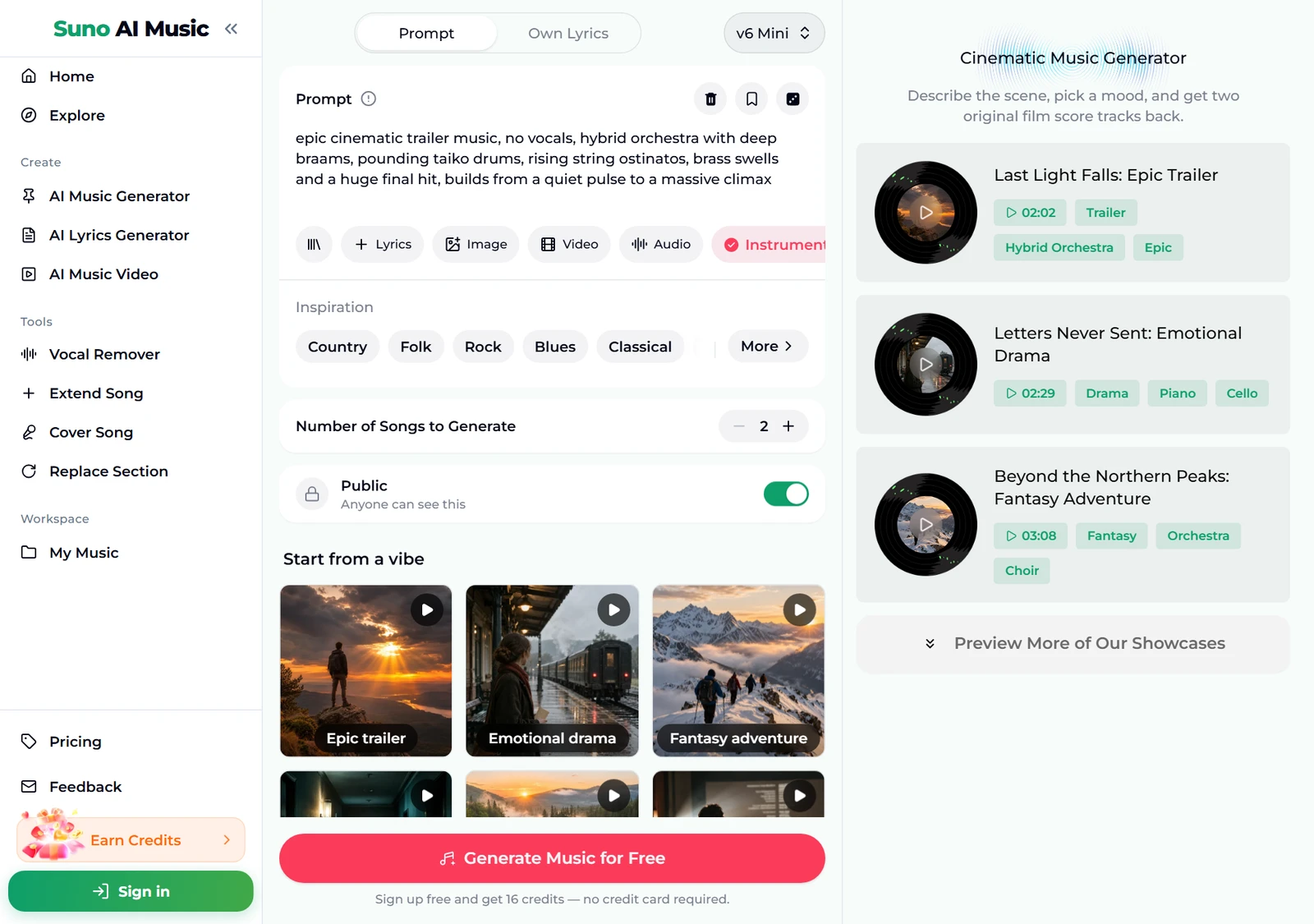
- Play a vibe before you spend anything. Tap a tile under Start from a vibe. One tap plays that tile's example in the player bar and copies its prompt into the Prompt box. Below, we tapped Epic trailer: the tile shows a pause icon and the player bar plays "Last Light Falls", 2:02 long.
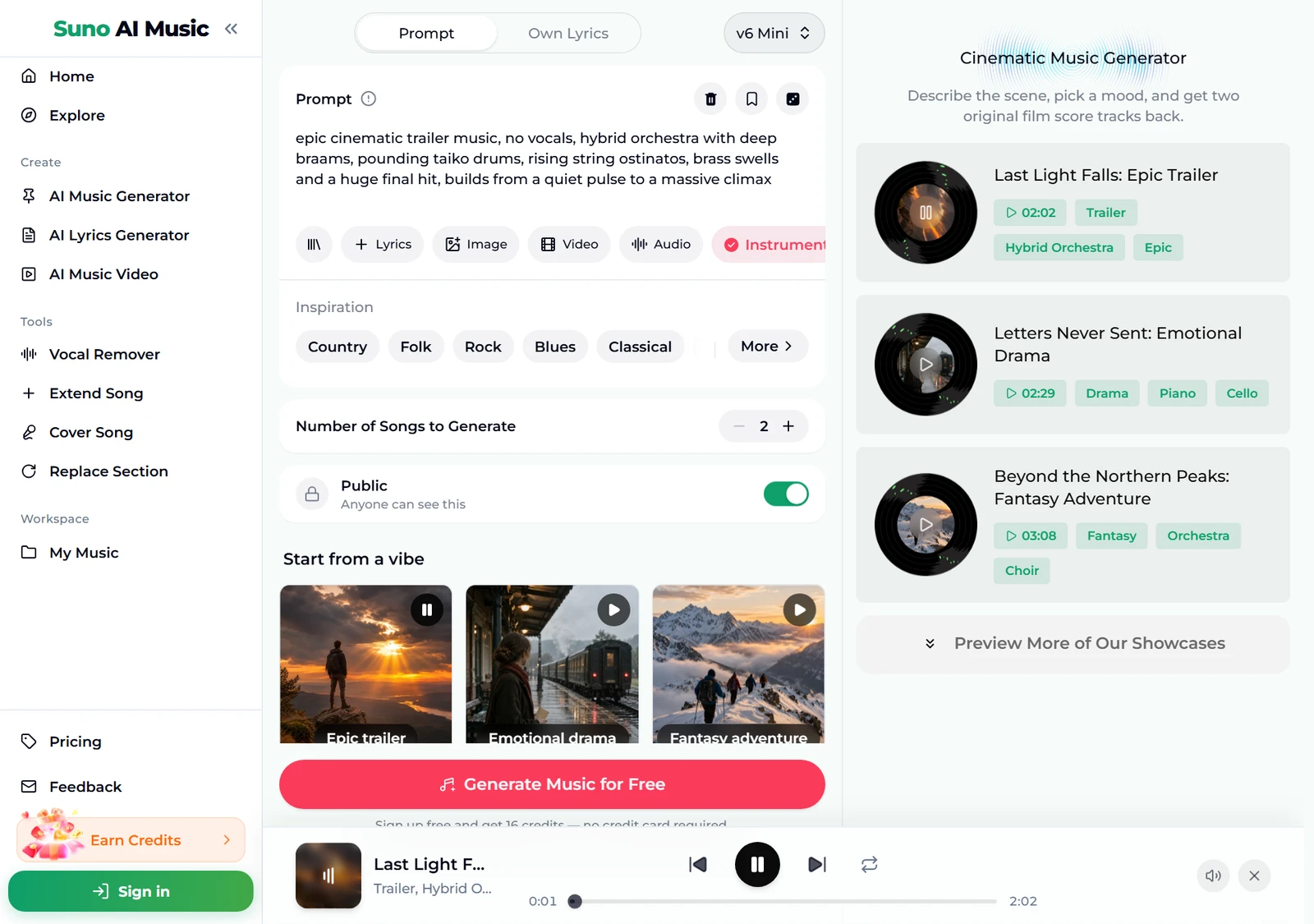
- Browse all six examples. Further down, the Cinematic Music Generator Examples section lists every cue with its length and tags, from a 1:07 suspense sting to a 4:43 end-credits ballad. Each one was made on v6 from exactly the prompt its tile fills in.
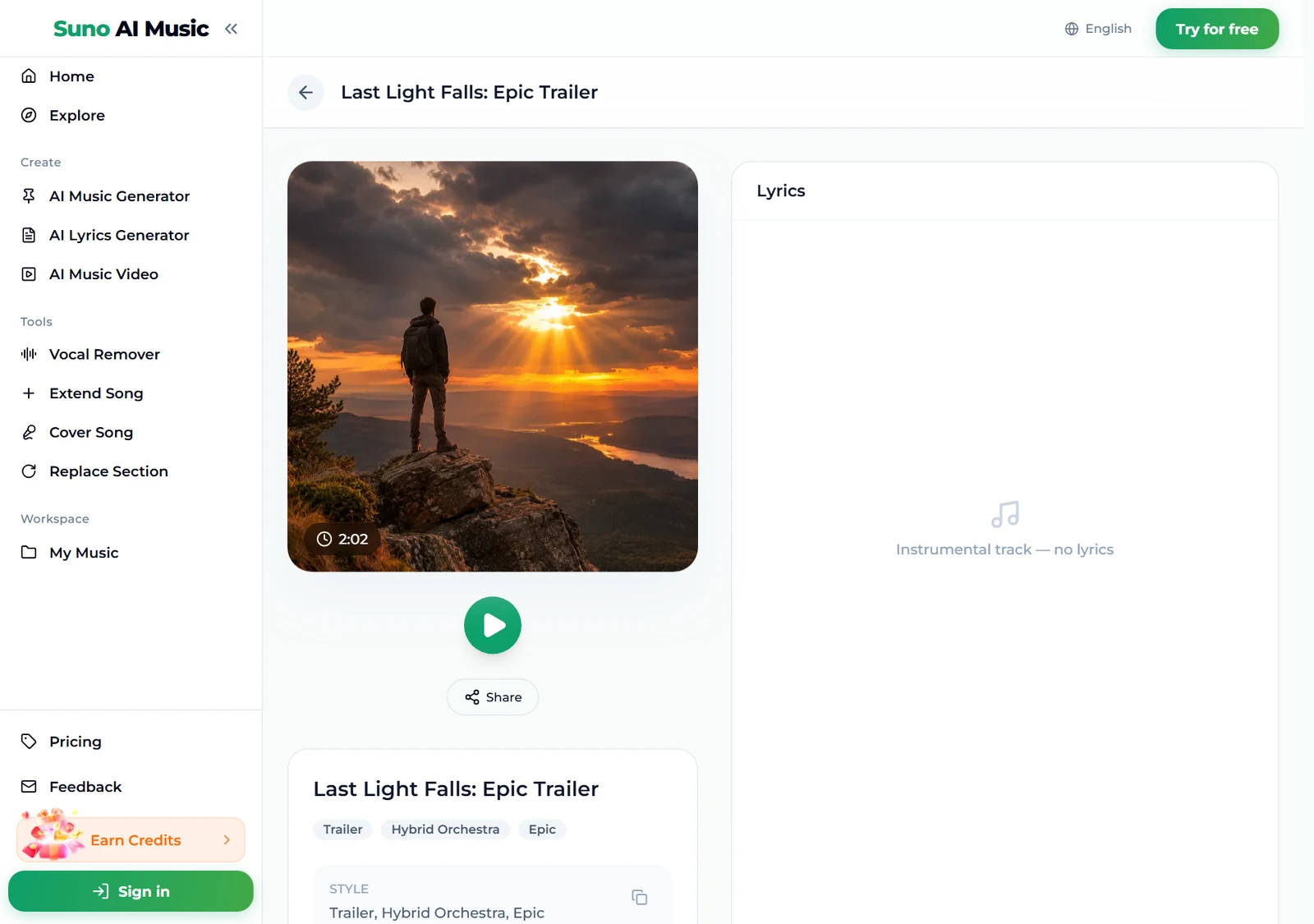
- Open an example if you want a closer look. Each cue has its own page, for example Last Light Falls, with the cover, a play button, Share, its tags and, for the instrumental cues, the note "Instrumental track — no lyrics".
- Press Generate Music for Free. Logged out, the button asks you to sign up first. A run takes about a minute and returns two cues. They are new cinematic music in the style of the prompt, not copies of the example, so expect the same mood and instruments with a different theme.
Writing a cinematic music prompt that fits your scene
The six vibes are proven cinematic music starting points. To make cinematic music for your project, describe the picture and change one thing per run. Two cues per run make comparing easy.
- Start with the scene. A goodbye at a train station, sunrise over a wild river valley, a heist crew walking toward the vault. The scene sets tempo and harmony better than any adjective.
- Name the emotion. Bittersweet and hopeful, majestic and wondrous, tense and minimal. One or two words.
- Pick two or three instruments. Solo piano and cello, French horn theme with harp and timpani, low synth drones and col legno strings.
- Describe the shape. Quiet for the first thirty seconds, then builds to a big hit and fades. The generator does not watch your video, but it follows a described arc.
- Keep a theme across cues. For a whole soundtrack, keep the same theme words in every prompt, such as heroic French horn theme, and change only the scene. The cues will share a sound.
- Keep Instrumental Only on for score. Switch it off only when you want a theme song with a singer.
For more words that reliably move the sound, see our Suno prompts guide.
Six cinematic music styles with proven prompts
These are the six tiles on the cinematic music generator, with the exact prompt each one fills in. Every example was generated on v6 from that prompt, so you can hear the cinematic music before you use the recipe.
| Vibe | What it is | Prompt |
|---|---|---|
| Epic trailer | Hybrid trailer music, 2:02 example | epic cinematic trailer music, no vocals, hybrid orchestra with deep braams, pounding taiko drums, rising string ostinatos, brass swells and a huge final hit, builds from a quiet pulse to a massive climax |
| Emotional drama | Piano and cello score, 2:29 example | emotional cinematic drama score, no vocals, solo piano with a slow cello melody and warm string swells, bittersweet and hopeful, a quiet film scene of saying goodbye at a train station |
| Fantasy adventure | Full orchestra and choir, 3:08 example | sweeping fantasy adventure film score, full symphony orchestra, soaring French horn theme, wordless choir, harp and timpani, a heroic journey over snowy mountains, majestic and wondrous |
| Suspense thriller | Minimal tension underscore, 1:07 example | dark suspense thriller underscore, no vocals, ticking clock pulse, low synth drones, tense col legno strings, sudden stingers and a slow build of dread, cinematic and minimal |
| Nature documentary | Calm, curious underscore, 1:59 example | cinematic nature documentary underscore, no vocals, gentle strings, felt piano, soft woodwinds and light percussion, sunrise over a wild river valley, calm, curious and uplifting |
| End-credits ballad | Orchestral song with vocal, 4:43 example | A cinematic end-credits ballad about two people who survived a long journey together, powerful female vocal, piano and full orchestra building to a soaring final chorus, emotional and triumphant |
Two extra recipes of our own, untested, if you want to go beyond the six:
- Sci-fi discovery (untested): cinematic sci-fi score, no vocals, warm analog synth pads, slow string swells, distant choir, a spaceship drifting toward an unknown planet, awe and quiet wonder, builds gently
- Chase scene (untested): action movie music, no vocals, driving string ostinatos at a fast tempo, staccato brass, big percussion hits, a car chase through a city at night, relentless and tense
For game soundtracks with loops and level themes, try the game music maker; for calm music under talking-head videos, the AI background music generator is a better fit.
Common cinematic music mistakes
Most disappointing cinematic music comes from the same few prompt habits:
- "Epic music" and nothing else. Every trailer is epic. Say what happens: a hero cresting a ridge at dawn.
- No arc. Without a described build the cue can sit at one level for two minutes. Write the shape.
- Too many instruments. Orchestra, choir, synths, guitar, piano, taiko, bagpipes gives you mud. Choose a palette and one theme instrument.
- Asking for a famous composer. The generator writes original music rather than copying existing scores or artists. Describe the sound instead: sweeping orchestra with a heroic horn theme.
- Turning Instrumental Only off by accident. A vocal on top of a dialogue scene is rarely what you want.
- Judging from one take. Each run returns two. If both miss the same way, change the prompt; if only one does, keep the other.
Choosing a model
The model picker sits at the top right of the form.
- v6 Mini is the free tier, described as "Fast drafts, high volume". It is a good place to find the mood of your cinematic music before you commit.
- v6 is "Most powerful, for any song". All six example cues were made on v6, and its fuller orchestral sound is worth it for final movie music. It needs a paid plan.
- v6 Wild is "Best for experimental ideas", also on paid plans, for unusual hybrids such as orchestra with glitch electronics.
Every run costs the same 10 credits for two cues, whichever model you pick. Plans and credit packs cover everything after the 16 sign-up credits.
Using cinematic music in videos, games and ads
Most people who make cinematic music are making it for something else: a YouTube video, a short film, a game, a client's ad. That is commercial use, and the rule is simple:
- Commercial use is included on the Standard plan and above, on credit packs of 2,500 credits or more, and on all Team plans. Those tracks carry a commercial licence with a downloadable certificate, useful when a client or platform asks.
- Personal use only applies to tracks made with sign-up credits, on the Starter plan or with a Mini credit pack.
Cinematic music tracks download as MP3 with any plan or credit pack; WAV export, which editors prefer, is included on Standard and above. Pricing lists what each plan includes.
After the cue is made
- Fit it to the edit. Extend Song makes a cue longer from any point, and Replace Section regenerates a stretch without touching the rest, so the big hit can land on your cut. Fine trimming happens in your video editor.
- Hear it in another style. Cover Song re-performs your cinematic music in a new style, for example turning a piano drama cue into a full orchestral version.
- Separate the vocal. For the end-credits ballad, the vocal remover splits the song into vocals and instrumental, giving you an underscore version too.
- Turn it into a video. The music video generator builds a video around a track.
FAQ
How do you make cinematic music with AI?
Describe the scene, the emotion, two or three instruments and the shape of the cue in the cinematic music generator, or tap a vibe tile to start from a proven prompt. Keep Instrumental Only on and press Generate; you get two original cues in about a minute.
Can I use AI cinematic music in my YouTube video, game or ad?
Yes, with the right plan. Commercial use is included on the Standard plan and above, 2,500+ credit packs and Team plans. Tracks made with sign-up credits, on the Starter plan or with a Mini credit pack are for personal use only.
Is it a film score generator or a trailer music maker?
Both. The same prompt box makes trailer music, drama score, fantasy adventure themes, suspense underscore, documentary beds and end-credits songs; the scene you describe decides which.
Can it match my video exactly?
It does not watch your video, but you can describe the shape, such as quiet for 30 seconds, then a build, a big hit and a fade. Then use Extend Song and Replace Section, or trim in your editor, to line the cue up with your cuts.
How long is a cinematic music track?
The six examples run from 1:07 to 4:43. Use Extend Song to make a cue longer, or trim it in your editor.
Can I make a whole soundtrack with the same theme?
Yes. Keep the same theme instrument and words in every prompt and change the scene and mood, so the cinematic music across your project shares one sound.
Final take
Cinematic music is not about size; it is about serving a scene. Describe the picture, name one theme instrument and write the arc, start from a vibe on the cinematic music generator, and change one detail per run until the cue makes your footage feel like a film.