
TL;DR
Good meditation music is music you stop noticing. It has no surprises: a slow pulse or none at all, soft sounds with long tails, no sudden drums or vocals, and a mood that fits the practice, whether that is a guided session, a sleep track, a yoga flow or a sound bath. The quickest way to make meditation music is the meditation music generator: the Prompt box opens with a guided meditation recipe at 60 bpm, the Instrumental chip is already on, and six "Start from a vibe" tiles each play a finished example and copy its exact prompt into the box. Describe your practice and the sounds you want, press Generate Music for Free, and about a minute later you have two original tracks. One run costs 10 credits, and new accounts in many countries get 16 free credits on sign-up.
In this guide
- What makes meditation music work
- Step by step with the meditation music generator
- How to write a meditation music prompt of your own
- Six kinds of meditation music with proven prompts
- Common meditation music mistakes
- Choosing a model
- Building a full session
- FAQ
- Final take
What makes meditation music work
Every kind of meditation music, from a sleep track to a yoga class playlist, follows a few simple rules. Each one is a phrase you can put in a prompt:
- No vocals, usually. Words pull attention. No vocals at the start of the prompt, plus the Instrumental chip, keeps the track wordless. If you want a voice, ask for soft humming or gentle wordless vocals.
- A slow pulse, or none. Many teachers like a slow pulse around 60 bpm. For sleep and sound baths, ask for no rhythm or no drums.
- Soft sounds with long tails. Warm synth pads, soft felt piano notes far apart, Tibetan singing bowls, handpan, cello, chimes. Sounds that ring and fade calm the room.
- Space. Spacious, notes far apart, long resonant tails. Meditation music leaves gaps.
- One mood. Calm, grounded, dark and sleepy, focused. Pick one and stay there.
- A purpose. Made to sit under a guided meditation voice, for falling asleep, for a vinyasa class, for work or study. The purpose decides how much happens in the track.
The preset on the page puts it in one line: guided meditation music, no vocals, slow warm synth pads that rise and fall like a breath, soft low drone, gentle sparkle of chimes, 60 bpm, spacious and calm, made to sit under a guided meditation voice. Change the sounds or the purpose, and you already have a working meditation music prompt.
Step by step with the meditation music generator
- Open the meditation music generator. It is the same studio as the main AI music generator, set up for calm music. The Prompt tab is selected, the box holds the guided meditation recipe, and the Instrumental chip is switched on, so the track comes back with no vocals.
- Look over the form. Under the box are chips for your library, + Lyrics, a reference Image, Video and Audio, and Instrumental. Below sit an Inspiration row of genre chips, Number of Songs to Generate (2 by default) and the Public switch.
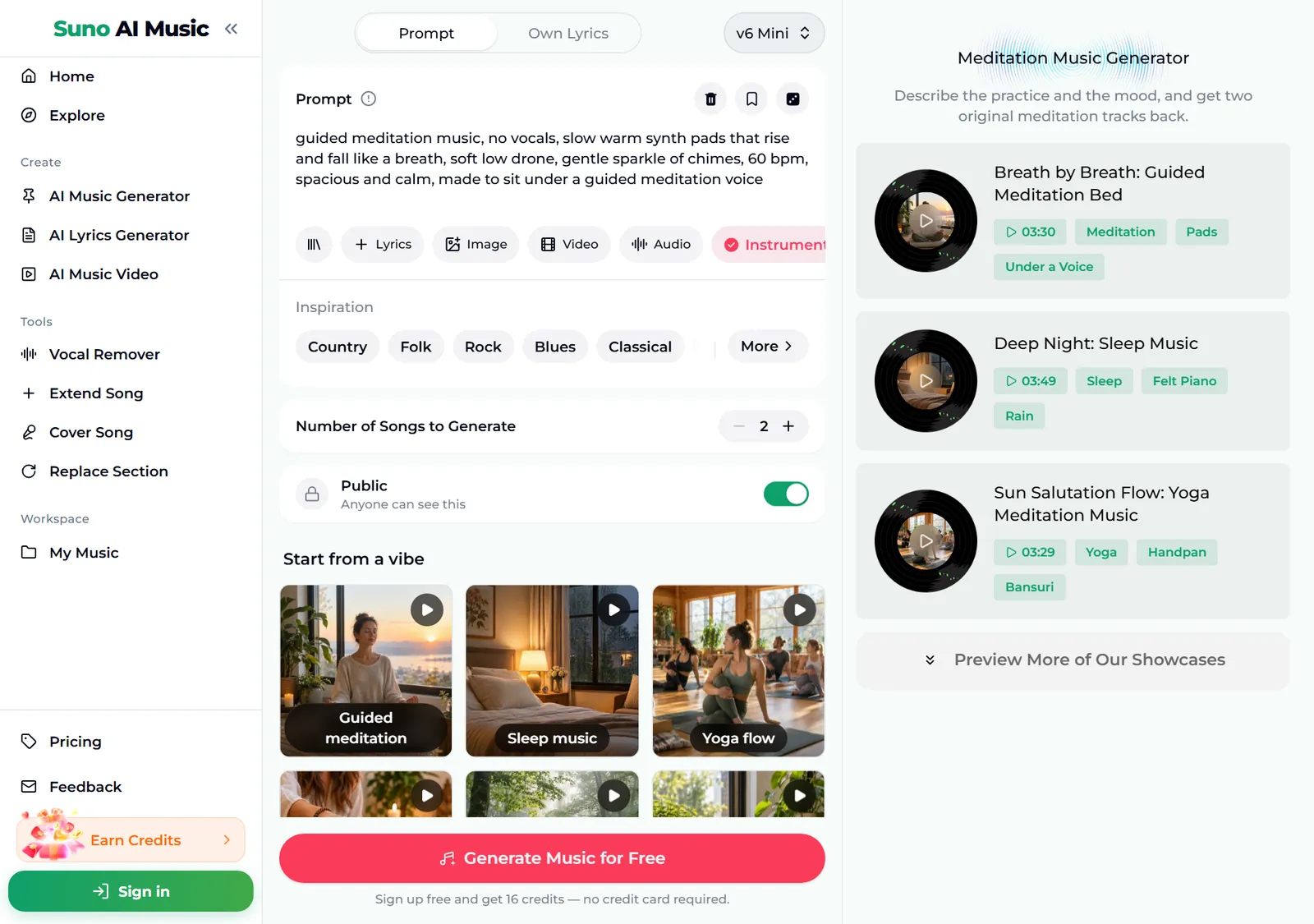
- Play a vibe before you spend anything. Tap a tile under Start from a vibe. One tap plays that tile's example in the player bar and copies its prompt into the Prompt box. Below, we tapped Sleep music: the tile shows a pause icon, the Prompt box now holds the sleep recipe with felt piano and distant rain, and the player bar plays "Deep Night", 3:49 long.
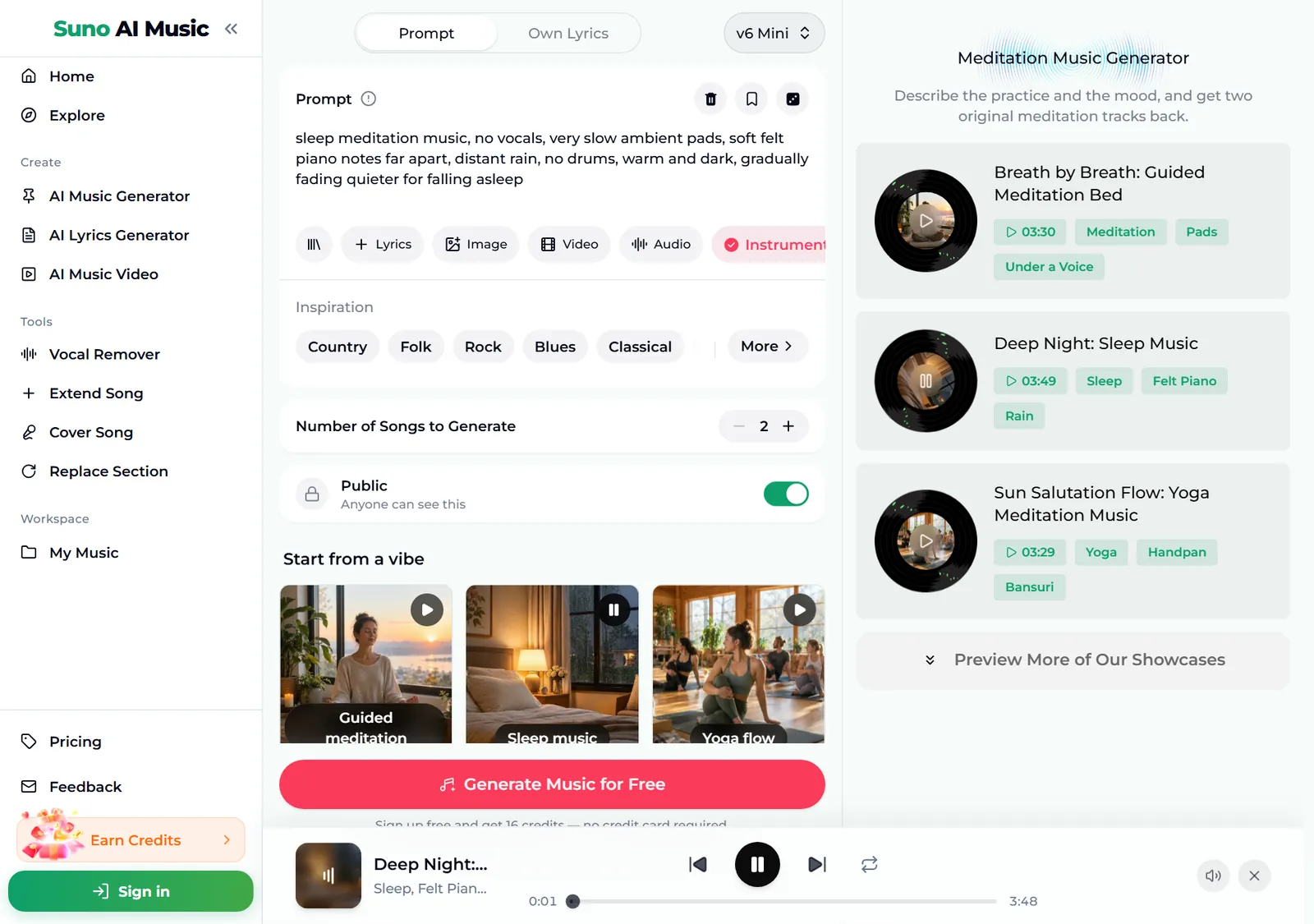
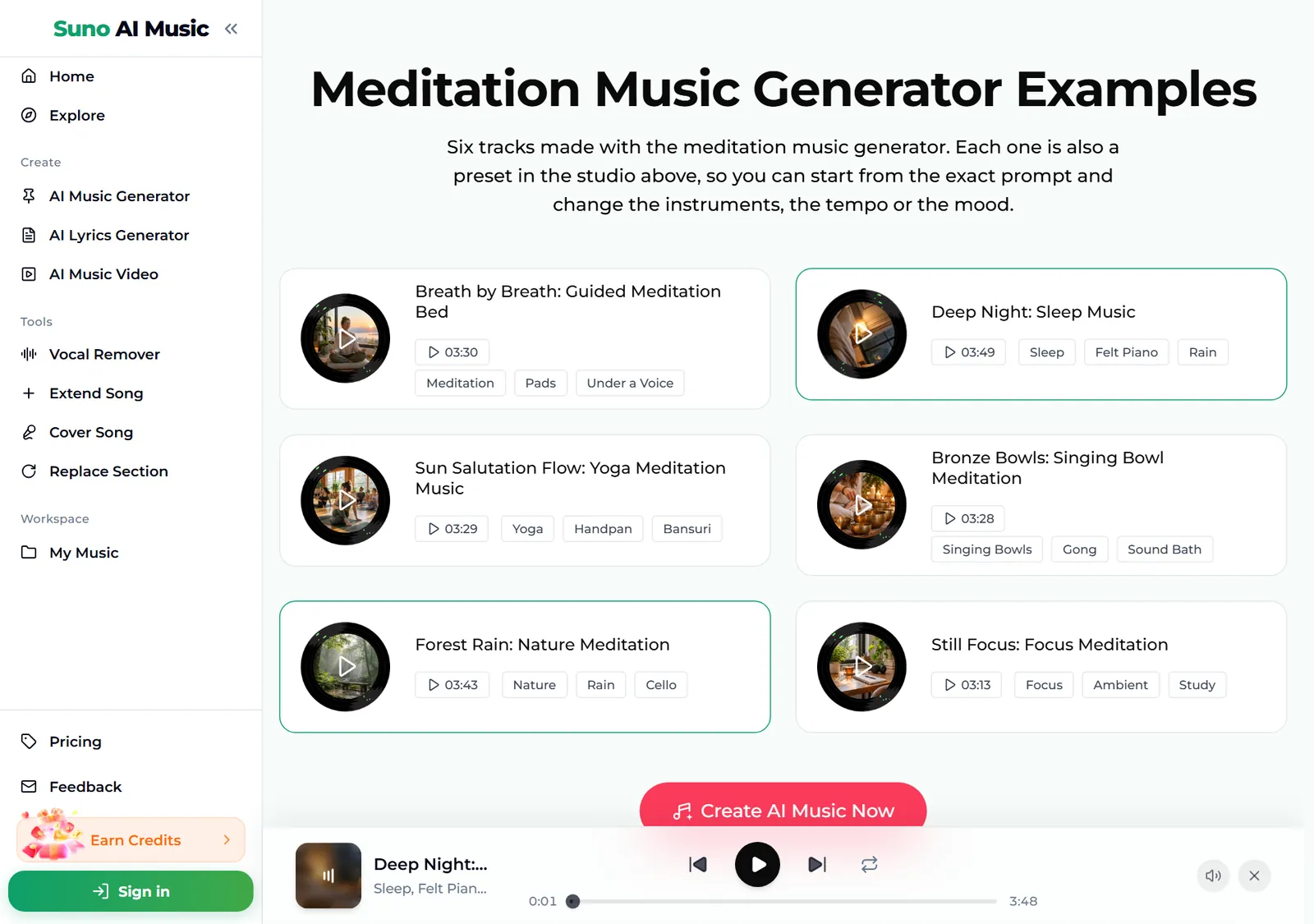
- Browse all six examples. Further down, the Meditation Music Generator Examples section lists every track with its length and tags. All six are instrumental, and each card is also a preset in the studio above.
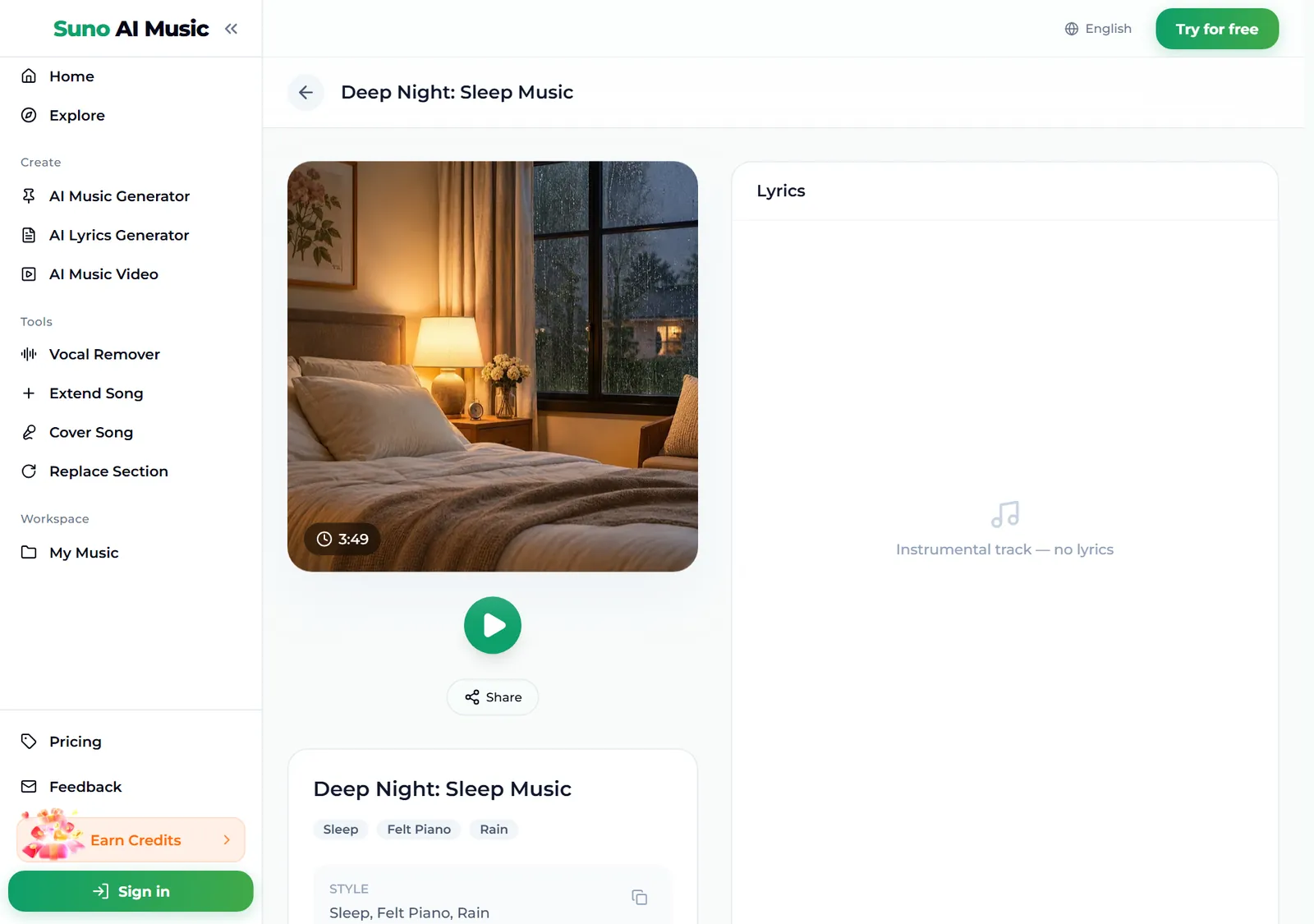
- Open an example. Each track has its own page, for example Deep Night, with the cover, a play button, Share and its tags. Because it is instrumental, the lyrics panel simply says "Instrumental track, no lyrics".
- Press Generate Music for Free. Logged out, the button asks you to sign up first. A run takes about a minute and returns two tracks, new music in the style of the prompt rather than copies of the example. Takes usually run three to four minutes.
How to write a meditation music prompt of your own
The presets give you usable meditation music in one tap. To make tracks that fit your class or practice, describe it and change one thing per run.
- Start with the practice. Guided meditation music, sleep meditation music, yoga meditation music for a flow class, singing bowl meditation, focus meditation music.
- Write "no vocals" first. It is the most important phrase, and it pairs with the Instrumental chip.
- Choose two or three sounds. Warm synth pads and a low drone, handpan, soft tabla and bansuri flute, singing bowls and gong swells, acoustic guitar harmonics and warm cello.
- Set the pace. 60 bpm, steady relaxed pulse, no rhythm, no drums.
- Add nature if you like. Soft rain in a forest, distant birds, waves, a stream.
- Say what the track has to do. Made to sit under a guided meditation voice, gradually fading quieter for falling asleep, no surprises, steady and calm for work or study.
A prompt like sleep music, no vocals, slow pads, soft felt piano notes far apart and distant rain, no drums works far better than "relaxing music".
Six kinds of meditation music with proven prompts
These are the six tiles on the meditation music generator, with the exact prompt each one fills in. Every example was generated on v6 from that prompt, so you can hear each kind of meditation music before you make your own.
| Vibe | What it is | Prompt |
|---|---|---|
| Guided meditation | Pads under a voice, 3:30 example | guided meditation music, no vocals, slow warm synth pads that rise and fall like a breath, soft low drone, gentle sparkle of chimes, 60 bpm, spacious and calm, made to sit under a guided meditation voice |
| Sleep music | Felt piano and rain, 3:49 example | sleep meditation music, no vocals, very slow ambient pads, soft felt piano notes far apart, distant rain, no drums, warm and dark, gradually fading quieter for falling asleep |
| Yoga flow | Handpan and bansuri, 3:29 example | yoga meditation music for a flow class, no vocals, gentle handpan and soft tabla, warm bansuri flute melody, light ambient pads, steady relaxed pulse for a vinyasa class, peaceful and grounded |
| Singing bowls | Sound bath, no rhythm, 3:28 example | singing bowl meditation, no vocals, layered Tibetan singing bowls and gong swells, low humming drone, long resonant tails, no rhythm, deeply calming |
| Nature meditation | Forest rain and cello, 3:43 example | nature meditation music, no vocals, soft rain in a forest, distant birds, slow acoustic guitar harmonics and warm cello, quiet and healing |
| Focus | Steady for work or study, 3:13 example | focus meditation music, no vocals, soft evolving synth textures, a slow gentle pulse, light piano motifs, no surprises, steady and calm for work or study |
Two extra recipes of our own, untested, if you want to go beyond the six:
- Body scan (untested): body scan meditation music, no vocals, a single warm cello drone with soft harp notes every few seconds, no rhythm, slowly descending, very quiet, made to sit under a teacher's voice
- Morning walk (untested): walking meditation music, no vocals, gentle fingerpicked guitar and kalimba, soft birdsong, slow steady pulse like footsteps, light and hopeful
For wider soundscapes, try the AI ambient generator; for plain rain or white noise with no music at all, the noise generator.
Common meditation music mistakes
- Forgetting "no vocals". Without it, some takes add a voice. Write it at the start and keep the Instrumental chip on.
- Too much happening. Drum fills, melody changes and key changes wake people up. Ask for no surprises and notes far apart.
- The wrong pace for the practice. A yoga flow needs a gentle pulse; a sleep track needs none. Say which.
- Vague prompts. "Relaxing music" gives you something generic. Name the practice, the sounds and the pace.
- Health promises. Meditation music is calm music for practice, rest and focus. It is not a medical treatment, and it is best described that way to your students.
- Judging from one take. Each run returns two tracks. Listen to both with the practice in mind, ideally with your eyes closed.
Choosing a model
The model picker sits at the top right of the form.
- v6 Mini is the free tier, described as "Fast drafts, high volume". It is a good place to try sounds and paces.
- v6 is "Most powerful, for any song". All six example tracks were made on v6, with richer textures and smoother tails. It needs a paid plan.
- v6 Wild is "Best for experimental ideas", also on paid plans, for blends like singing bowls over a slow deep house pulse.
Every run costs the same 10 credits for two tracks, whichever model you pick. Plans and credit packs cover everything after the free sign-up credits.
Building a full session
- Make a set. Keep the same instruments and mood in the prompt and change only the energy: a slow opening, a steadier middle for movement and a very soft ending for rest. Generate once for each part and play the takes in order, so the class moves from arrival to stillness without a jarring change.
- Make it longer. Extend Song continues a track from any point, or you can play several tracks in the same mood one after another.
- Fix one moment. Replace Section rewrites a single part, such as a bar where a chime sounds too loud.
- Record over it. Download the track and record your guided meditation voice on top in any audio app.
- Download it. Tracks download as MP3 with any plan or credit pack, and WAV on Standard and above; pricing lists what each one includes.
FAQ
How do you make meditation music?
Name the practice, two or three soft sounds and the pace in the meditation music generator, for example sleep music with no vocals, felt piano notes far apart and distant rain, or tap a vibe tile to start from a proven prompt. You get two original tracks in about a minute.
Can it make music to go under a guided meditation?
Yes. Start from the Guided meditation tile, which asks for pads that rise and fall like a breath and is made to sit under a voice.
Which tempo works best for meditation music?
Many teachers like a slow pulse around 60 beats per minute, or no pulse at all for sound baths and sleep. Write it in the prompt, such as 60 bpm or no rhythm.
Can I use the meditation music in my yoga classes?
Tracks made on the Standard plan and above, 2,500+ credit packs and Team plans carry a commercial licence. Tracks made with sign-up credits, on the Starter plan or with a Mini credit pack are for personal use only. Rules about playing music in a public space differ by country, so check what applies to your studio.
Can it add nature sounds?
Yes. Ask for rain, waves, birds or a stream in the prompt, or start from the Nature meditation tile.
Is it healing music?
It is calm, relaxing music for practice, rest and focus. It is not a medical treatment, and it does not replace advice from a health professional.
Final take
Meditation music works when nothing in it asks for your attention: no vocals, a slow pulse or none, soft sounds with long tails, and one steady mood that fits the practice. Start from a vibe on the meditation music generator, describe your class or your evening, and change one detail per run until the meditation music disappears into the background the way it should.