

TL;DR
Open the Guess the Song music quiz, choose a playlist, and press Start the round. A real 30-second preview starts playing, four song titles appear, and you have 15 seconds to pick the right one. A round is ten songs. A correct answer is worth up to 1,000 points, falling as the clock runs down but never below 300; a wrong answer or a timeout scores zero. It is free, unlimited and needs no account — it runs entirely in the browser. For a specific era or genre, go straight to the 80s, 90s, 2000s or 2010s quiz, or the pop, rock and hip-hop and R&B editions. We played an 80s round for this guide and finished on 7,100 points, 8 of 10 correct.
In this guide
- How a round works
- How the score is calculated
- Step by step
- Choosing a playlist
- Tips for a higher score
- How to host a music quiz night
- Troubleshooting
- FAQ
- Final take
How a round works
The format is the one people know from TV "name that tune" rounds and pub quizzes, trimmed to a two-minute game:
- Listen. A 30-second preview of a real recording starts the moment the question appears. These are the official previews Apple publishes for its catalogue, streamed from Apple's servers — no covers, no soundalikes.
- Pick. Four titles, each with its artist, are on screen. The three wrong ones come from the same playlist and, where possible, from different artists, so you cannot rule them out just by genre or era.
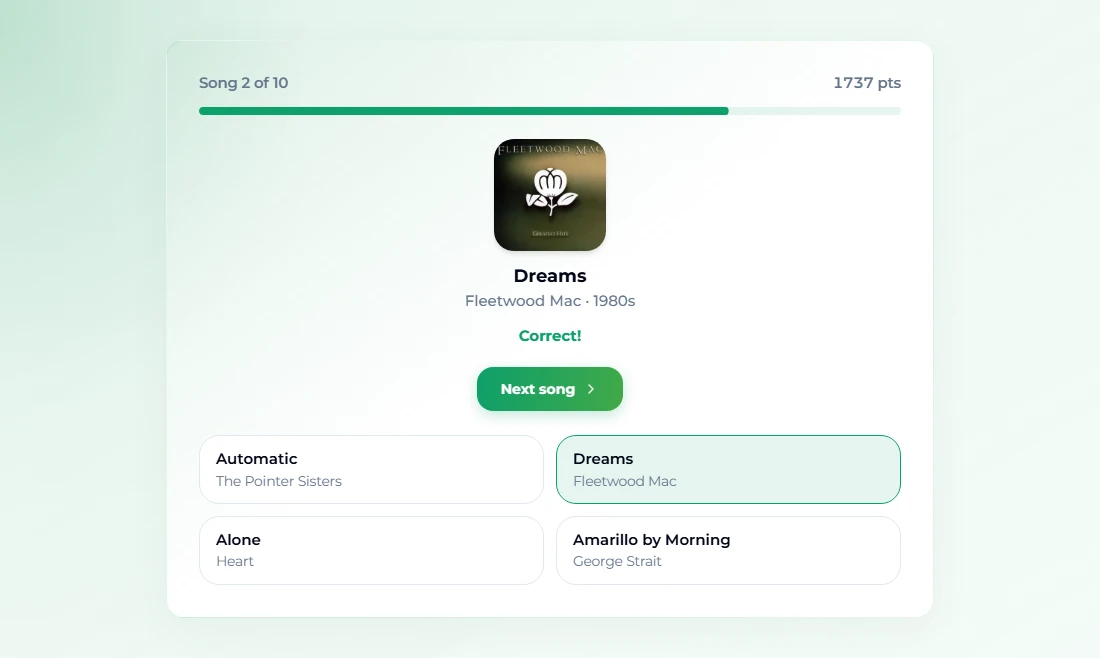
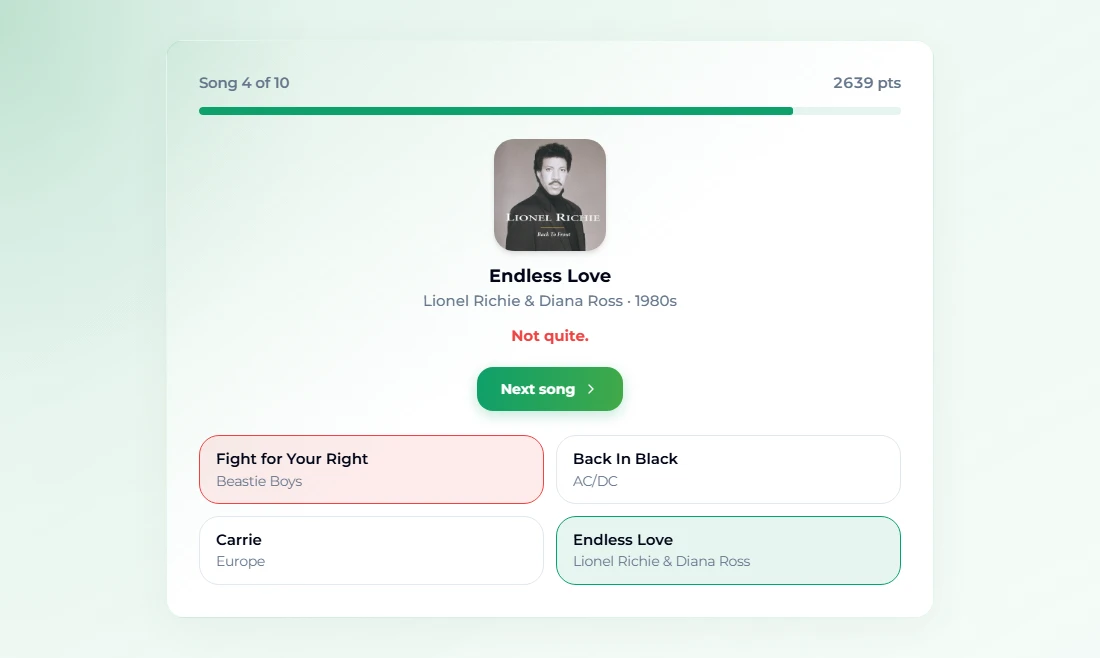
- Reveal. Click an answer and the game shows the right song with its cover art, artist and decade, and whether you were correct.
- Move on. Press Next song when you are ready. After the tenth clip, See results shows your total and how many you got right.
The same game sits behind every quiz page — Song Guesser and Spotiguess are the same round under the names people search for — so your skills carry over between them.
How the score is calculated
Speed is the whole scoring model:
- A correct answer is worth up to 1,000 points.
- The 15-second clock eats into that linearly, down to a floor: even a last-second correct answer is worth 300 points.
- The exact rule is
points = 1,000 × (0.3 + 0.7 × seconds left ÷ 15). - A wrong answer or running out of time scores 0.
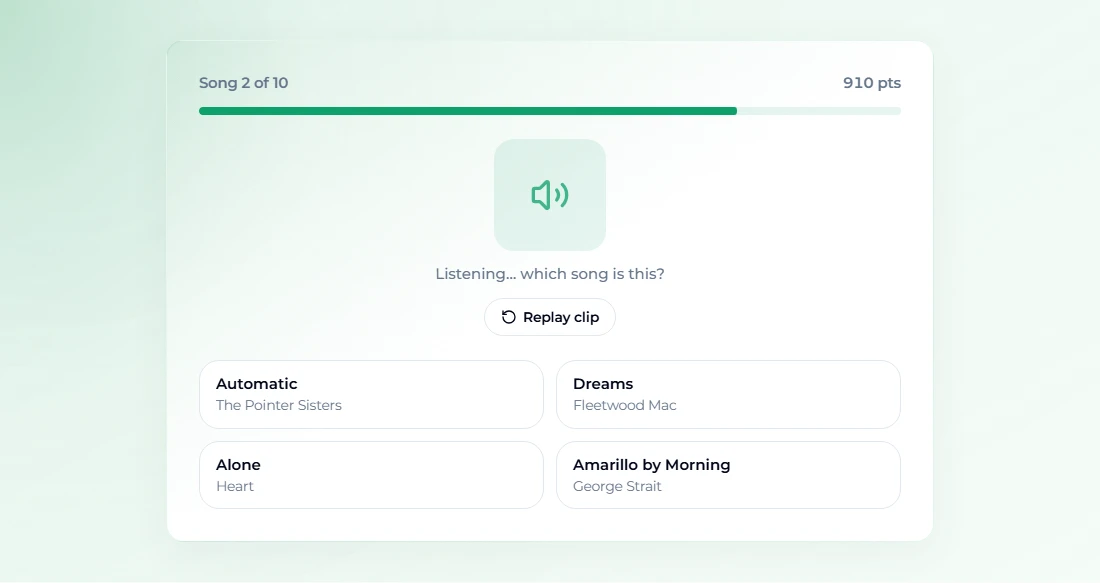
In practice: answer in 2 seconds and you get about 907 points; in 5 seconds, about 767; in 10 seconds, about 533. A perfect round is therefore a little under 10,000, and anything above 7,000 means you were both right and quick. Our first answer of the 80s round came 2.6 seconds in and scored 910.
Two more rules worth knowing. Replay clip restarts the preview and gives you a fresh 15 seconds, so a slow-loading clip never costs you points. And if a clip fails to load at all, the question is skipped and "no points lost" is shown instead of a zero.
Step by step
- Go to Guess the Song. It shows a playlist menu (so do Song Guesser and Spotiguess); the decade and genre pages have their playlist locked in.
- Choose a playlist: All-Time Hits, 80s Hits, 90s Hits, 2000s Hits, 2010s Hits, Pop, Rock or Hip-Hop & R&B.
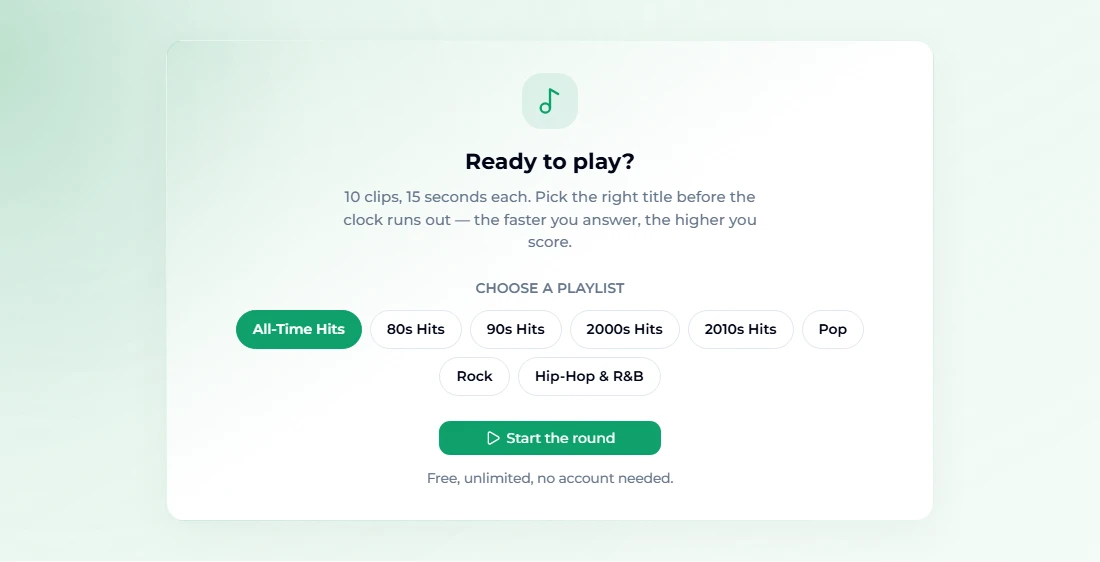
- Press Start the round. Turn your volume up first; the clip starts immediately.
- While the clip plays, the screen shows the song counter, your running score, the countdown bar and the four options.
- Click the title you hear. The correct answer turns green; if you picked wrong, your choice turns red.
- Press Next song, and repeat. After song ten, press See results.

- Play again deals a fresh set of ten from the same playlist; on the pages with a menu, Change playlist takes you back to it.
Choosing a playlist
Each playlist is built from widely known hits, ordered by how recognisable they are. Obscure tracks are left out on purpose — a quiz nobody can answer is not fun. The sizes differ:
| Playlist | Songs | Dedicated page |
|---|---|---|
| All-Time Hits | 120 | Guess the Song |
| 80s Hits | 60 | 80s Music Quiz |
| 90s Hits | 70 | 90s Music Quiz |
| 2000s Hits | 104 | 2000s Music Quiz |
| 2010s Hits | 120 | 2010s Music Quiz |
| Pop | 120 | Pop Music Quiz |
| Rock | 120 | Rock Music Quiz |
| Hip-Hop & R&B | 107 | Hip-Hop and R&B Quiz |
Pick the decade you grew up in for your first round — recognition comes from years of radio, not from effort. Then move one decade either side. Genre playlists are harder than they look, because all four options share a sound.
Tips for a higher score
- Answer on recognition, not certainty. The first two seconds carry most of the points. If a title jumped out at you, click it; waiting to be sure costs a hundred points a second or more.
- Read the options before the hook arrives. Previews often start at the chorus, but not always. Glance at the four titles while the intro plays so you know what you are listening for.
- Use the artist line. Distractors prefer different artists, so if you recognise the voice but not the song, the artist name usually settles it.
- Replay without guilt. Replay resets the clock. If the clip started late or you missed the opening, replay rather than guess.
- Listen on decent headphones. Laptop speakers throw away the bass lines and drum sounds that identify a lot of 80s and hip-hop records in one bar.
- Play the same playlist twice. Each round deals ten songs from a pool of 60–120, so repetition builds recognition quickly — that is how quiz regulars get fast.
- Listen for the production, not just the tune. Gated reverb on the drums says mid-80s; a four-on-the-floor kick with a vocal chop says 2010s. When two options are from different eras, the sound of the record often decides it before the singer does.
- Train your ear between rounds. Naming songs quickly is recognition, but hearing intervals and chord changes helps too; the free ear training drills sharpen exactly that in five-minute sessions.
How to host a music quiz night
The game is single-player, but it adapts well to a room:
- Take turns on the same playlist. Each player plays one round while the others watch, then everyone screenshots their total. Highest score wins.
- Team shout-out mode. Put the game on a TV or cast a laptop screen, play through good speakers, and let teams shout answers; one person clicks. Score it your own way — first team to shout the right title gets the point.
- Decade rounds. Run the 80s, 90s, 2000s and 2010s quizzes back to back so every generation at the table gets one round where they are the expert.
- Make your own round. For a birthday or office party, write a few songs about the guests in the AI music generator and play them as bonus questions — nobody will know the answer, which is the joke. Our guide on how to make AI music covers how.
Troubleshooting
No sound. Check the tab is not muted and your system volume is up. Some browsers block audio until you click once; pressing Start the round counts as that click.
"This clip would not play — skipped, no points lost." The preview could not load from Apple's servers, usually because of a slow or filtered connection. The question is skipped without penalty.
The clip loads slowly. Press Replay clip; it restarts the audio and the 15-second clock.
I got the same song twice across rounds. Each round is ten songs drawn from the playlist; across several rounds, repeats are expected, especially on the 60-song 80s list.
FAQ
Is Guess the Song free?
Yes — free, unlimited and with no sign-up. The game runs entirely in your browser. Credits on the site are only for generating and editing music with AI.
Where does the music come from?
The clips are the official 30-second previews Apple publishes for its catalogue, streamed from Apple's servers. Nothing is stored or served from our side, and no full tracks are played.
How many songs are in a round, and how long do I have?
Ten songs per round, and 15 seconds to answer each. A full round takes about two minutes.
How is the score calculated?
Up to 1,000 points for a correct answer, falling as the clock runs down but never below 300 for a correct answer. Wrong answers and timeouts score nothing.
Can I play against friends online?
Not yet — it is a single-player round. To compete, take turns on the same playlist and compare screenshots of your totals, or run it on a big screen as a team game.
What is the difference between Guess the Song, Song Guesser and Spotiguess?
They are the same game under different names, and all three let you choose a playlist. The decade and genre pages are the same game again with one playlist locked in.
Final take
Guess the Song rewards two things: knowing the music and trusting your first instinct. Start with the playlist from the decade you grew up in on the Guess the Song page, answer fast, use Replay when a clip stumbles, and aim for 7,000 before you move on to a harder genre. It is free, it takes two minutes, and it works just as well on a TV at a party as on your phone on the bus.