

TL;DR
Open the free guitar tuner, press Start, allow the microphone, and pluck one string at a time. The big letter tells you which note you are playing, the needle tells you how far off it is in cents, and the row of string chips lights up the string you are nearest to. Tighten the peg when the reading says flat, loosen it when it says sharp, and stop when it says In tune — the tuner calls anything within 5 cents in tune. Standard tuning, low to high, is E2 A2 D3 G3 B3 E4. For other tunings pick Drop D, Eb Standard, Open G or DADGAD from the chips above the strings; electric players get D Standard, Drop C and 7-string on the electric guitar tuner, and bassists get a longer listening window on the bass tuner. Nothing to install, no sign-up, and the audio never leaves your browser.
In this guide
- What you need
- The six strings of a guitar
- How to tune a guitar step by step
- Reading the tuner
- Alternate tunings
- Tuning a bass guitar
- Tuning by ear with reference notes
- Tips that keep a guitar in tune
- FAQ
- Final take
What you need
A guitar, a device with a microphone, and a quiet minute. That is genuinely it. The tuner runs in the browser tab: it listens through the laptop or phone microphone, works out the pitch of whatever you play, and shows it on screen. There is no clip-on to buy and no cable to plug in — hold the guitar a foot or two from the microphone and pluck.
Two small things help:
- A quiet room. The tuner hears everything the microphone hears. A television or a fan will not stop it working, but a second instrument or someone talking will pull the reading around.
- A plectrum or your thumb. A firm, single pluck gives a cleaner reading than a strum.
The six strings of a guitar
Standard tuning is written low to high, thickest string to thinnest. If you hold the guitar in playing position, the thickest string is the one closest to your face.
| String | Note | Frequency | Common memory aid |
|---|---|---|---|
| 6th (thickest) | E2 | 82.41 Hz | Eddie |
| 5th | A2 | 110.00 Hz | Ate |
| 4th | D3 | 146.83 Hz | Dynamite |
| 3rd | G3 | 196.00 Hz | Good |
| 2nd | B3 | 246.94 Hz | Bye |
| 1st (thinnest) | E4 | 329.63 Hz | Eddie |
The numbers after the letters are octaves: the two E strings are both E, two octaves apart. All of this assumes concert pitch, A4 = 440 Hz, which is what the tuner uses and what almost every recording you will play along with uses too.
How to tune a guitar step by step
- Open the tuner. Go to the guitar tuner. Standard tuning is already selected.
- Press Start and allow the microphone. The browser asks once. The button turns into Stop and the line under it reads Listening….
- Pluck the low E string and let it ring. Do not mute it straight away — the first split second of a pluck is the loudest and the least stable, so read the needle a moment after the attack, while the note settles.
- Read the note and the needle. If the big letter says E2 and the line under the needle says In tune, move on. If it says flat, the string is too low; if it says sharp, it is too high.
- Turn the peg a little and pluck again. Tighten to raise the pitch, loosen to lower it. Small movements: on a steel-string guitar a quarter turn can move a string by a semitone.
- Repeat for A, D, G, B and high E. The string chips light up the string the tuner thinks you are on, so you always know where you are.
- Go round a second time. Bringing one string up to pitch adds tension to the neck, which pulls the others very slightly flat. A second pass takes twenty seconds and fixes it.
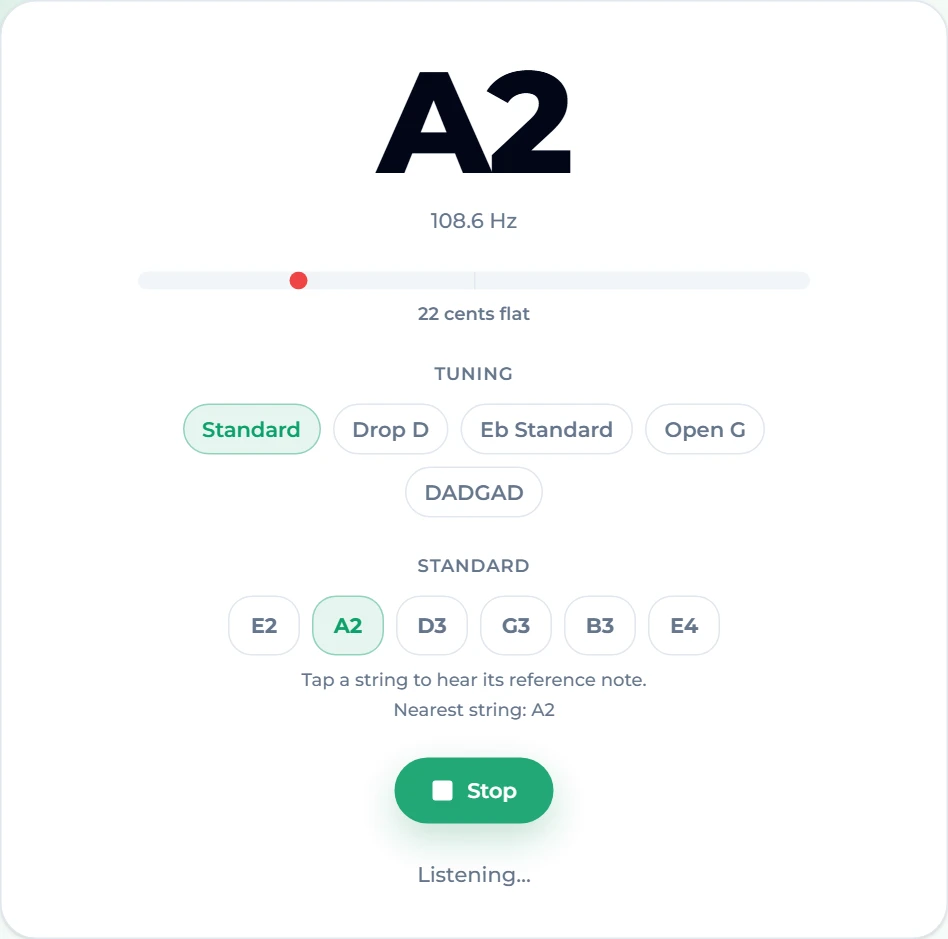
Here is what a flat A string looks like while you are tuning it. The tuner hears 108.4 Hz, names the note A2, and tells you it is 26 cents flat — the needle sits left of centre and is red:
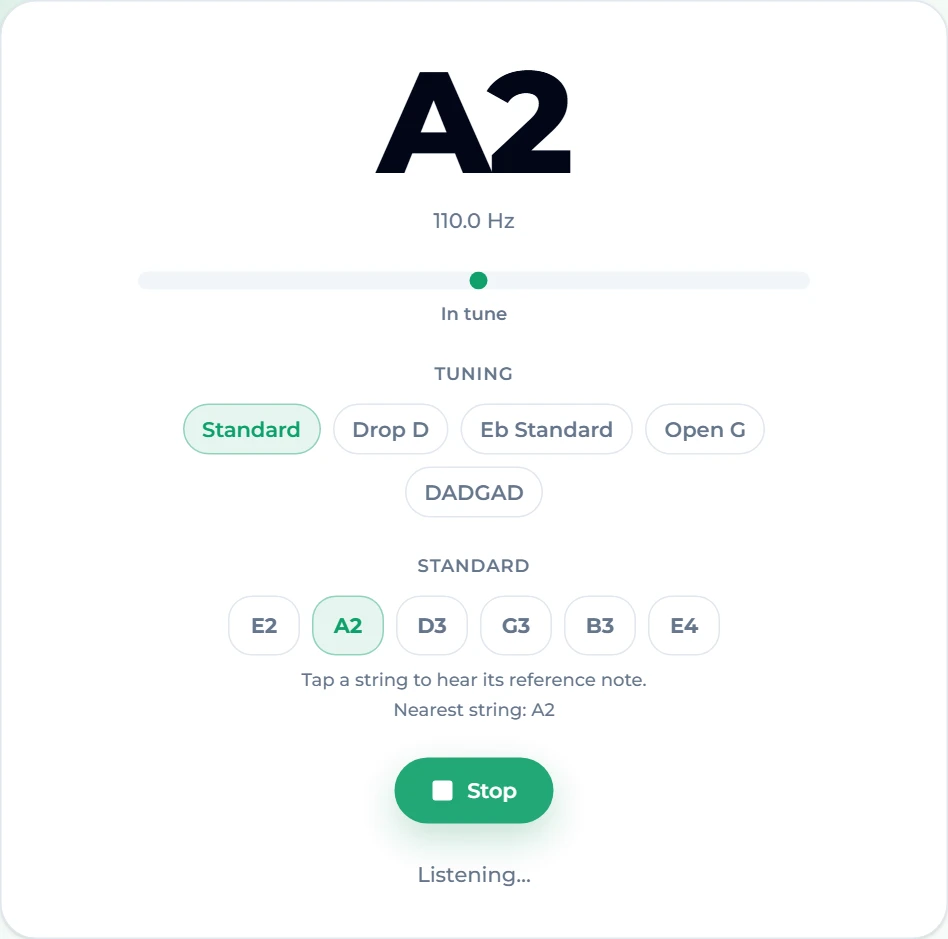
Tighten the peg slightly, pluck again, and keep going until the needle is centred and the reading turns to In tune:
Reading the tuner
The screen has four parts, and each answers one question.
The big note name answers what am I playing? It is chromatic — it names whatever note it hears, not just the six guitar strings — which matters when a string is badly out. A brand-new string or one you have just replaced can be a whole semitone or more away from where it should be.
The frequency under it is the raw reading in hertz. You rarely need it, but it is useful when you are checking against a table like the one above.
The needle and the cents line answer how far off, and which way? A cent is a hundredth of a semitone. The needle runs from −50 on the left to +50 on the right; red means off, and it turns to the site's accent colour with the words In tune when you are within 5 cents.
The string row answers which string does it think this is? It highlights the nearest open string of the tuning you selected and prints Nearest string underneath. This is the part that rescues you when a string is very far out. In the screenshot below the A string has been left about a semitone flat. The big letter honestly reports G#2 — because that is the note it hears — but the string row still says the nearest string is A2, so you know which way to go: tighten, a lot.
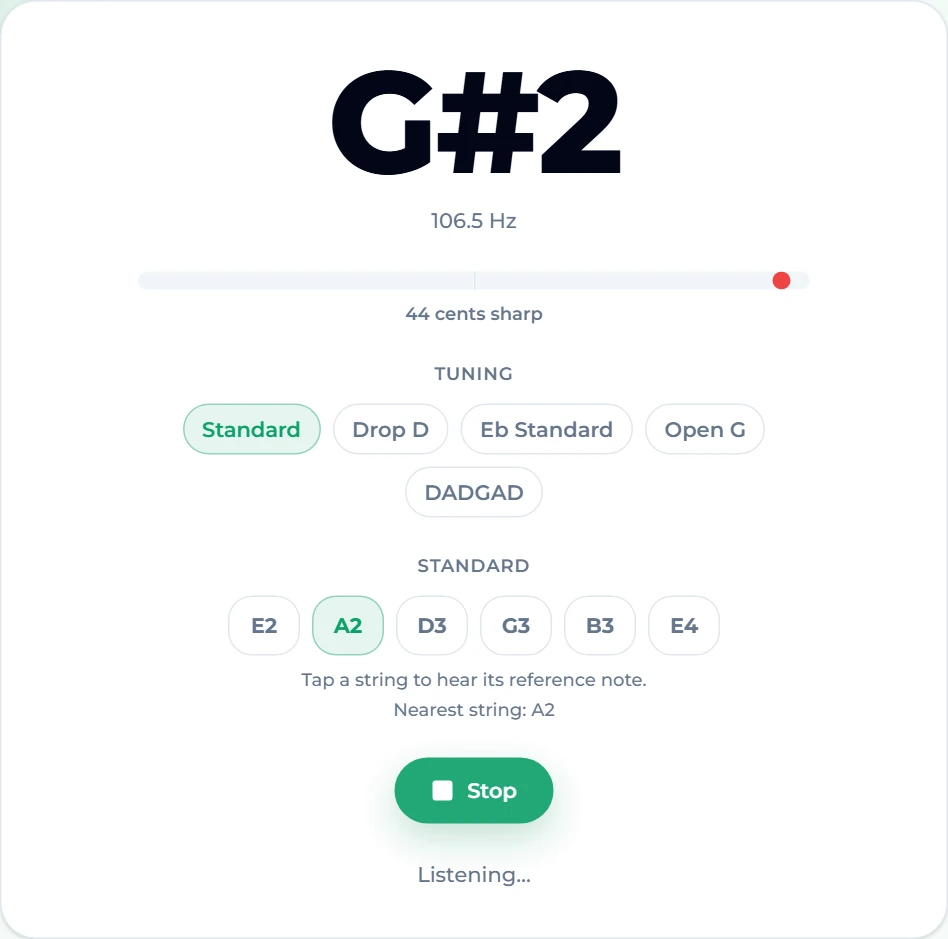
A rule of thumb for reading it: trust the nearest-string line for which peg to turn, and trust the needle for when to stop.
Alternate tunings
Above the strings is a row of tuning chips. On the guitar tuner you get:
- Standard — E2 A2 D3 G3 B3 E4.
- Drop D — D2 A2 D3 G3 B3 E4. Only the low E comes down a whole step, to D. Power chords become one-finger shapes, and it is the default for a huge amount of rock and metal.
- Eb Standard — D#2 G#2 C#3 F#3 A#3 D#4. Every string down a semitone. Hendrix, Stevie Ray Vaughan, Guns N' Roses and a lot of grunge live here; it also slackens the strings for easier bends.
- Open G — D2 G2 D3 G3 B3 D4. Strum the open strings and you get a G major chord; slide guitar and Keith Richards-style riffs.
- DADGAD — D2 A2 D3 G3 A3 D4. The open, droning sound of Celtic and fingerstyle acoustic music.
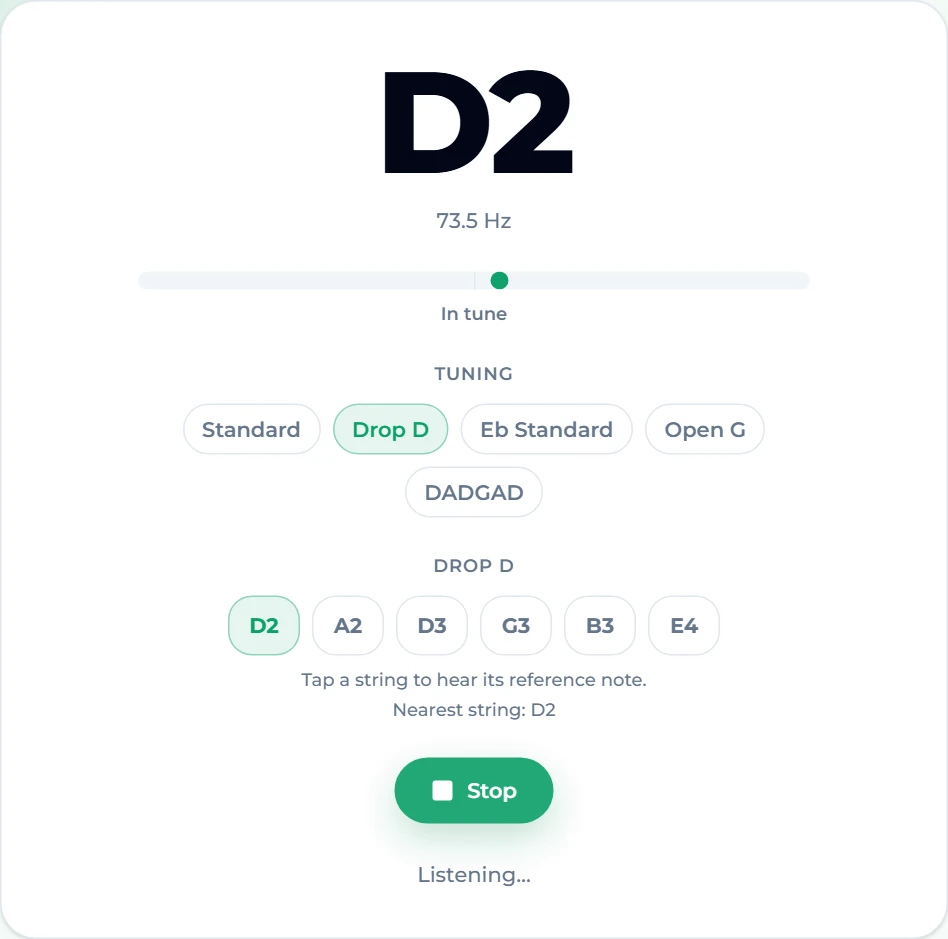
Click a chip and the string row changes to that tuning's notes, so the nearest-string line and the reference tones follow along. Here is Drop D with the low string already down at D2:
Electric players who tune lower still should use the electric guitar tuner. Same detector, but its chips are Standard, Drop D, Eb Standard, D Standard (D2 G2 C3 F3 A3 D4), Drop C (C2 G2 C3 F3 A3 D4) and 7-string (B1 E2 A2 D3 G3 B3 E4).
If your tuning is not listed at all — open C, Nashville, something you invented — use the plain chromatic tuner or the identical online tuner. Both name any note you play without assuming an instrument, so you tune each string to whatever letter you need.
Tuning a bass guitar
A bass is tuned like the bottom four strings of a guitar, one octave lower: E1 A1 D2 G2, at 41.20, 55.00, 73.42 and 98.00 Hz. Those low notes are why a bass has its own page. The open E vibrates only 41 times a second, and to measure a wave that slow reliably the detector needs to listen to a longer slice of sound than it does for a voice or a guitar. The bass tuner doubles the analysis window for exactly this reason, so the low E reads steadily instead of jumping between octaves.
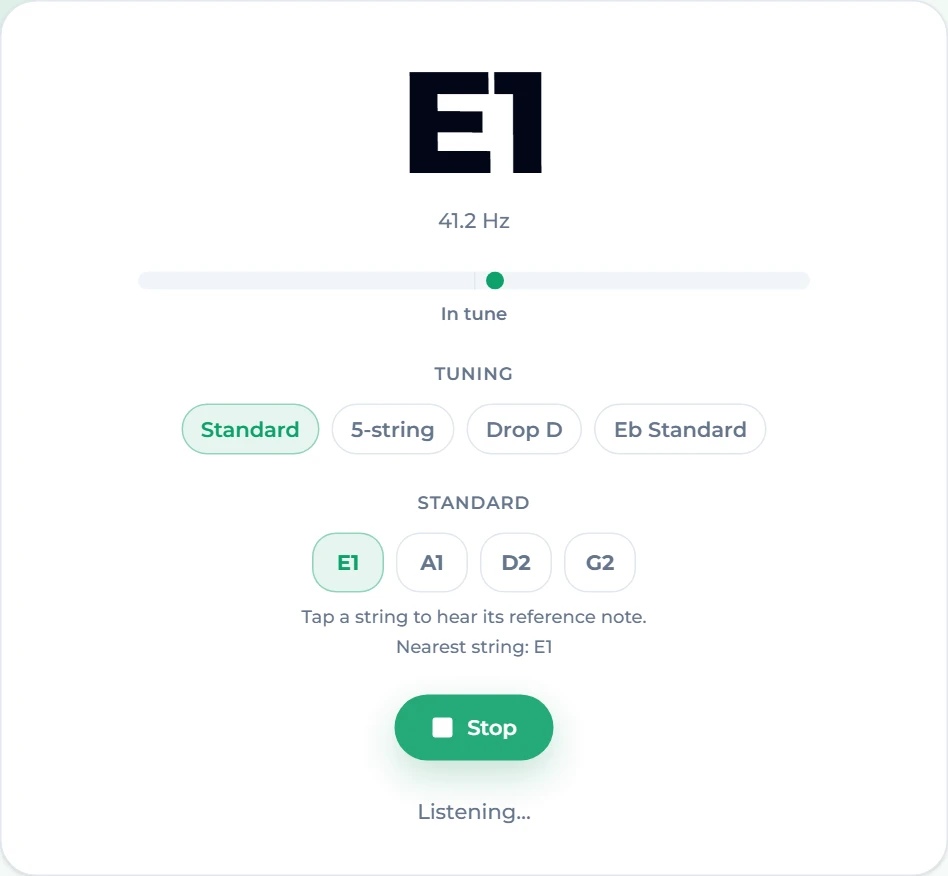
The bass page also offers 5-string (B0 E1 A1 D2 G2), Drop D (D1 A1 D2 G2) and Eb Standard. Two bass-specific tips:
- Pluck with the flesh of your finger, over the neck pickup. A soft, round attack has fewer upper harmonics for the detector to confuse with the fundamental.
- Laptop speakers are no help, but laptop microphones are fine. Most small microphones pick up a low E well enough; if the reading will not settle, try the 12th-fret harmonic, which is the same note an octave up and much easier to hear.
Tuning by ear with reference notes
Every string chip is also a button. Tap one and the tuner plays that note for about a second and a half — a plucked-sounding tone at exactly the right frequency. It is useful in two situations:
- You want to train your ear to hear when two notes match, rather than relying on a screen.
- You are in a loud room where the microphone cannot isolate your guitar, but you can still hear a note through headphones.
To tune by ear, tap the chip, then pluck the string and listen for the "beating" — a slow wobble in volume when two notes are nearly but not quite the same. Turn the peg until the wobble slows down and disappears. Stop the tuner first, or tune with headphones, so the microphone is not listening to the reference tone.
Tips that keep a guitar in tune
- Always tune up to the note. If a string is sharp, go below the note and come back up. Tuning down to a note leaves slack in the gear that lets the string slip flat a few minutes later.
- Stretch new strings. Fresh strings keep stretching for the first day. After fitting them, pull each one gently away from the fretboard along its length, retune, and repeat two or three times.
- Tune in the position you play in. A guitar tuned lying flat on a table and then held against your body can drift a few cents from temperature and neck angle.
- Check the octave at the 12th fret. If the open string is in tune but the note at the 12th fret reads sharp or flat, the problem is intonation (the saddle position), not tuning. No tuner fixes that — a guitar tech does.
- Capos pull strings sharp. Clamp the capo, then check the tuning again; a few cents of correction is normal.
FAQ
Is the online guitar tuner really free?
Yes. The guitar tuner and every other tuner on the site are free, with no account and no limit. They run entirely in your browser, and the microphone audio is analysed on your own device — nothing is recorded or uploaded.
Does it work on a phone?
Yes, in any modern mobile browser. Open the page, tap Start, and allow microphone access when the browser asks. If you previously denied access, the page will say so, and you will need to re-enable the microphone for the site in your browser settings.
Why does the reading jump around when I pluck?
The attack of a plucked string is loud and noisy, and the pitch is genuinely unstable for a fraction of a second. The tuner also smooths each reading a third of the way toward the new value so the needle settles rather than flickers. Pluck once, wait a beat, then read. If it never settles, the string may be old and false-sounding; new strings read more steadily.
What does "cents flat" mean?
A cent is one hundredth of a semitone, the distance between two adjacent frets. "20 cents flat" means the string is a fifth of a fret too low. Anything within 5 cents is shown as in tune.
What is the difference between the guitar tuner and the chromatic tuner?
The chromatic tuner names any note on any instrument. The guitar page uses the same detector but adds the guitar's tunings, the nearest-string line and the reference tone for each string. If you play guitar, the guitar page is faster; if you play something unusual, use the chromatic one.
Final take
Tuning is the first minute of every practice session, and the quickest version of it is: open the guitar tuner, press Start, and pluck each string until the needle centres and the reading says In tune. Use the tuning chips when a song needs Drop D or Eb, switch to the electric guitar tuner for lower rock tunings, and move to the bass tuner when the strings get thick. Once you are in tune, the next habit worth building is timing — our metronome guide covers that — and when you want something new to play over, you can generate a backing track in any style in a couple of minutes.