

TL;DR
A good Christmas song is one small holiday moment told with a few familiar sounds: sleigh bells, a glockenspiel or celesta, warm voices and a chorus people can sing back. The quickest way to make a Christmas song from those parts is the AI Christmas song generator: the Prompt box opens with a complete Christmas pop recipe, and six "Start from a vibe" tiles each play an example made on Suno v6 and copy its exact prompt into the box. Describe your own moment, press Generate Music for Free, and about a minute later you have two full Christmas songs with vocals. One run costs 10 credits, and new accounts get 16 credits on sign-up.
In this guide
- What makes a Christmas song sound like Christmas
- Step by step with the AI Christmas song generator
- Writing your own Christmas song prompt
- Six Christmas song styles with proven prompts
- Common Christmas song mistakes
- Choosing a model
- After the Christmas song is made
- FAQ
- Final take
What makes a Christmas song sound like Christmas
Most people can tell a Christmas song within three seconds, and almost never because of the lyrics. It is the sound. Before you write a prompt, it helps to know which parts carry the season, because each one is a word or two you can put in the Prompt box:
- Bells. Sleigh bells on the beat are the single strongest signal. Add a glockenspiel, celesta or tubular bells and the track feels wrapped.
- One moment, not "Christmas" in general. The first snow on your street, driving home on Christmas Eve, the kids counting reindeer, a slow dance by the fire. A specific scene gives the lyrics something to say.
- A singalong chorus. Holiday songs are sung by rooms full of people. Big singalong chorus or simple call-and-response chorus pushes the model toward a hook that repeats.
- Warm voices. A bright female pop vocal, a baritone crooner, a children's choir or a gospel choir each puts the song in a different living room.
- Tempo and feel. Upbeat pop with handclaps, a swinging big band, or a slow waltz in 3/4. The feel decides whether it is a party song or a fireside song.
- Era. 1950s crooner and modern Christmas pop are both Christmas, and they sound nothing alike. Naming the era is a fast way to steer arrangement and mix.
The preset on the page uses almost all of these at once: An upbeat Christmas pop song about the first snow on a small-town street, sleigh bells, bright female vocal, glockenspiel, handclaps and a big singalong chorus. Read it once and you have a template for every Christmas song prompt you write afterwards.
Step by step with the AI Christmas song generator
- Open the AI Christmas song generator. It is the same studio as the main AI music generator, set up for holiday songs. The Prompt tab is selected, the box holds the Christmas pop recipe above, and Instrumental Only is off, so the song comes back with vocals and lyrics.
- Check the rest of the form. Under the box are chips for your library, + Lyrics, a reference Image, Video and Audio, and the Instrumental chip. Below that sit an Inspiration row of genre chips, Number of Songs to Generate (2 by default) and the Public switch.
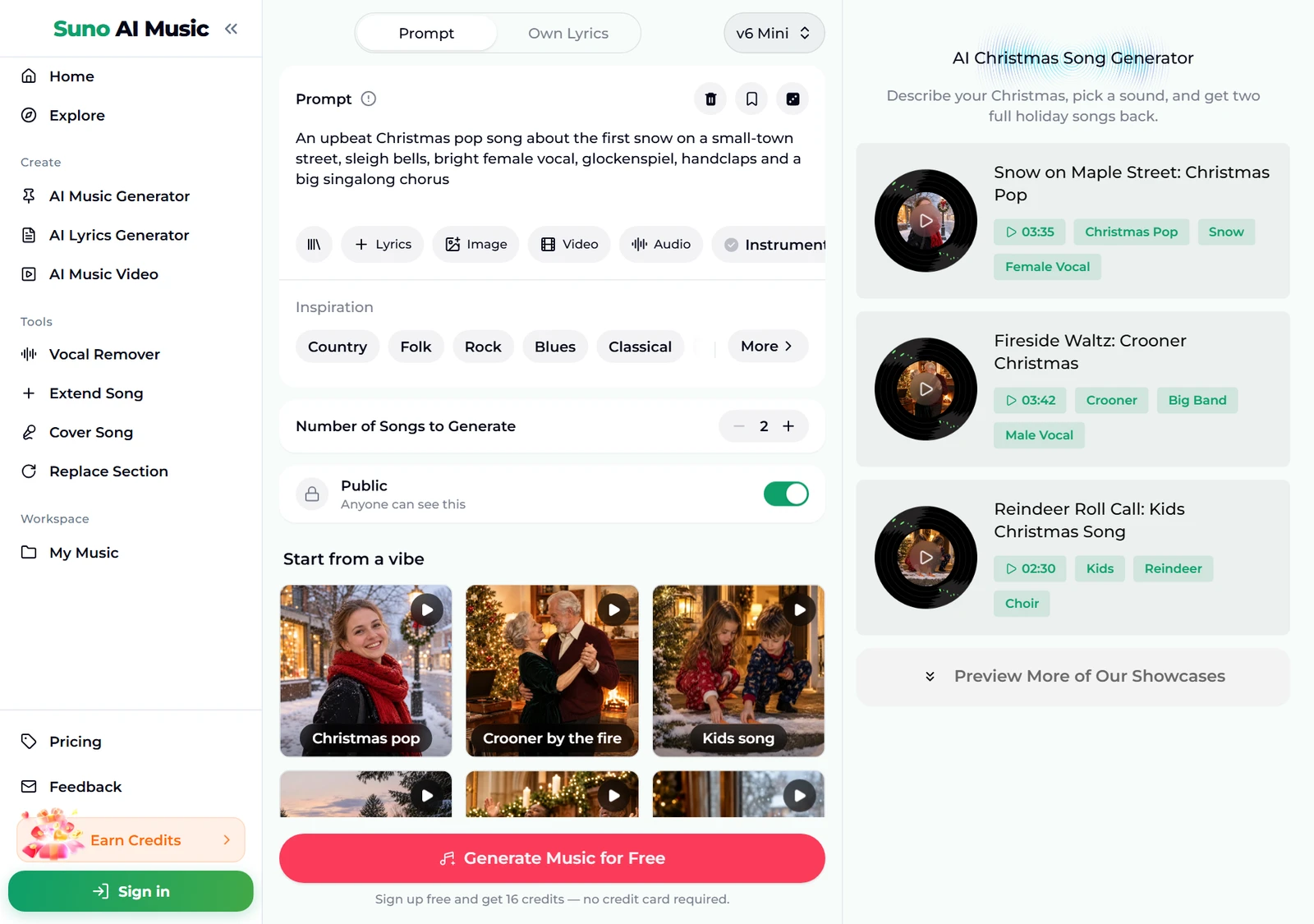
- Listen to a vibe before you spend anything. Tap a tile under Start from a vibe. One tap plays that tile's example in the player bar and copies its prompt into the Prompt box. Below, we tapped Christmas pop: the tile shows a pause icon, the matching example on the right shows it is playing, and the player bar at the bottom plays "Snow on Maple Street".
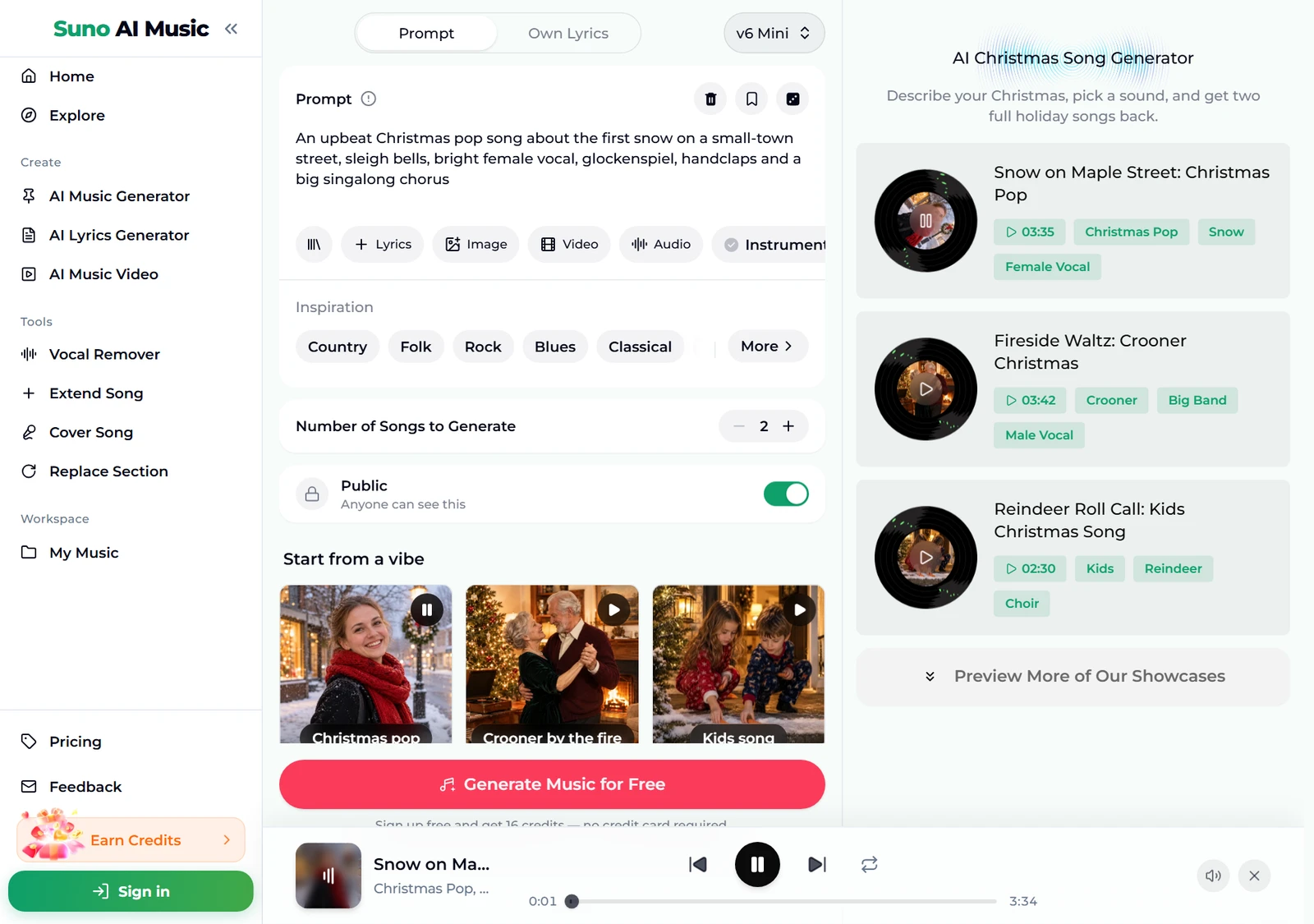
- Browse all six examples. Further down the page, the examples list shows every song with its length and tags, from the 2:30 kids song to the 3:52 country homecoming. Each one was made on v6 from exactly the prompt its tile fills in.
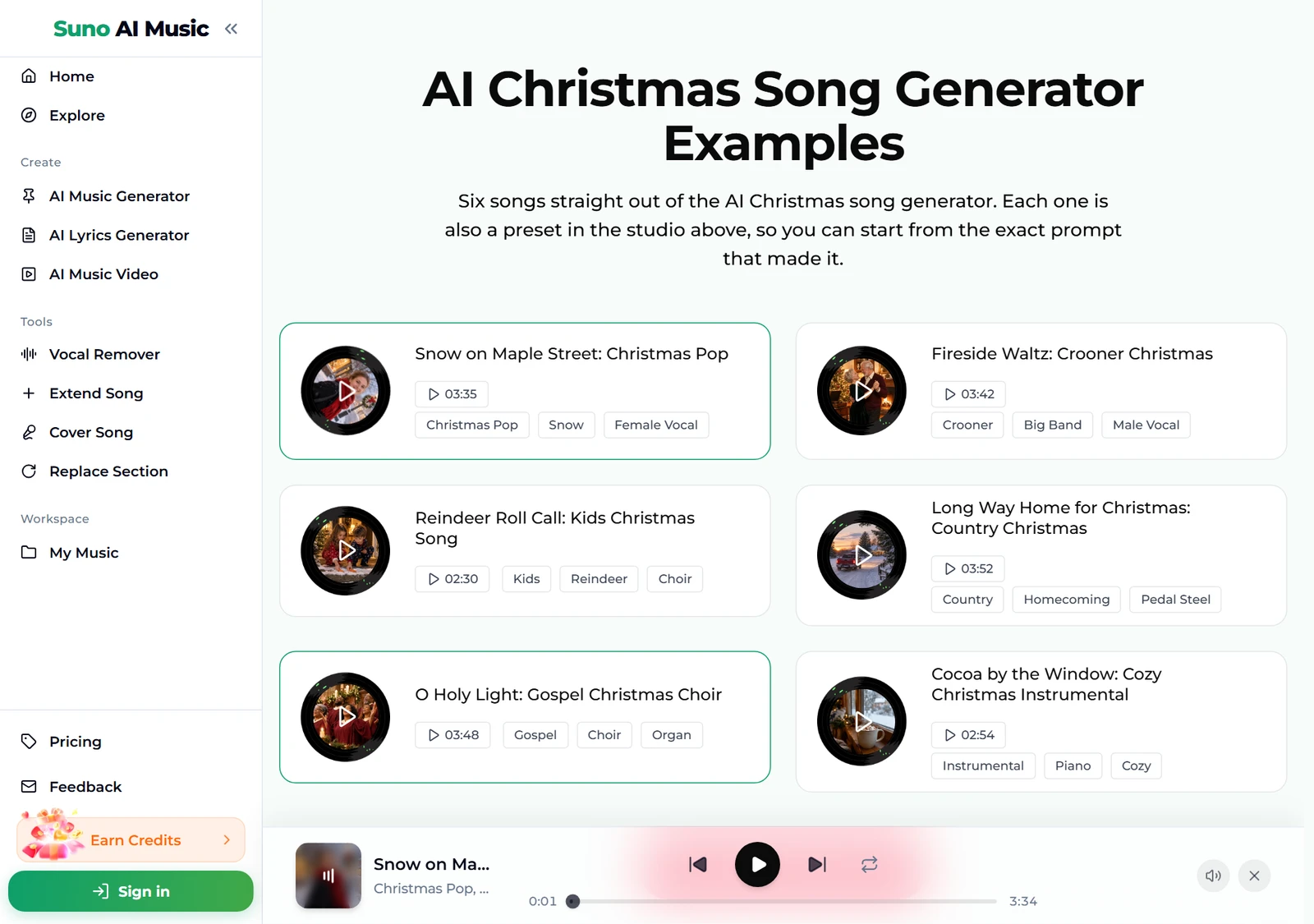
- Open an example to read the lyrics. Each song has its own page, for example Snow on Maple Street, with the cover, a play button, Share, its tags and the full lyrics. Reading them shows how much story the generator builds out of one short line of prompt.
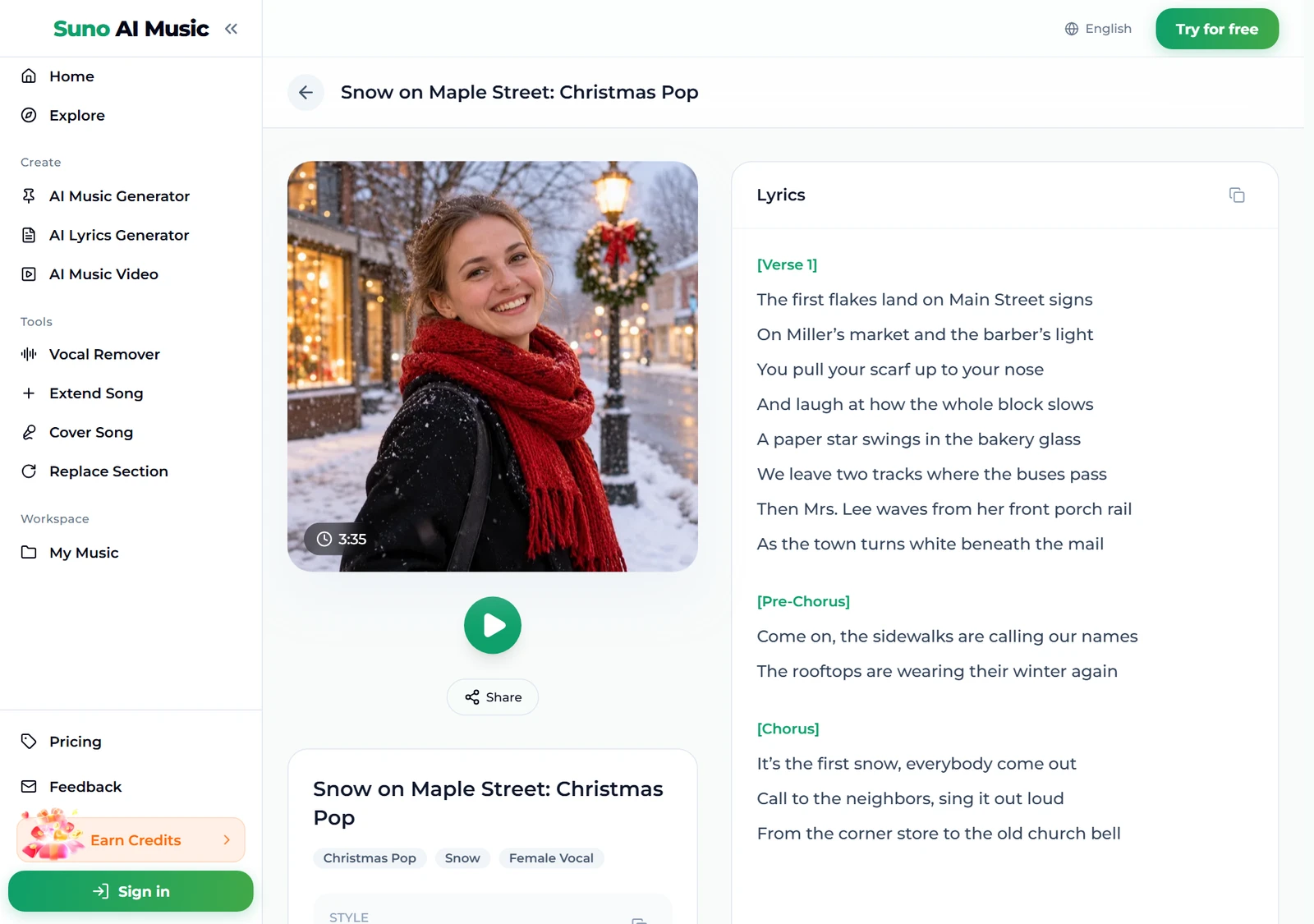
- Press Generate Music for Free. Logged out, the button asks you to sign up; the note under it reads "Sign up free and get 16 credits — no credit card required." A run takes about a minute and returns two songs. They are new songs in the style of the prompt, not copies of the example, so expect the same mood with a different melody and different words.
Writing your own Christmas song prompt
The preset and the six vibes are proven starting points. To make your Christmas song rather than a generic one, swap in your own details and change one thing per run. Two songs per run make comparing easy.
- Start with the moment. A Christmas song about… followed by one scene: the family's first Christmas in a new house, a grandmother's cookie recipe, the office party nobody wanted to go to. That one line becomes the verses.
- Add the voice. Warm baritone male vocal, bright female vocal, children's choir, duet. One clear voice beats a list.
- Name two or three instruments. Sleigh bells, glockenspiel and handclaps for pop; big band brass and brushed drums for a crooner; acoustic guitar, pedal steel and fiddle for country.
- Say the feel. Upbeat, slow waltz, swinging, gentle and nostalgic. That word decides the tempo more reliably than anything else.
- Put names in. Write them into the description: a Christmas song for the Miller family. If a name is unusual, spell it the way it sounds.
- Choose the language. Write Spanish lyrics or German lyrics and the vocal sings in that language.
- Use your own words when they matter. The Own Lyrics tab takes lyrics up to 5,000 characters plus a style of up to 1,000, so you can write the chorus yourself and let the generator perform it.
For more words that reliably change the sound, see our Suno prompts guide.
Six Christmas song styles with proven prompts
These are the six tiles on the AI Christmas song generator, with the exact prompt each one fills in. Every example was generated on v6 from that prompt, so you can hear the result before you use it.
| Vibe | What it is | Prompt |
|---|---|---|
| Christmas pop | Upbeat first-snow pop, 3:35 example | An upbeat Christmas pop song about the first snow on a small-town street, sleigh bells, bright female vocal, glockenspiel, handclaps and a big singalong chorus |
| Crooner by the fire | 1950s big band waltz, 3:42 example | A classic 1950s crooner Christmas song about slow dancing by the fireplace on Christmas Eve, warm baritone male vocal, big band brass, lush strings and brushed drums |
| Kids song | Playful counting song, 2:30 example | A cheerful kids Christmas song where children count the reindeer and leave carrots out for them, playful children's choir, ukulele, sleigh bells and a simple call-and-response chorus |
| Country Christmas | Driving-home ballad, 3:52 example | A heartfelt country Christmas song about driving all night through the snow to make it home for Christmas morning, warm male vocal, acoustic guitar, pedal steel and fiddle |
| Gospel choir | Joyful choir and organ, 3:48 example | A joyful gospel Christmas song celebrating the light of Christmas night, powerful female lead with a full gospel choir, Hammond organ, piano and handclaps |
| Cozy instrumental | Piano with no vocals, 2:54 example | cozy Christmas instrumental, no vocals, warm solo piano with celesta and soft strings, gentle sleigh bells, snow falling outside a window with a cup of cocoa, calm and nostalgic |
Two extra recipes of our own, untested, if you want to go beyond the six:
- Office party (untested): a funny upbeat Christmas song about the office party and the secret Santa who gave everyone socks, swing band, male and female duet, handclaps, singalong chorus
- Christmas in July (untested): a summery Christmas song about a beach Christmas in Australia, reggae-pop groove, ukulele, steel drums, sleigh bells, relaxed female vocal
If the song is a gift for one person, with their name in the chorus and a page to send them, the personalized Christmas song does that as a one-time $9.99 order: you answer a few questions instead of writing a prompt.
Common Christmas song mistakes
Most disappointing holiday songs come from the same few prompt habits. If a Christmas song sounds off, check these before you blame the model:
- "A Christmas song" and nothing else. The model fills the gap with the most average holiday pop it can. Give it a moment, a voice and two instruments.
- Every Christmas sound at once. Sleigh bells, choir, organ, big band, strings, kids, guitar turns into clutter. Pick one setting: a church, a ballroom, a living room, a car.
- Asking for a famous carol. The generator writes new songs rather than copies of existing ones. Ask for the feeling of a traditional carol, such as a choir, organ and a slow 3/4 time, and you get something original in that style.
- Forgetting the vocal switch. On this page Instrumental Only starts off. If you turned it on for background music, the next Christmas song you make will have no singer until you turn it off again.
- Leaving it until the night before. A run takes about a minute, but busy December evenings can be slower, and you will want two or three tries to get the take you love.
- Judging from one song. Each run returns two so you can compare. If both miss the same way, change the prompt; if only one does, keep the other.
Choosing a model
The model picker sits at the top right of the form.
- v6 Mini is the free tier, described as "Fast drafts, high volume". It is a good place to try prompts until a Christmas song idea clicks.
- v6 is "Most powerful, for any song". All six example songs on the page were made on v6. It needs a paid plan.
- v6 Wild is "Best for experimental ideas", also on paid plans. Try it for unusual blends such as a synthwave Christmas song or a Christmas polka.
Every run costs the same 10 credits for two songs, whichever model you pick. The Number of Songs to Generate stepper counts in twos, so you can make several versions at once. Plans and credit packs cover everything after the 16 sign-up credits.
After the Christmas song is made
- Make it longer. Extend Song continues a track from any point, useful for an extra verse with more names, and our guide to extending a song covers where to cut.
- Fix one line. Replace Section regenerates a stretch of the song without touching the rest, handy when one lyric line lands wrong.
- Hear it in another style. Cover Song re-performs a track in a new style, so the same Christmas song can come back as a crooner version and a kids version.
- Make a karaoke track. The vocal remover splits the song into vocals and instrumental, so the family can sing it themselves.
- Turn it into a video card. The music video generator turns a song into a video you can send to the family chat.
- Download it. Downloads come with a plan or credit pack; pricing lists what each one includes.
FAQ
How do you make a Christmas song with AI?
Open the AI Christmas song generator, describe one holiday moment with a voice and two or three instruments, or tap a vibe tile to start from a proven prompt, then press Generate. You get two full Christmas songs with vocals in about a minute.
Can I put names in a Christmas song?
Yes. Write the names into your description, or paste your own lyrics with the names in the Own Lyrics tab. Spell an unusual name the way it sounds.
Can I use an AI Christmas song on YouTube or in a shop?
Yes, with the right plan. Commercial use is included on the Standard plan and above, 2,500+ credit packs and Team plans. Songs made with sign-up credits, on the Starter plan or with a Mini credit pack are for personal use only.
Can it make a version of a classic carol?
No. It writes new songs rather than copies of existing ones. Describe the feeling you want, such as a choir with organ in a slow 3/4 time, and you get an original Christmas song in that style.
Can I make Christmas music without vocals?
Yes. Switch on Instrumental Only or start from the Cozy instrumental tile for background music for videos, dinners and shops.
Can the song be in another language?
Yes. Write the language into the prompt, for example French lyrics, or paste lyrics in that language in the Own Lyrics tab.
How long is a generated Christmas song?
Usually two to four minutes. The six examples on the page run from 2:30 to 3:52. Use Extend Song for a longer version.
Final take
Learning how to make a Christmas song with AI comes down to one idea: describe a moment, not the holiday. Pick one scene, one voice and two or three seasonal sounds, start from a vibe on the AI Christmas song generator, listen to its example first, and change one detail per run until the Christmas song sounds like your family's December.