

TL;DR
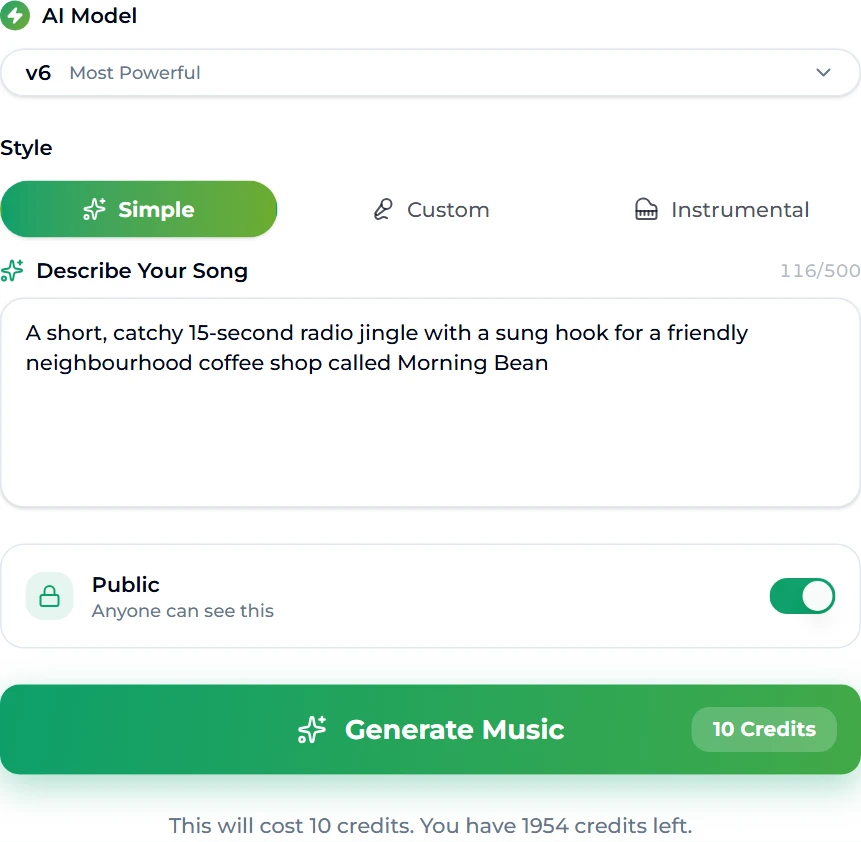
A good jingle does one job: it puts your name in someone's head with a melody they did not ask to remember. You need four things in the brief — the name, one promise, a mood, and a length — and nothing else. Put that sentence into the jingle maker, press Generate Music (10 credits), and about a minute later two sung takes land in your library. We ran the page's own example for this guide — "A short, catchy 15-second radio jingle with a sung hook for a friendly neighbourhood coffee shop called Morning Bean" — and got back two takes of 0:14 and 0:15, both singing the shop's name in the hook. For the music under the ad copy, generate an instrumental bed with the background music generator.
In this guide
- What makes a jingle work
- Write the brief in one sentence
- Step by step
- What we got back
- Turning one jingle into a sound kit
- Fixes when the first take misses
- Using it in ads and on air
- FAQ
What makes a jingle work
Strip away the nostalgia and the classic jingles share a short list of traits:
- The name is the hook. Not near the hook, not after it — the most singable phrase is the brand. If someone can hum it but not say who it was for, it failed.
- It is short. Radio and pre-roll slots think in 5, 10, 15 and 30 seconds. A sung logo (the three-to-five-second tag at the end of an ad) is the most-used jingle of all.
- One melodic idea. Five or six notes, repeated or answered once. Anything longer is a song, and nobody remembers a song from a single ad.
- It ends. A jingle lands on a final note that sounds finished, so it can close an ad or an intro without a fade.
- The mood matches the business. A dentist and an energy drink should not sound the same, even at the same length.
A generator handles the melody, the arrangement and the vocal. Your job is the brief, and the brief is where most weak jingles come from.
Write the brief in one sentence
The jingle maker opens in Simple mode: one box, Describe Your Song, up to 500 characters. One sentence with four slots does better than a paragraph:
| Slot | What to write | Example |
|---|---|---|
| Length and format | "15-second radio jingle", "5-second sung logo", "30-second TV spot" | a short, catchy 15-second radio jingle |
| The hook | Say you want it sung, and say what is sung | with a sung hook |
| Who and what | The exact name, spelled the way it should be sung | for a coffee shop called Morning Bean |
| Mood | Two or three adjectives, not a genre essay | friendly, neighbourhood, bright |
Things that help: spelling out an unusual name phonetically ("Kwik-Fit" rather than "QwkFt"), naming one instrument you associate with the brand ("ukulele", "brass stabs"), and saying who is listening ("for families", "for commuters"). Things that hurt: stacking five genres, asking for a full story, and leaving the name out of the sentence in the hope the model guesses it.
If you already have a slogan and want those exact words sung, switch to the Custom tab: it takes your own lyrics plus a style line and a title, so the model sings what you wrote rather than inventing the words. Our Suno tags guide covers the section tags — [Intro], [Hook], [Outro] — that keep a short piece tight.
Step by step
- Open the jingle maker and sign in. A new account starts with 16 credits, and a run costs 10, so the first jingle is on the house.
- Leave the tab on Simple and write your brief in Describe Your Song. The page arrives with the Morning Bean example filled in so you can see the shape.
- Check the AI Model menu above the form. Free accounts default to v6 Mini; paid plans default to v6, the stronger model for vocals.
- Leave Public on, or switch it to Private if your plan includes private generation — useful when a client has not signed off yet.
- Press Generate Music (10 credits). The page moves you to the create workspace, where the two takes render in the Songs panel on the right.
- Play both, keep the one whose hook you are still humming ten minutes later, and download it.
What we got back
The run for this guide finished in about 40 seconds. Two takes arrived in the Songs panel, "Wake Up Happy" at 0:14 and "Morning Bean" at 0:15 — the length we asked for, to the second. The model wrote its own style line for them, "upbeat indie pop radio jingle, warm acoustic guitar strumming, bright cheerful handclaps, catchy sunny melody", and a hook that does exactly what a jingle should:
Wake up happy at the Morning Bean! Your fresh coffee scene!
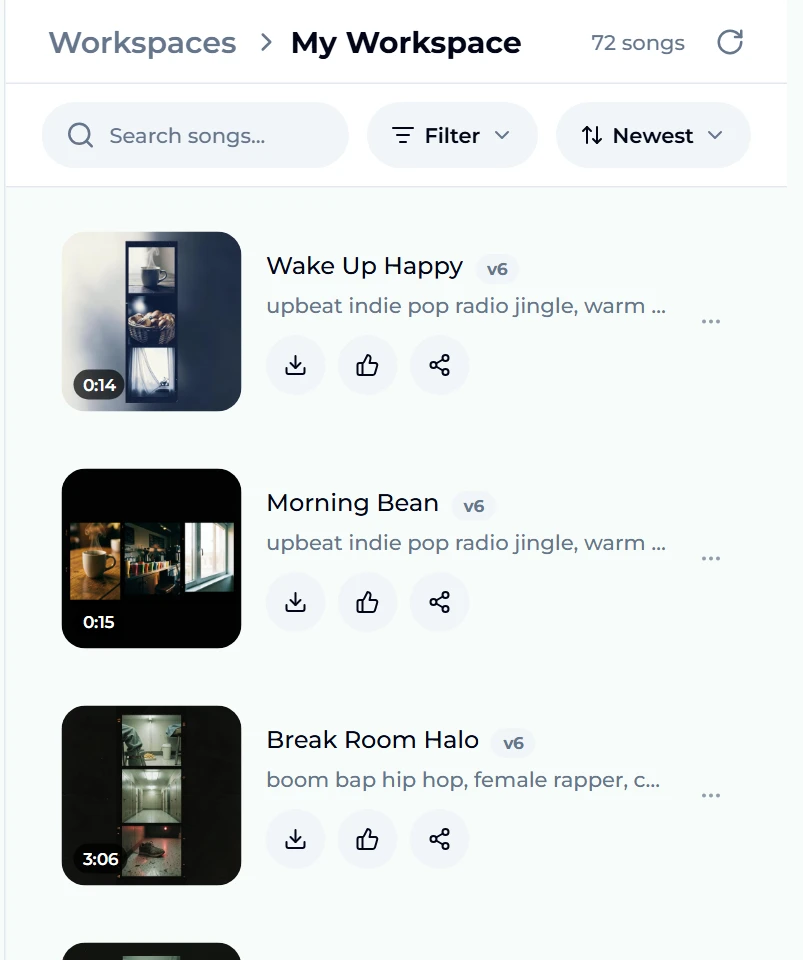
Two things are worth noticing. First, we never wrote "Wake up happy" — the model turned friendly and coffee into a promise, which is the copywriting half of a jingle done for you. Second, the two takes are genuinely different melodies over the same idea, which is why a run returns two: you are choosing between hooks, not between mixes.
Turning one jingle into a sound kit
A brand rarely needs just one jingle. From one good take you can build the whole set without starting over:
- The sung logo. Trim the last three to five seconds — the name on the final note — for the end of every ad. Any audio editor does this; so does the ringtone maker, which cuts a precise span and exports MP3.
- A longer spot. If a 15-second take is right but you need 30, use Extend to continue it from a point you choose instead of regenerating. Our guide to extending a song walks through picking the join.
- A fixed line. If one word is wrong — a price, a street name — Replace Section re-sings a 6–60 second span with new words in the same voice.
- The bed under the voiceover. Ads with a spoken script need an instrumental underneath. Generate it on the background music generator with the same mood words ("warm acoustic guitar, handclaps, bright, unobtrusive") so it sits in the same world as the jingle, or use the Instrumental tab on the create page.
- A karaoke version. Split the vocal off with the vocal remover to get the music of your hook with no singer, for a second voice or a live read.
Fixes when the first take misses
- The name is mumbled. Put it in quotes and repeat it in the brief: sung hook repeating "Morning Bean". Or go to Custom mode and write the hook yourself.
- It sounds like a song intro, not a jingle. Add "ends on a final sung note" or "complete in 15 seconds". Short, finished pieces need that word complete.
- It is too long. Say the length in seconds, not "short". "5-second sung logo" is a very different request from "short jingle".
- Wrong energy. Change one mood word, not the whole brief. "Friendly" to "calm" moves a coffee shop from morning rush to Sunday afternoon.
- The voice is wrong for the brand. Name it: "warm female vocal", "gravelly male vocal", "children's choir".
Every rerun costs the same 10 credits for two new takes, so iterate on one variable at a time — it is the fastest way to learn what the model hears in your words.
Using it in ads and on air
Once you have picked a take, a few practical points:
- Loudness. Radio and podcast platforms normalise volume; mix your voiceover so the jingle does not jump out 6 dB louder than the read.
- Consistency. Use the same take everywhere — ads, podcast intro, in-store — for months. Recognition comes from repetition, not variety.
- Rights. Generated music is original to you. For ads, sponsored content and client work you want the commercial licence: on Suno AI Music that comes with the Standard plan and above, with a certificate you can download and keep. The free tier and Starter plan are for personal use. The pricing page lists what each plan includes, and downloads come with every plan and credit pack.
- Podcasts. If the jingle doubles as a show intro, our guide to AI music for podcasts covers themes, stingers and beds.
FAQ
How long should a jingle be?
Match the slot. A sung logo is 3–5 seconds, a radio or pre-roll jingle 10–15, a full TV-style spot 30. Put the number of seconds in your brief — our 15-second request came back at 14 and 15 seconds.
Can I choose the words that are sung?
Yes. The Simple tab lets the model write the lyrics from your description; the Custom tab sings your own lyrics with the style and title you give it. Use Custom when a slogan is already approved.
How much does it cost to make a jingle?
Each run is 10 credits and returns two takes. New accounts get 16 credits, which covers one run. After that, credits come with any plan or credit pack.
Can I use an AI jingle in commercials?
Yes, with the commercial licence — Standard plan and above on Suno AI Music, with a downloadable certificate. Personal-use tiers are not meant for paid advertising.
Does it sound like a real jingle or like a song?
With the length and "sung hook" in the brief, it sounds like a jingle: ours came back as a 15-second piece that sings the shop's name and ends. Leave the length out and you are more likely to get a verse-and-chorus song.
Can I get an instrumental version for the voiceover?
Yes — generate a matching bed with the background music generator or the Instrumental tab, or take the vocal off your chosen take with the vocal remover.
Which model should I use?
Free accounts get v6 Mini, which is fine for sketching hooks. The paid v6 model has the cleaner, more natural vocals you want on air.
Final take
A jingle is a brief more than it is a melody: the name, one promise, a mood and a length in a single sentence. Put that sentence into the jingle maker, listen to both takes, and keep the hook you cannot stop humming. Then build the kit around it — a sung logo, a longer spot with Extend, and a matching bed from the background music generator — and use the same sound everywhere until people start humming it back to you.