
TL;DR
The quickest way to learn how to make a melody is to hear a few good ones, then describe the tune you want and let AI write and arrange it. On the melody maker the form opens with a whistled-tune prompt and Instrumental Only switched on, and six "Start from a vibe" tiles play finished melodies on whistle, flute, violin, music box, synth and wordless humming. Tap one, change the mood or the instrument, and press Generate: one run costs 10 credits, takes about a minute and returns two pieces with different tunes. New accounts get 16 free credits.
In this guide
- What makes a melody memorable
- Step by step with the melody maker
- Writing a melody prompt
- Six melody prompts from the page
- Common melody mistakes
- Choosing a model
- After the melody is made
- FAQ
- Final take
What makes a melody memorable
A melody is the part of music you can hum back after one listen. Songwriters have argued about the formula for centuries, but a few ingredients show up in almost every tune that sticks. Each one translates into words you can put in a prompt:
- One clear lead. A melody needs a single voice to carry it: a whistle, a flute, a violin, a synth, a hummed "ooh". Name exactly one lead instrument, such as catchy whistle lead or soaring expressive solo violin.
- A simple bed underneath. The accompaniment should support, not compete. Two or three supporting parts is plenty: acoustic guitar strums, light claps or soft harp and strings.
- Repetition. A short phrase that comes back, slightly changed, is what makes a tune stick. Words like catchy, memorable and hook push the model toward repeated phrases.
- Shape. Good melodies rise to a high point and come home. Soaring suggests long upward lines; delicate twinkling suggests small steps in a high register.
- Tempo that fits the mood. A happy walk sits around 105–120 BPM, a lullaby or a sad theme around 70–90. Write the number.
- A character. Theory words ("pentatonic", "Lydian") help less than a picture of who the tune belongs to: happy and carefree walk, calm river at morning, bittersweet.
That is also why the page uses instrumentals by default: with no words to follow, the ear stays on the tune.
Step by step with the melody maker
-
Open the melody maker. It opens on the Prompt tab with the model picker set to v6 Mini, the free tier.
-
Read the preset. The Prompt box already holds cheerful whistled melody instrumental, 112 BPM, catchy whistle lead, acoustic guitar strums, light claps, happy and carefree walk, and Instrumental Only is on. Below are the Inspiration chips, Number of Songs to Generate at 2, the Public switch, and the vibe tiles.
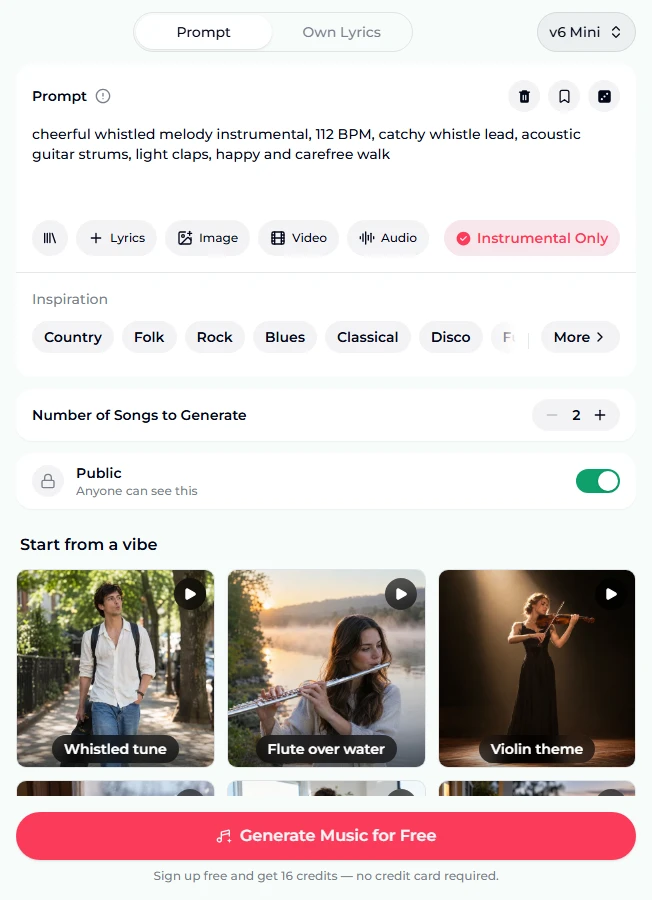
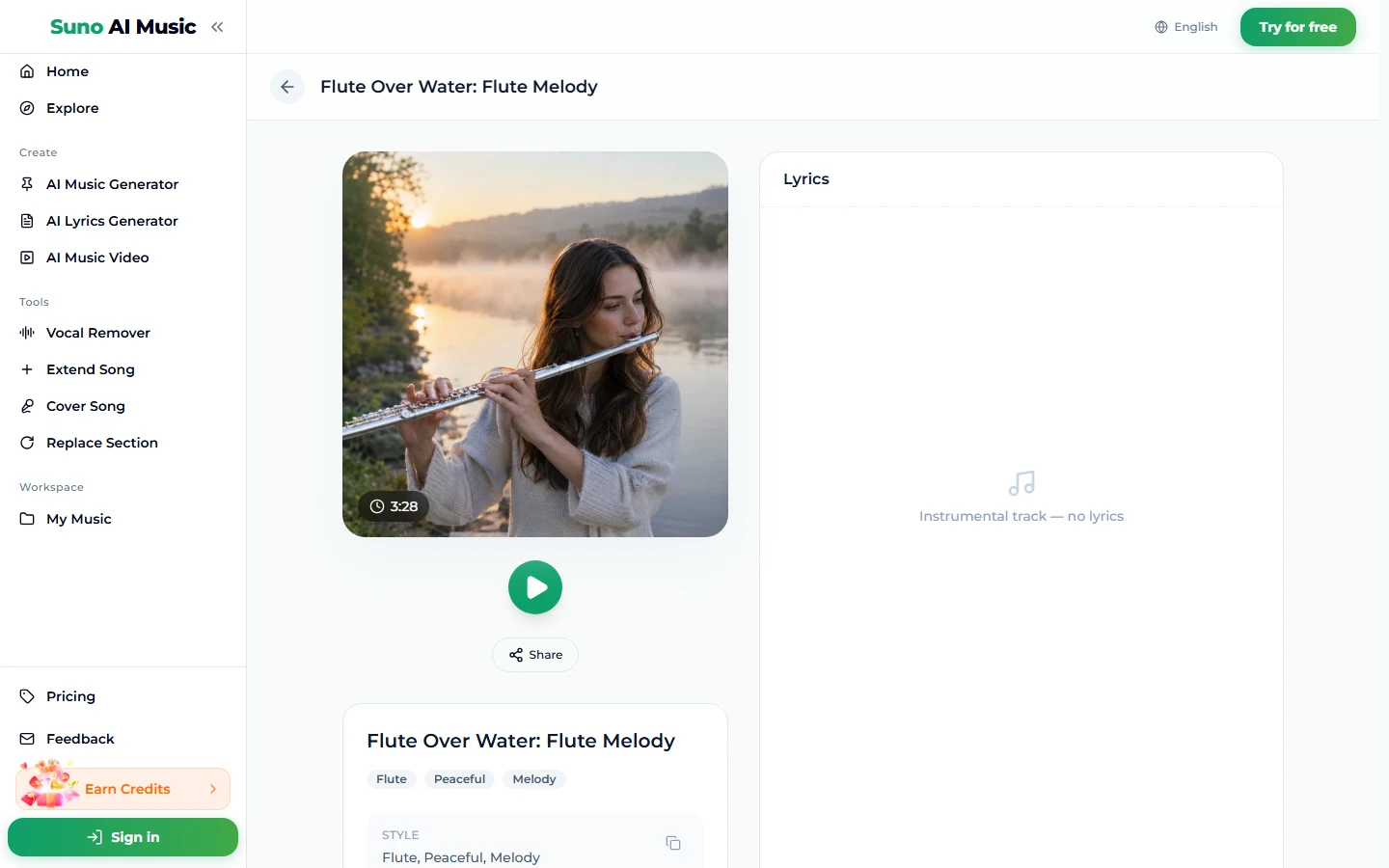
- Tap a vibe. A tap plays the example and copies its prompt. Tapping Flute over water fills the box with gentle flute melody instrumental, 76 BPM, lyrical silver flute lead, soft harp and strings, calm river at morning, peaceful; the tile switches to a pause icon and the player bar at the bottom plays Flute Over Water: Flute Melody, listed at 3:28.
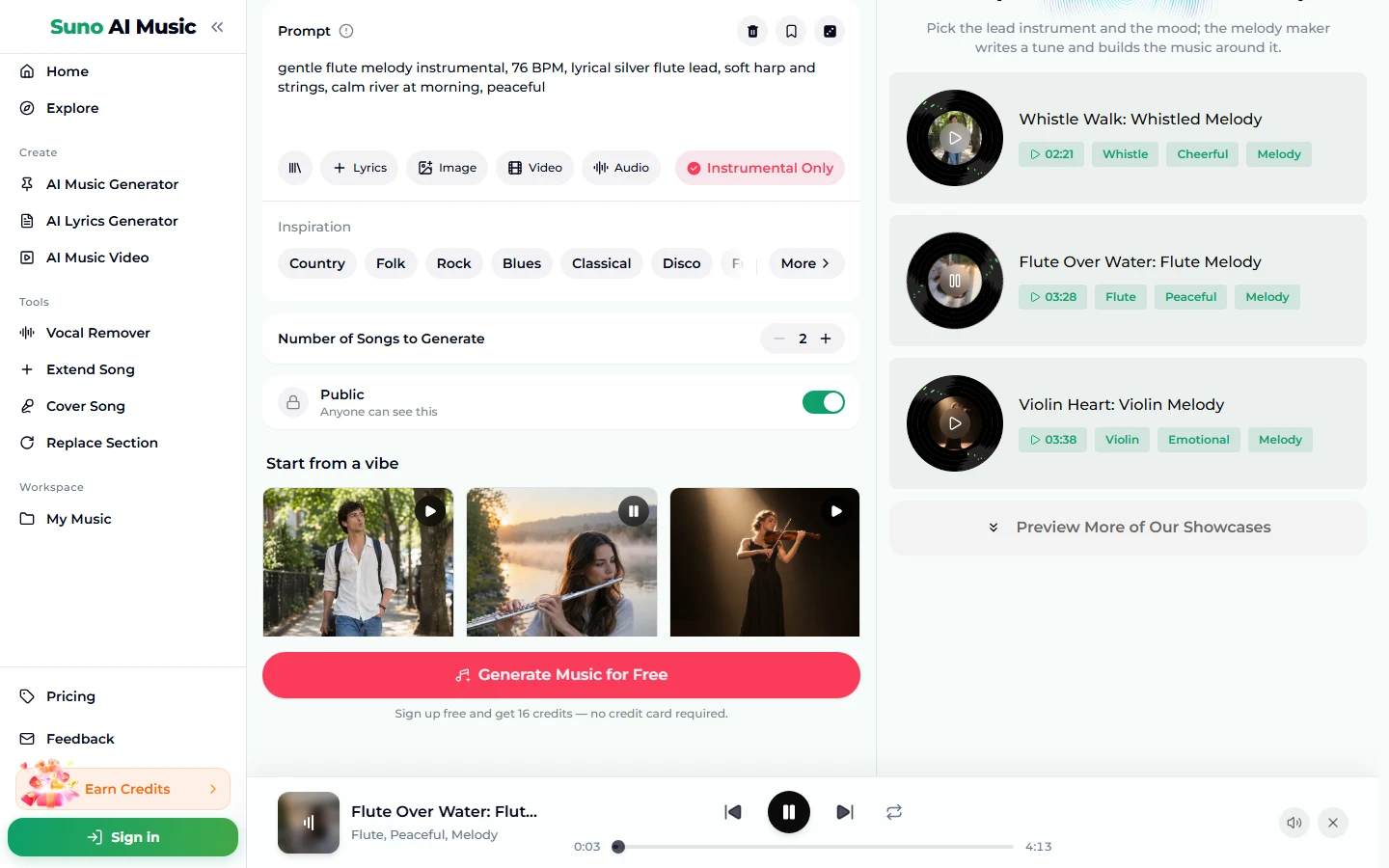
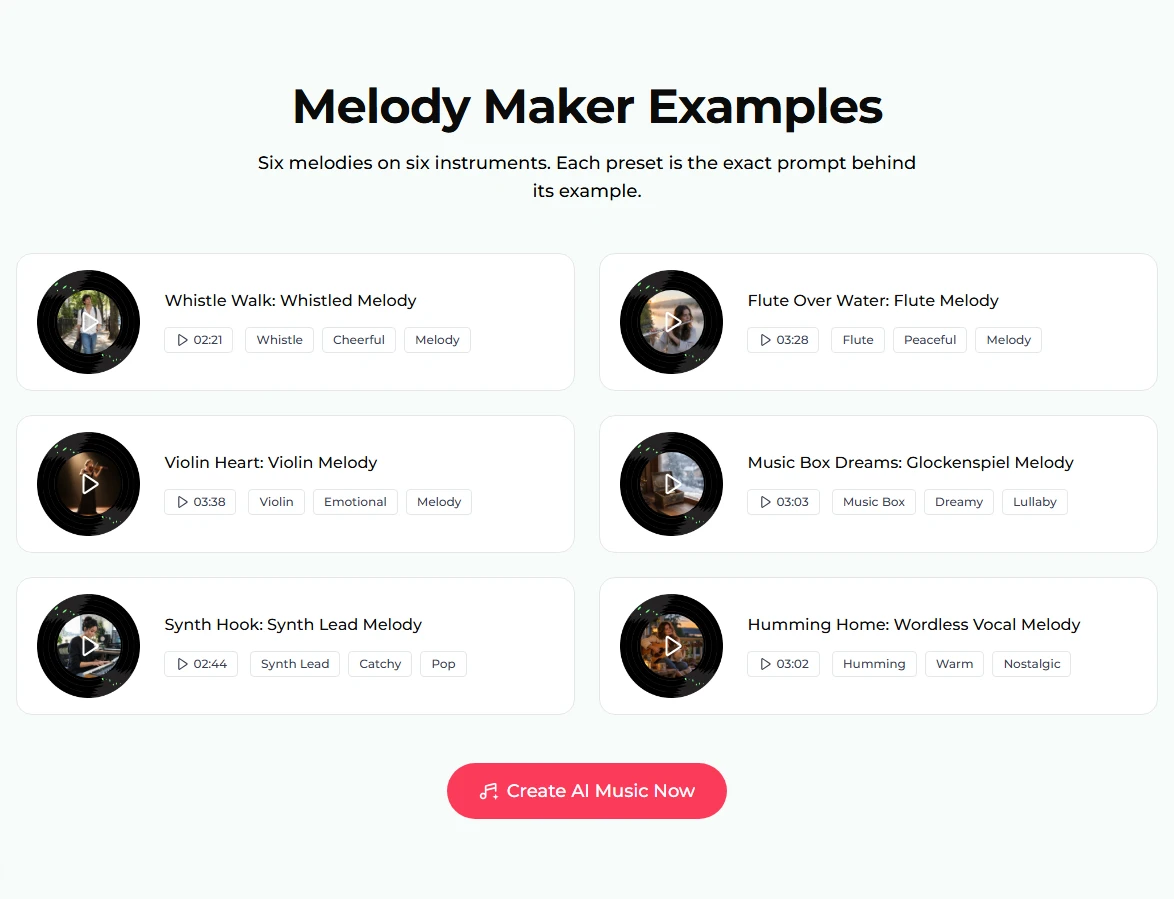
- Listen through the six. The examples section further down the page shows all six melodies as turntable discs, with titles, lengths and tags.
- Open a song page to share or study it. Each example has its own page, like the flute example, with the cover photo, a play button, Share, the tags and "Instrumental track — no lyrics".
- Change one thing and press Generate Music for Free. Swap the instrument, the tempo or the scene. In about a minute you get two new pieces. They are new melodies in that style, not copies of the example.
Writing a melody prompt
The Prompt box takes up to 500 characters. The six example prompts are all about 150 characters and share a shape:
lead instrument + "melody instrumental", tempo, the lead described, two supporting parts, a mood or a scene.
A few rules that help when you work out how to make a melody that sounds like yours:
- Put the lead first. Violin melody before anything else. The model weights early words more.
- Describe the lead, not just name it. Lyrical silver flute lead and bright memorable synth hook tell the model how the tune should behave.
- Keep the bed small. Two supporting parts. A fourth or fifth instrument starts fighting the melody.
- Say "the melody is the star" if the arrangement keeps getting busy. The synth hook example uses exactly that phrase.
- Write the tempo. 76 BPM is clearer than "slow". Suno usually lands near the number, not on it.
- Use a scene for mood. Calm river at morning or happy and carefree walk gives the tune a direction that theory words rarely do.
If you already have a tune in your head, hum or play it into your phone and add it with the Audio chip (one track, 6 seconds to 30 minutes). The song borrows its feel. It costs the same 10 credits.
Six melody prompts from the page
These are the six vibes on the melody maker, with the prompts copied exactly. Each example song was made on v6 from exactly that prompt, and all six are instrumental (the humming one uses a wordless voice as its lead).
| Vibe | What it is | Prompt |
|---|---|---|
| Whistled tune | Cheerful whistle over guitar, example Whistle Walk (2:21) | cheerful whistled melody instrumental, 112 BPM, catchy whistle lead, acoustic guitar strums, light claps, happy and carefree walk |
| Flute over water | Gentle flute with harp, example Flute Over Water (3:28) | gentle flute melody instrumental, 76 BPM, lyrical silver flute lead, soft harp and strings, calm river at morning, peaceful |
| Violin theme | Emotional solo violin, example Violin Heart (3:38) | emotional violin melody instrumental, 72 BPM, soaring expressive solo violin, piano accompaniment, bittersweet and memorable |
| Music box | Twinkling lullaby, example Music Box Dreams (3:03) | music box and glockenspiel melody instrumental, 90 BPM, delicate twinkling melody, soft pads, dreamy lullaby feeling |
| Synth hook | Modern pop lead line, example Synth Hook (2:44) | catchy synth lead melody instrumental, 118 BPM, bright memorable synth hook, pulsing bass, modern pop beat, the melody is the star |
| Humming | Wordless female humming, example Humming Home (3:02) | wordless humming vocal melody instrumental, 80 BPM, warm female humming and oohs, acoustic guitar, soft percussion, cozy and nostalgic |
Two extra recipes of our own, untested:
- heroic brass melody instrumental, 100 BPM, bold french horn lead, marching snare, warm strings, adventure begins
- nylon guitar melody instrumental, 96 BPM, gentle fingerpicked guitar lead, light shaker, soft bass, sunny seaside afternoon
Common melody mistakes
- Two leads at once. Flute and violin and synth lead gives you three half-melodies. One lead, then supporting parts.
- An arrangement that swallows the tune. Big drums, pads and a bass solo all under a quiet flute will bury it. Keep it to two supporting parts.
- Turning off Instrumental Only by accident. With it off, the model may write lyrics and a singer takes over the tune. For a pure melody, leave it on.
- Asking for an existing tune. The generator writes original melodies. Describe the mood of the tune you love instead of naming it.
- No tempo. "Upbeat" can mean 100 or 170 BPM. Write a number.
- Keeping the first result. Each run gives two melodies. Listen to both, and run again with one word changed. Short sessions of several runs find hooks faster than long single tries.
Choosing a model
The picker in the top-right corner of the form has three models:
- v6 Mini: free, "Fast drafts, high volume". Ideal for melody hunting, where you want many options quickly.
- v6: "Most powerful, for any song". The six examples were made on v6. Use it when instrument tone matters, such as a violin that should sound real.
- v6 Wild: "Best for experimental ideas". Good for strange lead instruments or unusual combinations.
v6 and v6 Wild need a paid plan. Every run is 10 credits for two pieces on any model. Details are on the pricing page.
After the melody is made
- Take the notes into your DAW. Our guide on how to convert an MP3 to MIDI shows how to get the tune as notes you can edit and replay.
- Make it longer. Extend Song continues the piece from any point.
- Fix a phrase. Replace Section regenerates a single passage you do not like.
- Try it in another arrangement. Cover Song re-performs the tune in a new style.
- Turn it into a song. Write words in the AI lyrics generator, then use the Own Lyrics tab (lyrics up to 5,000 characters, a style up to 1,000, a title up to 80) to hear it sung.
- Separate the humming. On the humming example, the vocal remover splits the voice from the instrumental (two stems).
- Download it. Downloads come with a plan; see pricing.
For a short brand tune, the jingle maker and our guide on how to make a jingle go further. For themes, try the game music maker; for piano-led tunes, the piano music maker; for any lead instrument, the AI instrumental generator.
FAQ
Can I make a melody for free?
Yes, to start. New accounts get 16 free credits, no card needed, and one run costs 10 credits for two melodies on v6 Mini.
Can I use a melody I hum as the starting point?
Yes. Record it and add it with the Audio chip (6 seconds to 30 minutes). The new piece borrows its feel; it is not a note-for-note copy.
Can I get sheet music or MIDI?
The generator produces audio. You can convert the audio to MIDI and open it in notation software; see our MP3 to MIDI guide.
Can I use the melody commercially, for example as a YouTube intro?
Commercial use is included only on Standard plan and above, 2,500+ credit packs, and Team plans. Free credits, the Starter plan and Mini credit packs are personal use only.
Why is the new melody different from the example I heard?
Tapping a vibe copies its prompt, but every run writes a new tune. You get the same style and instrument, not the same notes.
How long are the melodies?
The six examples run from 2:21 (whistle) to 3:38 (violin). You can trim a short part for an intro or extend a piece for longer listening.
Can I keep a melody private?
Songs are public by default. Private songs, with the Public switch off, are a paid-plan option.
Final take
How to make a melody comes down to one lead, a small bed, a tempo and a clear mood. The melody maker gives you six working prompts to hear before you write your own. Tap the vibe nearest your idea, change the instrument or the scene, and generate. Two melodies per run means you are always comparing, and comparing is how you find the tune worth keeping.