
TL;DR
Cheer music is built for counting: a fast, steady 8-count beat, big hits and whooshes where the stunts land, and a voiceover or chant that shouts the team name. The quickest way to make cheer music from scratch is the cheer music maker: the Prompt box opens with a full competition-mix recipe for a team called the Wildcats, and six "Start from a vibe" tiles each play an example made on Suno v6 and copy its exact prompt into the box. Swap in your own team name, press Generate Music for Free, and about a minute later you have two original cheer tracks. One run costs 10 credits, and new accounts get 16 credits on sign-up.
In this guide
- What makes cheer music work
- Step by step with the cheer music maker
- How to make a cheer mix prompt of your own
- Six cheer music styles with proven prompts
- Common cheer music mistakes
- Choosing a model
- After the cheer mix is made
- FAQ
- Final take
What makes cheer music work
Cheer music is not just a loud song. It is music the team performs to, so every part has a job. Before you write a prompt, it helps to know the pieces, because each one is a word or two you can put in the Prompt box:
- The 8-count. Cheer and dance routines are counted in eights. A fast 8-count beat with booms on every count of eight gives the team a pulse they can lock to.
- Hits, drops and whooshes. Sound effects mark the moments that matter: a whoosh into a basket toss, a hit on the landing, a drop when the pyramid goes up. Booming drops, whooshes and hits is the phrase.
- The team name. Hearing your own name shouted over the beat is what makes cheer music feel like yours. Put it in the prompt, more than once if you like.
- Voiceover and chants. A female hype voiceover calling out the team, or girls shouting the team name in unison, is the classic cheer mix sound. Spelling chants (H-A-W-K-S) work too.
- Energy and genre. Most competition cheer music borrows from EDM, pop and hip hop. EDM pop energy or stadium energy sets the level.
- Length. Competition routines have time limits. Generated cheer music usually runs one to four minutes, and you trim to your division's limit afterwards.
The preset on the page puts all of this in one line: A high-energy competition cheer mix for an all-star team called the Wildcats, fast 8-count beat, booming drops, whooshes and hits, shouted team chants and a female hype voiceover calling out the Wildcats, EDM pop energy. Change Wildcats to your team and you already have a working cheer music prompt.
Step by step with the cheer music maker
- Open the cheer music maker. It is the same studio as the main AI music generator, set up for cheer. The Prompt tab is selected, the box holds the Wildcats competition-mix recipe, and Instrumental Only is off, so the track comes back with chants and a voiceover.
- Check the rest of the form. Under the box are chips for your library, + Lyrics, a reference Image, Video and Audio, and the Instrumental chip. Below that sit an Inspiration row of genre chips, Number of Songs to Generate (2 by default) and the Public switch.
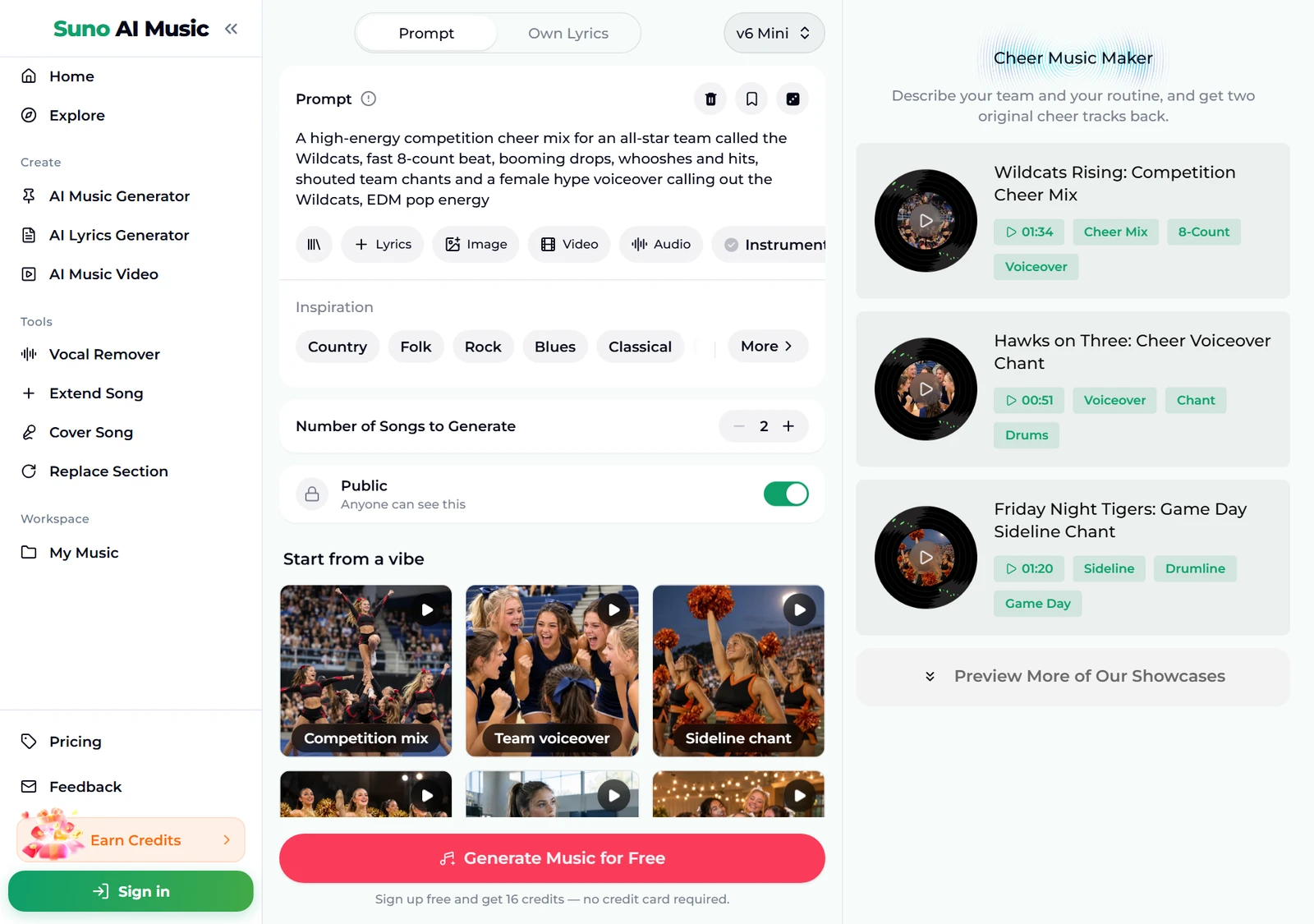
- Play a vibe before you spend anything. Tap a tile under Start from a vibe. One tap plays that tile's example in the player bar and copies its prompt into the Prompt box. Below, we tapped Competition mix: the tile shows a pause icon and the player bar plays "Wildcats Rising", 1:34 long.
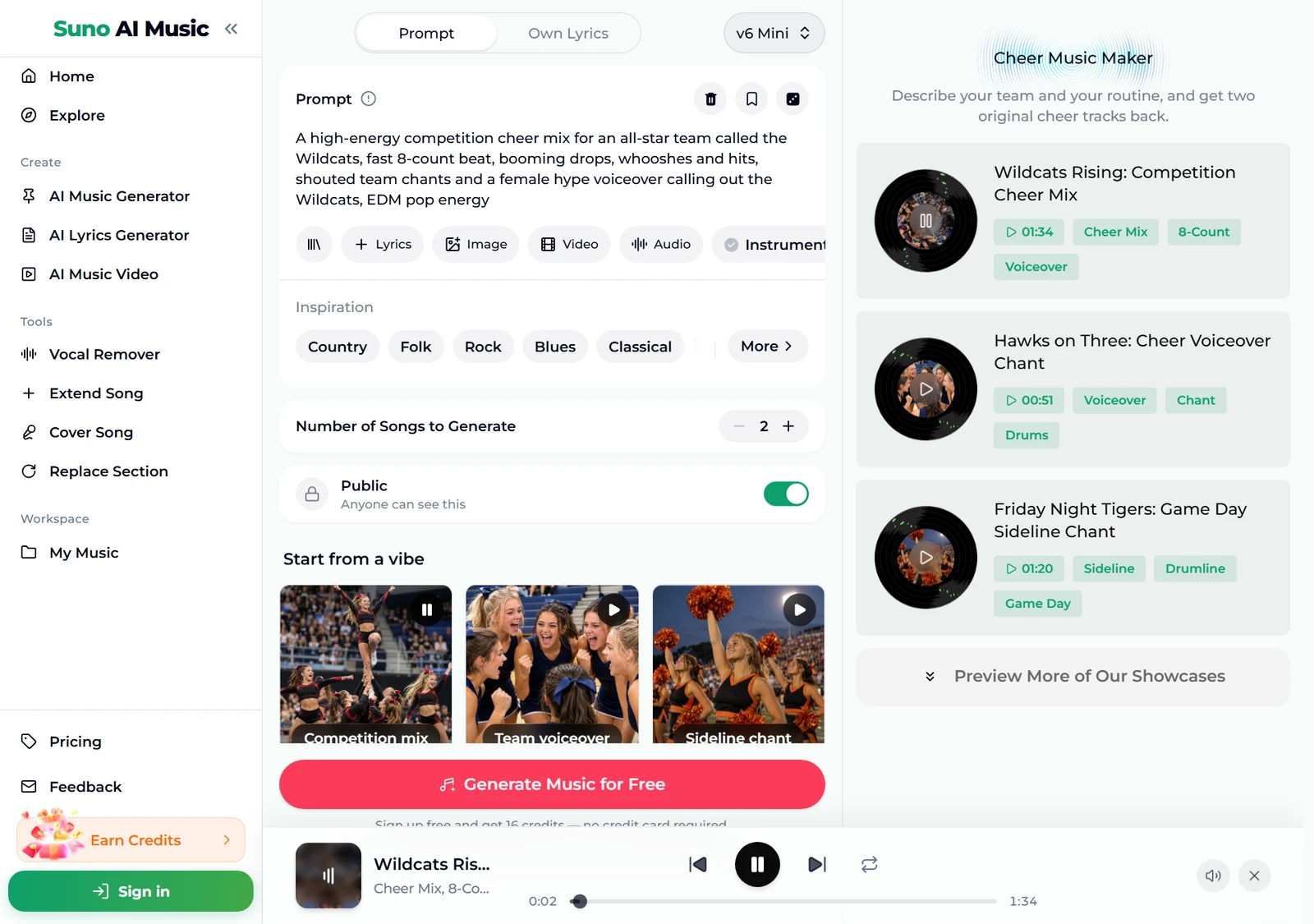
- Browse all six examples. Further down, the Cheer Music Maker Examples section lists every track with its length and tags. The page says it plainly: each one is also a preset in the studio above, so you can start from the exact prompt that made it and swap in your own team name.
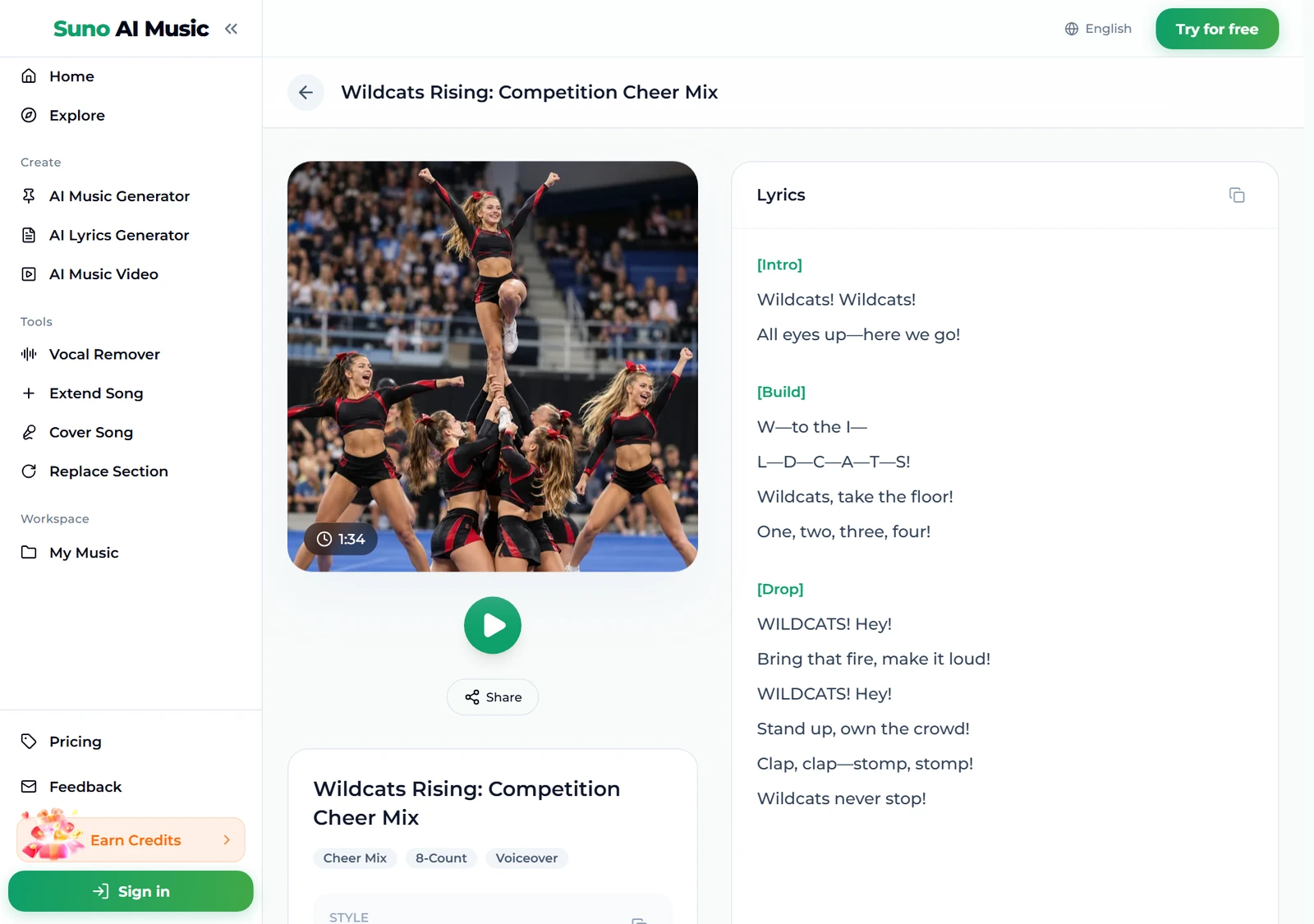
- Open an example to read the chants. Each track has its own page, for example Wildcats Rising, with the cover, a play button, Share, its tags and the lyrics, so you can see how the generator turns a team name into spelled-out chants.
- Press Generate Music for Free. Logged out, the button asks you to sign up; the note under it reads "Sign up free and get 16 credits — no credit card required." A run takes about a minute and returns two tracks. They are new cheer music in the style of the prompt, not copies of the example, so the energy matches while the beat and chants differ.
How to make a cheer mix prompt of your own
The presets get you a solid cheer mix in one tap. To make cheer music that fits your routine, swap in your details and change one thing per run. Two tracks per run make comparing easy.
- Lead with the use. Competition cheer mix, sideline chant, warm-up beat or pom dance pop. That first phrase decides the whole shape of the track.
- Name the team, and spell it. An all-star team called the Wildcats. For spelled chants, write the letters: call-and-response spelling out H-A-W-K-S. Spell unusual names the way they sound.
- Ask for the count. Fast 8-count beat and booms on every count of eight keep a steady pulse you can count over.
- Mark the big moments. Whooshes and hits, a drop for the pyramid, sharp hits for kicks and turns.
- Choose the voice. Female hype voiceover, girls shouting in unison, catchy female vocal. For exact wording, write your own chants in the Own Lyrics tab, which takes up to 5,000 characters of lyrics and 1,000 of style.
- Set the energy. EDM pop energy, stadium energy, Friday night lights. One mood phrase is enough.
The generator does not read your choreography. The practical approach is to generate a few takes, pick the one whose big moments sit closest to your routine, and adjust the counts or trim the audio from there.
Six cheer music styles with proven prompts
These are the six tiles on the cheer music maker, with the exact prompt each one fills in. Every example was generated on v6 from that prompt, so you can hear the cheer music before you use it.
| Vibe | What it is | Prompt |
|---|---|---|
| Competition mix | All-star mix with voiceover, 1:34 example | A high-energy competition cheer mix for an all-star team called the Wildcats, fast 8-count beat, booming drops, whooshes and hits, shouted team chants and a female hype voiceover calling out the Wildcats, EDM pop energy |
| Team voiceover | Shouted spelling chant, 0:51 example | A loud cheer voiceover chant for the Lady Hawks, a group of girls shouting the team name in unison over pounding drums and claps, call-and-response spelling out H-A-W-K-S, short punchy lines, stadium energy |
| Sideline chant | Game day with drumline, 1:20 example | A game day sideline cheer for the Central High Tigers football team, marching drumline, crowd stomps and claps, cheerleaders chanting simple lines the crowd can repeat, go fight win, Friday night lights |
| Pom dance pop | Dance team pop song, 3:15 example | A bright pom dance team pop song with a punchy dance beat, catchy female vocal, sharp hits for kicks and turns, big confident chorus about owning the floor, high tempo |
| Warm-up beat | Instrumental 8-count, 1:28 example | cheer warm-up instrumental, no vocals, driving 8-count electronic beat at a fast tempo, heavy kicks, claps and risers, booms on every count of eight, energetic and clean for stretching and tumbling drills |
| Banquet anthem | End-of-season singalong, 3:32 example | An uplifting pop anthem for a cheer team end-of-season banquet, celebrating early practices, falls and comebacks, the seniors leaving and the trophy they won together, warm female vocal, piano building to big drums and a singalong chorus |
Two extra recipes of our own, untested, if you want to go beyond the six:
- Hip hop half-time (untested): a competition cheer mix for the Storm, hard hip hop beat with an 8-count pulse, half-time drop for the pyramid, whooshes and hits, male and female voiceover trading lines, clean lyrics
- Tumbling pass (untested): cheer tumbling instrumental, no vocals, fast 8-count trap beat, rising risers, a big hit every 16 counts, energetic and clean
For dance-floor energy without cheer chants, try the AI dance pop generator or the AI EDM generator.
Common cheer music mistakes
Most disappointing cheer music comes from the same handful of prompt habits:
- No team name. Without it, cheer music chants turn generic. The name is the cheapest way to make the track sound custom.
- No count. Without 8-count or steady beat the model may give you a song with a loose, swung feel that is hard to count over.
- Asking for a remix of a radio song. The cheer music maker writes new music rather than remixing existing songs, which is also what lets you use the result under your plan. Describe the style instead: dance pop, hip hop, EDM.
- Expecting exact timing. It does not watch your routine. Build the routine to the track, or generate a few takes until the big moments line up.
- Ignoring the time limit. Competition divisions have limits. Trim the final track in any audio editor before you compete.
- Judging from one take. Each run returns two. If both miss the same way, change the prompt; if only one does, keep the other.
Choosing a model
The model picker sits at the top right of the form.
- v6 Mini is the free tier, described as "Fast drafts, high volume". It is a good place to test team names and chant styles before you settle on the final cheer music.
- v6 is "Most powerful, for any song". All six example tracks were made on v6. It needs a paid plan.
- v6 Wild is "Best for experimental ideas", also on paid plans, for odd blends such as drumline over drum and bass.
Every run costs the same 10 credits for two tracks, whichever model you pick. Plans and credit packs cover everything after the 16 sign-up credits.
After the cheer mix is made
- Make it longer. Extend Song continues a track from any point, for a longer routine or a second section.
- Fix one weak moment. Replace Section regenerates a stretch without touching the rest, handy for a drop that lands late.
- Get a clean beat to practise to. The vocal remover splits the track into vocals and instrumental, so the team can count over the beat alone.
- Make a hype video. The music video generator turns your cheer music into a video for the team's social pages.
- Download it. Tracks download as MP3 with any plan or credit pack; pricing lists what each one includes.
FAQ
How do you make a cheer mix from scratch?
Describe the team, the use and the energy in the cheer music maker, for example a competition mix for your team with a fast 8-count beat, hits and a hype voiceover, or tap a vibe tile to start from a proven prompt. Press Generate and you get two original tracks in about a minute.
Can the cheer music say our team name?
Yes. Put the team name in your description and it is written into the chants and voiceover. For exact wording, paste your own chants in the Own Lyrics tab.
Can I use AI cheer music at a competition?
Many competitions ask teams to show they have the rights to their music, so check your event's music rules first. The tracks are original; on the Standard plan and above, 2,500+ credit packs and Team plans they carry a commercial licence. Tracks made with sign-up credits, on the Starter plan or with a Mini credit pack are for personal use only.
Will it hit the 8-counts of our routine?
Ask for a fast 8-count beat with a boom on every eight and you get a steady pulse to count over. It does not read your choreography, so build the routine to the track or try a few takes.
How long is AI cheer music?
The six examples run from 0:51 to 3:32. Use Extend Song to make a track longer, and trim to your time limit in an audio editor.
Can I make cheer music without vocals?
Yes. Switch on Instrumental Only or start from the Warm-up beat tile for a clean beat to practise over.
Final take
Cheer music is easy to describe once you know its parts: a counted beat, hits where the stunts land, and your team's name shouted on top. If you want to know how to make a cheer mix that sounds like your squad, start from a vibe on the cheer music maker, swap in your team name, and change one detail per run until the cheer music fits the routine.