
TL;DR
To turn text into a song, you need two things: words shaped into short, singable lines, and a style that fits them. The text to song page on Suno AI Music does the rest: describe your text in the Prompt box and the AI rewrites it into verses and a chorus, or paste it into the Own Lyrics tab and it is sung word for word. One run costs 10 credits and returns two finished songs in about a minute, and each of the six "Start from a vibe" tiles on the page plays a real v6 example in the style of the prompt it loads, from a poem sung as a folk ballad to a grocery list done as ska.
In this guide
- What turns text into a song
- Step by step with the text to song page
- Prompt box or Own Lyrics
- Six tested text to song prompts
- Common mistakes when turning text into a song
- Choosing a model
- After the song is made
- FAQ
- Final take
What turns text into a song
Almost any text can be sung once it has a few things, and each one is something you can ask for in the prompt:
- Lines, not paragraphs. A melody works in phrases of roughly six to twelve words. A paragraph of prose has no natural stopping points, so the model has to guess where to breathe. Break your text into short lines, or ask for "short lines" in the prompt.
- A repeated idea. Songs come back to one line. In a poem it might be the last line of a stanza. In vows it is the promise itself, and in a speech it is the slogan. Put that line in the chorus, or name it in the prompt: "with the chorus 'these are my vows'".
- A shape. Two verses, a chorus after each, maybe a bridge. That gives you a song of two to three minutes. In Own Lyrics you mark it with
[Verse],[Chorus]and[Bridge]on their own lines. - A style that matches the words. Tender text suits a ballad, folk or piano. A list or a joke suits something fast and bright, like ska, pop-punk or a kids song. A pep talk wants an arena rock anthem or a gospel choir. The style word is the biggest single decision in the prompt.
- A voice. Say who sings it: soft breathy female vocal, warm male vocal, cheeky gang vocals, kids choir chorus. Without it, the model picks for you.
- Words written as they are sung. "2026" might come out as "two thousand twenty-six" or "twenty twenty-six". Write it the way you want to hear it. The same goes for abbreviations and symbols.
Step by step with the text to song page
- Open the text to song page. It is the full studio with a preset loaded. The Prompt tab is selected, Instrumental Only is off (you want a singer), and the model picker in the top right shows v6 Mini for free accounts.
- Read the preset. The Prompt box already holds a complete example: Turn this into a playful bedroom pop song: a text message to a friend saying I am running late, the bus left without me and I spilled coffee on my shirt, soft breathy female vocal. It names the text, the style and the voice, which is the pattern to copy.
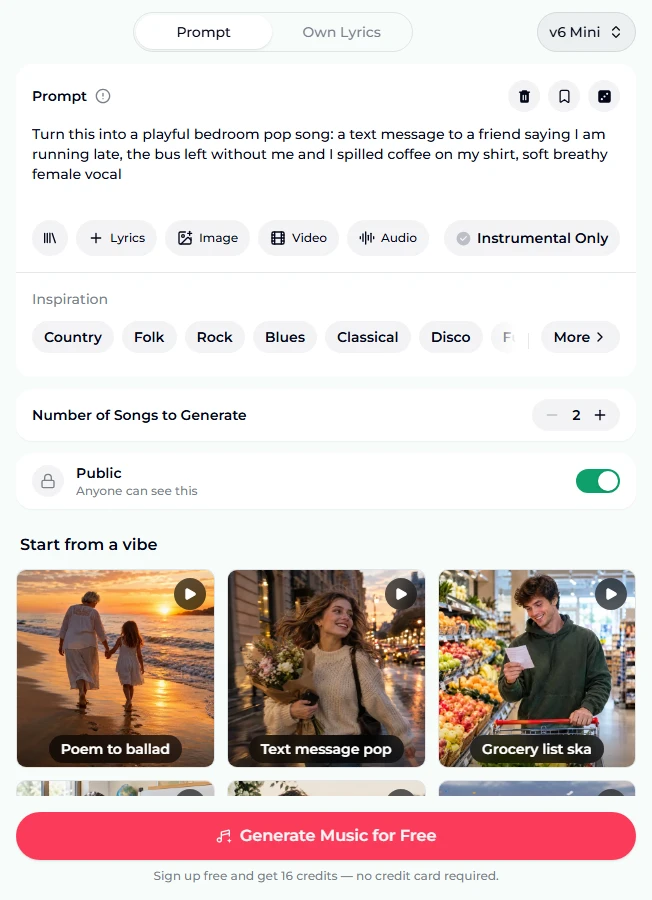
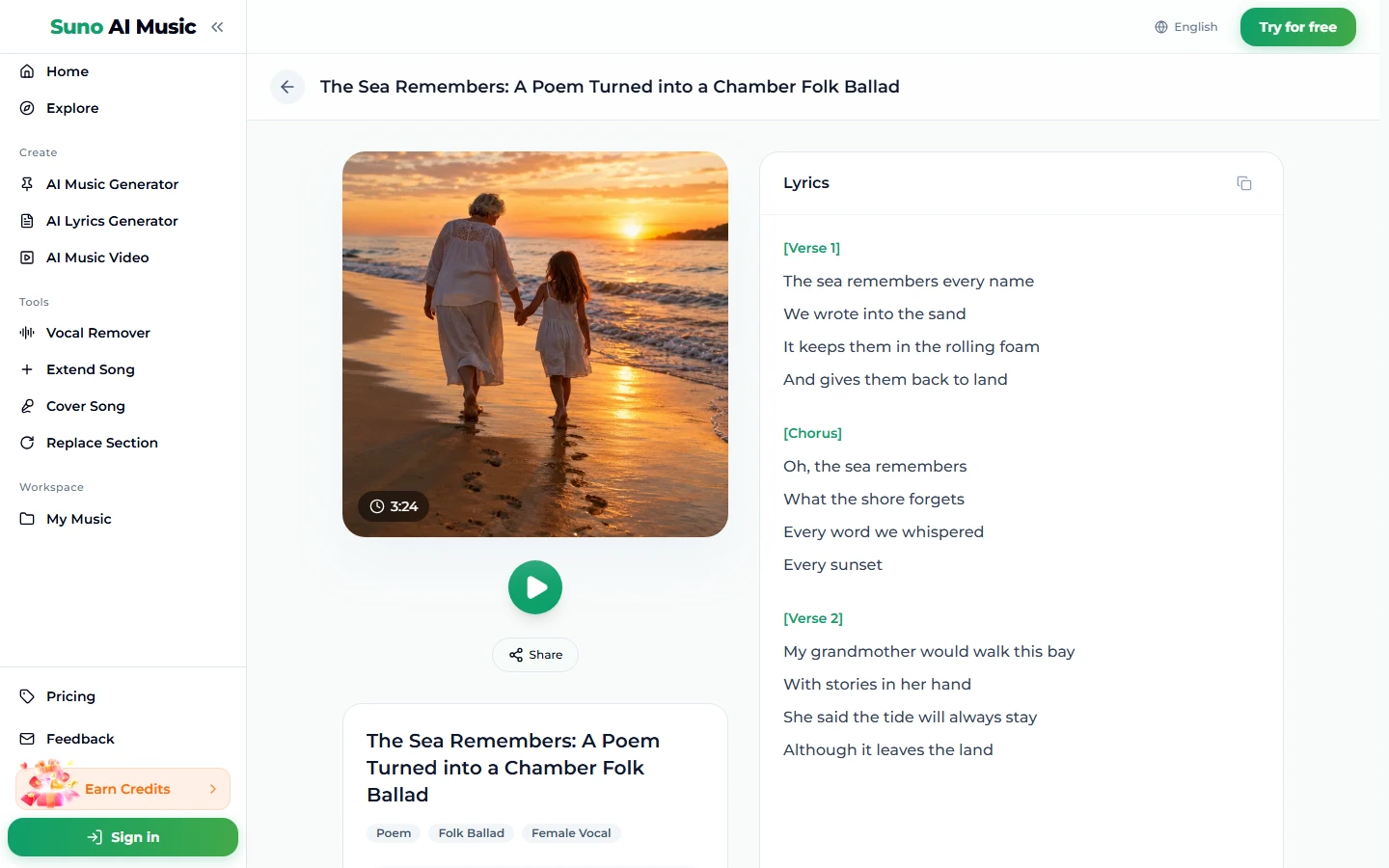
- Tap a vibe to hear what it does. One tap on a tile plays its example song and copies its prompt into the Prompt box. Tapping Poem to ballad loads the chamber folk prompt and starts The Sea Remembers, the example on that tile. That example was sung on v6 from a lyric sheet we wrote in this style; generate from the tile and the AI writes its own lyrics from the description. It runs 3:24.
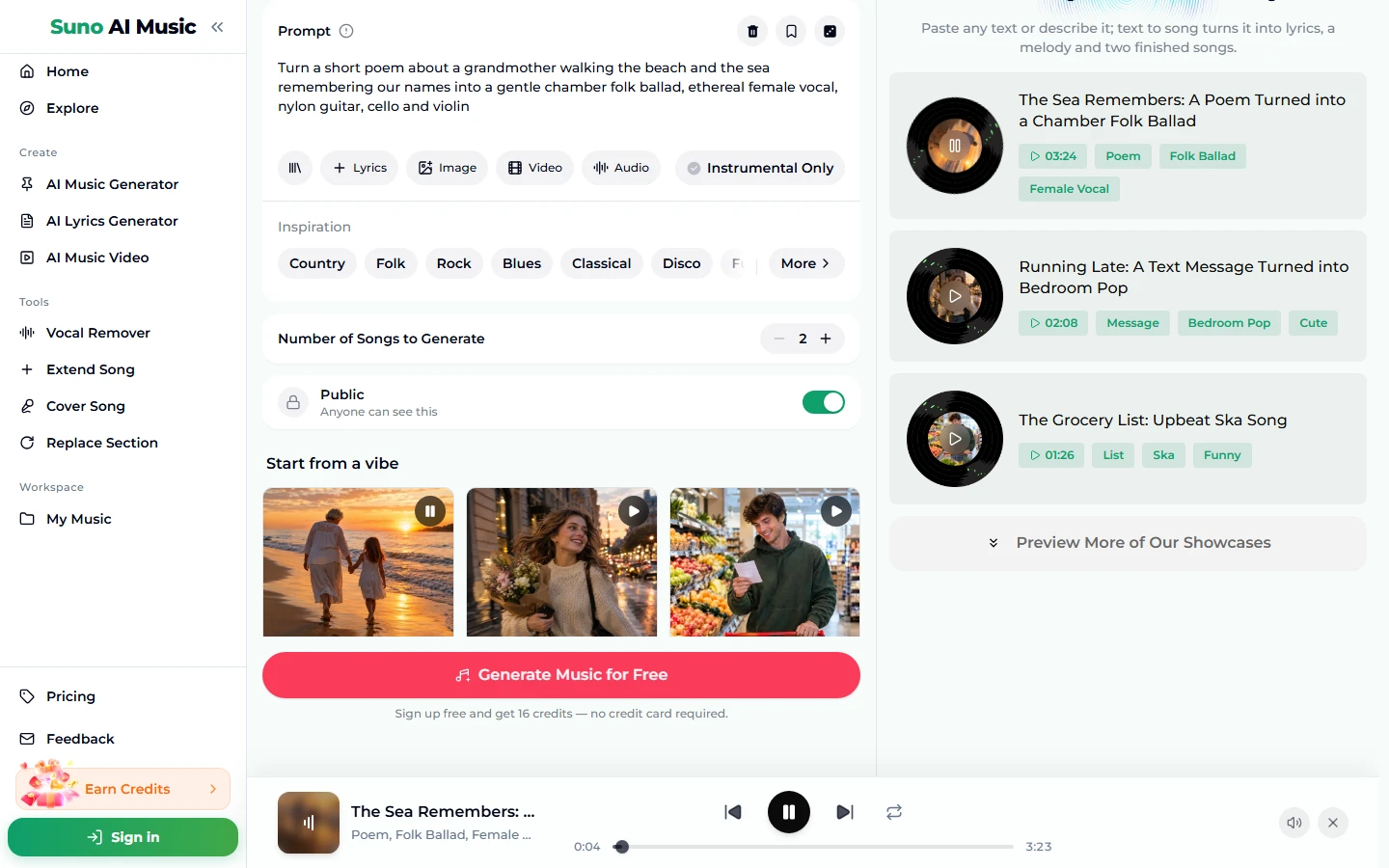
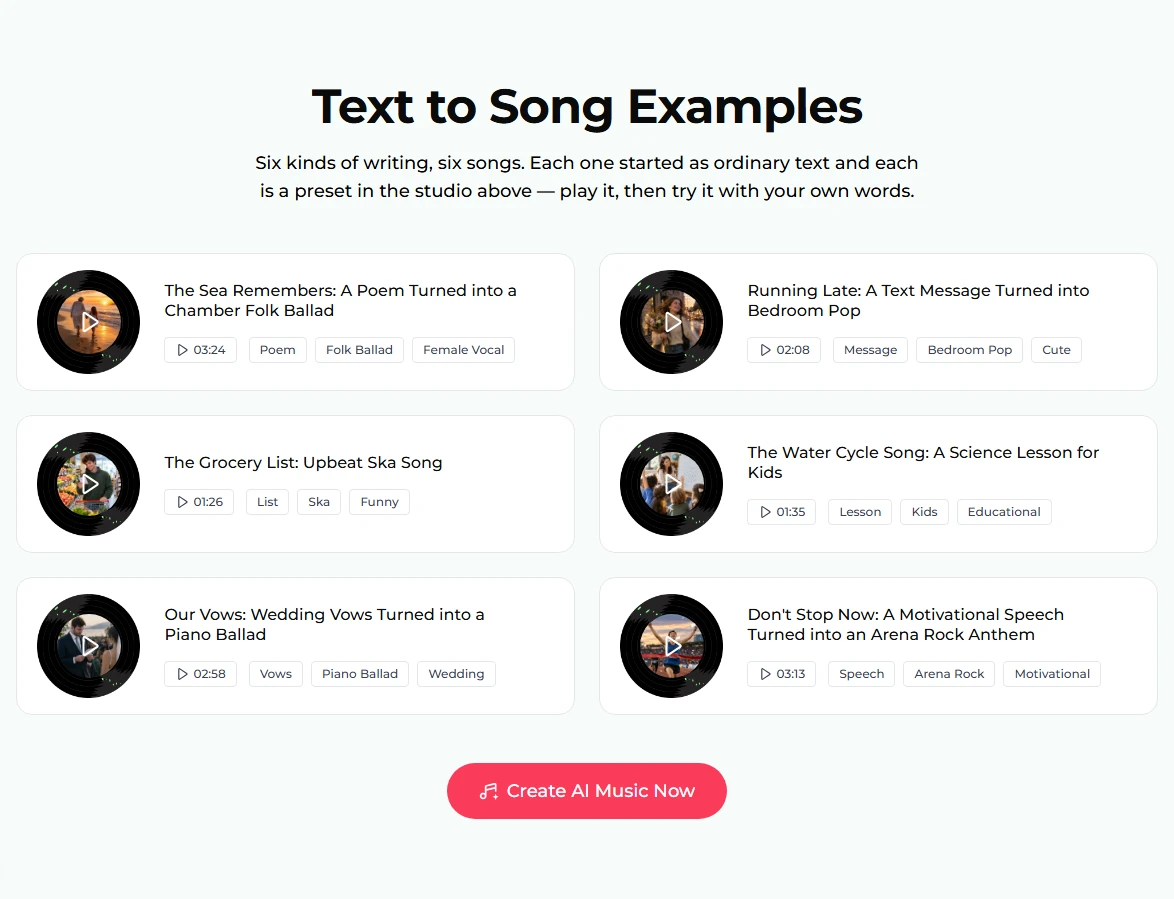
- Browse all six examples. Further down the page, the examples section lists every song with its length and tags. Each one started as a different kind of text: a poem, a message, a list, a lesson, vows and a pep talk.
- Open a song page to read the lyrics. Each example has its own page, such as The Sea Remembers, with the cover, a play button, Share, the tags and the full lyric sheet. The examples were sung from lyric sheets we wrote from each kind of text, for example: "The sea remembers every name / We wrote into the sand."
- Put in your own text. Either edit the Prompt box to describe your text, or switch to Own Lyrics and paste it (next section).
- Press Generate Music for Free. Logged out, the button asks you to sign up, and new accounts get 16 free credits with no card. A run costs 10 credits, takes about a minute and returns two songs. The stepper reads 2 because it counts songs, not runs. Your new songs will not be copies of the example; they are new songs in that style with your words.
Prompt box or Own Lyrics
This is the one real choice when you turn text into a song.
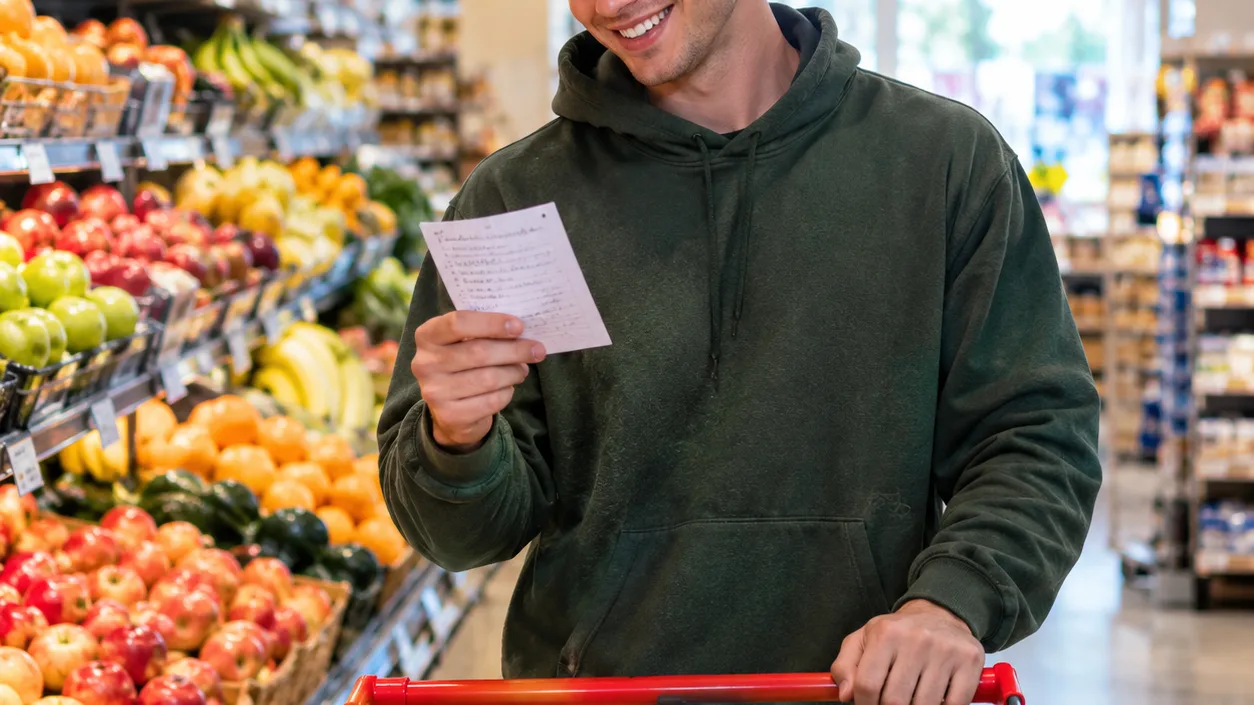
The Prompt box (up to 500 characters) is for describing the text. The AI writes the lyrics itself, adding rhymes, a chorus and structure. Use it when your text is rough, long or not written to be sung: a message, a list, notes from a lesson. The Grocery list ska example shows why. The prompt only lists milk, bread, bananas, eggs, coffee, cheese and something for the cat, and from a prompt like that the AI writes the lines itself, with rhyme and a chorus. (The example on the tile was sung from a sheet we wrote, which opens "Two cartons of milk and a loaf of bread.")
Own Lyrics is for text that must be sung as written: a finished poem, your actual vows, a verse you care about. You get a lyrics box of up to 5,000 characters, a style box of up to 1,000 and a title of up to 80. If you are starting from finished lyrics, the lyrics to song page is set up for exactly that, and our guide on how to turn lyrics into a song goes deeper on tags and formatting.
A few habits that help in either mode:
- Name the kind of text first. "Turn a short poem about…", "Turn wedding vows…", "Turn a science lesson about…". All six presets start this way, and it tells the model what the words are for.
- Give the key details, not the whole text. 500 characters fits the story and the style, not a full poem. Pick the images you want kept.
- Then style, then voice, then two or three instruments. gentle chamber folk ballad, ethereal female vocal, nylon guitar, cello and violin.
- Tempo in numbers if it matters. "at 90 BPM" gets you roughly there. Suno treats tempo as a guide, not a click track.
For a longer list of style words that reliably change the sound, see the Suno prompts guide.
Six tested text to song prompts
These are the six vibes on the text to song page. Each prompt below is verbatim. The examples on the tiles were sung on v6 from lyric sheets we wrote in these styles; generating from a tile has the AI write new lyrics.
| Vibe | What it is | Prompt |
|---|---|---|
| Poem to ballad | A poem sung as a quiet chamber folk song (3:24) | Turn a short poem about a grandmother walking the beach and the sea remembering our names into a gentle chamber folk ballad, ethereal female vocal, nylon guitar, cello and violin |
| Text message pop | A "running late" text as bedroom pop (2:08) | Turn this into a playful bedroom pop song: a text message to a friend saying I am running late, the bus left without me and I spilled coffee on my shirt, soft breathy female vocal |
| Grocery list ska | A shopping list as fast, silly ska (1:26) | Turn a grocery list — milk, bread, bananas, eggs, coffee, cheese and something for the cat — into a silly, fast third wave ska song with horns, offbeat guitar and cheeky gang vocals |
| Science lesson | The water cycle as a kids song (1:35) | Turn a science lesson about the water cycle — evaporation, condensation and rain — into a bright educational kids song with ukulele, glockenspiel, a friendly female vocal and a kids choir chorus |
| Wedding vows | Vows as a piano ballad (2:58) | Turn wedding vows — promising to hold her hand, laugh on Sunday mornings and always come home — into a romantic piano ballad with soft strings and a heartfelt warm male vocal |
| Pep talk anthem | A motivational speech as arena rock (3:13) | Turn a motivational pep talk about not giving up before the finish line into a huge arena rock anthem, gritty soaring male vocal, big guitars, stadium claps and crowd chants |
Three more of our own to try. These are untested, so treat them as starting points:
- Turn a thank-you note to a retiring teacher into a warm acoustic folk song, fingerpicked guitar, harmonica, gentle male and female duet (untested)
- Turn a bedtime story about a small fox who cannot sleep into a soft lullaby, music box, felt piano, whispery female vocal, 70 BPM (untested)
Common mistakes when turning text into a song
- Pasting a wall of prose into Own Lyrics. It will be sung, but it will sound like a list of sentences. Break it into short lines first and repeat the best one as a chorus.
- Putting style words in the lyrics box. In Own Lyrics, anything in the lyrics box may be sung. Genre and voice belong in the style box.
- Expecting the Prompt box to keep your wording. It rewrites. If a sentence must survive exactly, use Own Lyrics.
- Too much text for one song. Two verses and a chorus, roughly 150 to 250 words, is a natural length. A full speech or a long story is better split into several songs, or tried on the text to song converter, which is built for longer writing.
- Judging from one take. Every run returns two songs with different melodies. If both miss in the same way, change the prompt. If only one misses, keep the other.
Choosing a model
The model picker sits at the top right of the form. There are three choices:
- v6 Mini is the free tier, described as "Fast drafts, high volume".
- v6 is described as "Most powerful, for any song". All six examples on the page were made on v6. Use it for the version you plan to keep, especially when the vocal needs to be clear.
- v6 Wild is described as "Best for experimental ideas".
v6 and v6 Wild need a paid plan, and the pricing page lists the plans and credit packs. The price is the same on every model: 10 credits per run, two songs per run.
After the song is made
- Make it longer. Extend Song continues a song from any point, which is useful when your text has a third verse.
- Fix one line. Replace Section regenerates part of a song without touching the rest. It is the quickest way to fix a mispronounced word.
- Try the same words in another style. Cover Song re-performs a song in a new genre.
- Split voice and music. The vocal remover separates a song into two stems, vocals and instrumental, if you want to sing your text over the backing yourself.
- Make it shareable. The AI music video tool turns the song into a video. Downloads come with a plan; see pricing.
If you would rather polish the words before they are sung, the AI lyrics generator turns rough notes into lyrics you can then paste into Own Lyrics. For a birthday message, the AI birthday song generator is set up to put a name in the chorus. And if you have only an idea rather than text, the AI song maker starts from a one-line description.
FAQ
Can I turn text into a song for free?
Yes, to start. New accounts get 16 free credits with no card, and one run costs 10 credits for two songs on v6 Mini. More credits come from a plan or a credit pack.
Will my text be sung exactly as written?
Only in the Own Lyrics tab. There, the words are sung as you paste them. In the Prompt box, the AI uses your description to write its own lyrics.
How much text can I use?
Up to 5,000 characters in Own Lyrics and 500 in the Prompt box. For a two-to-three-minute song, about 150 to 250 words is the natural amount.
Can I turn a poem into a song?
Yes, and poems work well because they already have rhythm. Paste the poem into Own Lyrics, mark the stanza you want repeated as [Chorus], and ask for a quiet style: folk, piano or strings. The Poem to ballad vibe shows the result.
Can I use the song commercially, on YouTube or on Spotify?
Commercial use is included only on the Standard plan and above, 2,500+ credit packs, and Team plans. Songs made with free credits, the Starter plan or Mini credit packs are for personal use only. Any text you use must be yours or cleared for use. The pricing page shows which plans include it.
Can I keep the song private?
Yes, on a paid plan: switch Public off before you generate. On the free tier, songs are public.
Final take
Turning text into a song comes down to one decision and one habit. The decision is whether the words must stay exactly as written (Own Lyrics) or can be rewritten into a song (the Prompt box). The habit is naming the kind of text, the style and the voice in one sentence. Start on the text to song page, tap the vibe closest to your text to hear it sung, then swap in your own words. Two versions a minute later tell you which lines work.