
TL;DR
To turn lyrics into a song, paste them into a generator that sings your words rather than writing its own, label the sections, and describe the sound in a separate style box. On Suno AI Music that is the lyrics to song page: it opens on the Custom tab with a Lyrics box, a Style box and a Title. Put [Verse], [Chorus] and [Bridge] tags above each section, write the style as a short list of genre, voice, instruments and tempo, and press Generate Music. One run costs 10 credits and returns two takes of the full song. We did exactly that for this guide with an original lyric called Porch Light — both takes were finished in under a minute, at 2:20 and 2:38.
In this guide
- Which tool to use
- Prepare the lyrics
- Step by step
- Writing the style box
- When the song does not sound like you imagined
- No lyrics yet
- FAQ
- Final take
Which tool to use
Every song generator can take text, but "text" means two very different things, and picking the wrong mode is the most common reason a song comes back with none of your words in it.
| What you have | Where to go | What the AI does with it |
|---|---|---|
| Finished lyrics, verse by verse | Lyrics to song, or Own Lyrics in the studio | Sings your words as written |
| An idea, a sentence, a story about someone | Text to song or the text to song converter | Writes its own lyrics from your description, then sings them |
| Half an idea and no words | The AI song writer or the song lyric generator | Drafts lyrics you can edit before anything is sung |
The difference is the tab. On the lyrics page the form opens on Custom, where the big box is literally the words to be sung. On the text-to-song pages it opens on Simple, where the box is a description — "a birthday song for my sister who loves hiking" — and the model invents the lyrics. Paste finished lyrics into a Simple box and you get a song about your lyrics, not a song of them.
Prepare the lyrics
Five minutes of formatting saves several rerolls.
Label every section
Put a tag in square brackets on its own line above each part: [Verse 1], [Chorus], [Verse 2], [Bridge], [Outro]. The model reads them as structure — where the energy lifts, where the hook repeats — and they are not sung. Our Suno tags guide lists the ones that reliably do something.
Write the chorus out every time
If the chorus comes back three times, paste it three times. "Chorus x2" or "(repeat chorus)" is sometimes sung literally and sometimes ignored.
Keep lines singable
Lines of similar length within a section, and roughly the same syllable count from verse to verse, give the melody something regular to hang on. A 22-syllable line next to a 6-syllable one gets crammed or stretched.
Cut stage directions
Anything in the lyrics box is a candidate for being sung. Notes like "slow down here" or "guitar solo" belong in the style box, or as a tag ([Guitar Solo]), not as a line.
This is the lyric we used for the test — original, written for this article:
[Verse 1]
The porch light's on at half past nine
You said you'd call, I said that's fine
The screen door hums a two-note tune
I count the moths around the moon

[Chorus]
Leave the porch light on
I'm a few more miles gone
Every mile marker, every song
Leave the porch light on
It continues with a second verse, a two-line bridge and the chorus again — about 600 characters in all.
Step by step
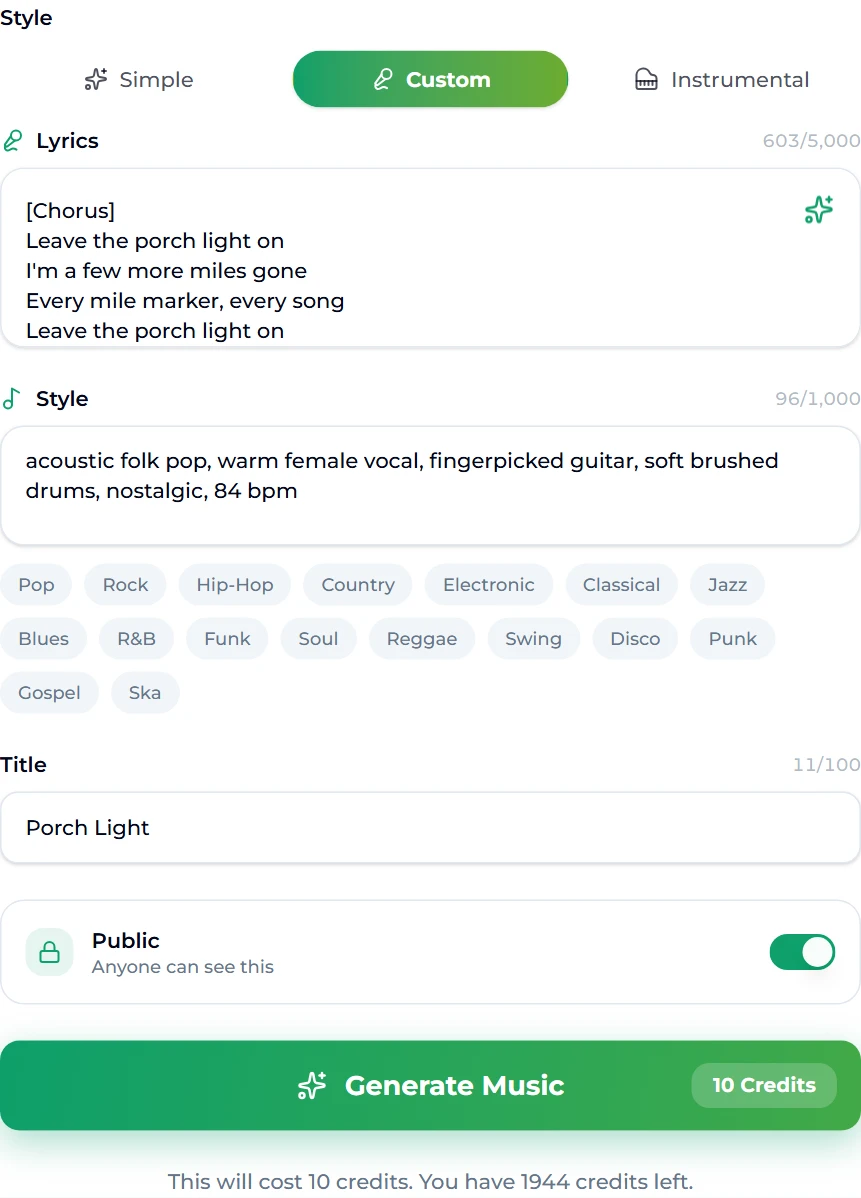
- Open the lyrics to song page. It opens with the Custom tab selected.
- Paste your lyrics into the Lyrics box, tags included. The counter under the label shows how much room you have left (the limit is 5,000 characters, several times more than a normal song).
- Describe the sound in the Style box. The genre chips under it — Pop, Rock, Hip-Hop, Country, Folk, Jazz and more — add a term with one click.
- Give it a title. On this tab the title is required; it is also how you will find the song in your library.
- Choose public or private. The Public switch decides whether the song can be seen by others.
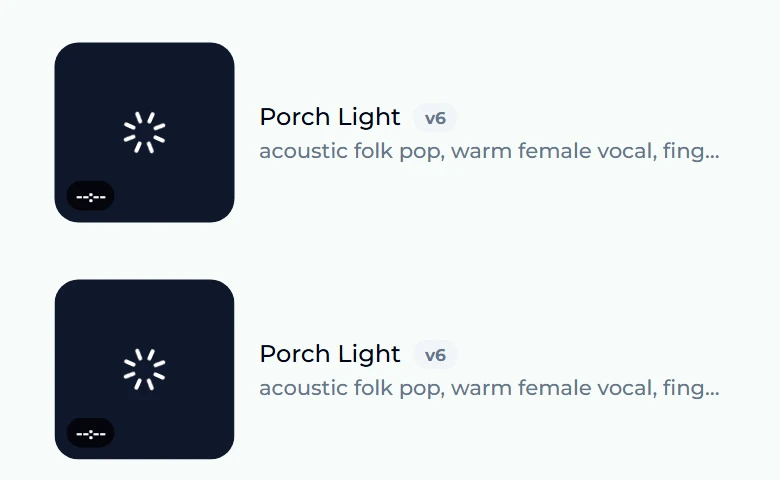
- Press Generate Music. The button shows the cost — 10 credits — and the line under it shows your balance. You are taken to the studio, where both takes appear at the top of your songs list, spinning while they render.
A few seconds after pressing the button, the two takes were already in the list with the title and style we had typed, rendering:
Less than a minute later both were done, each with its own cover art — one 2:20, one 2:38:
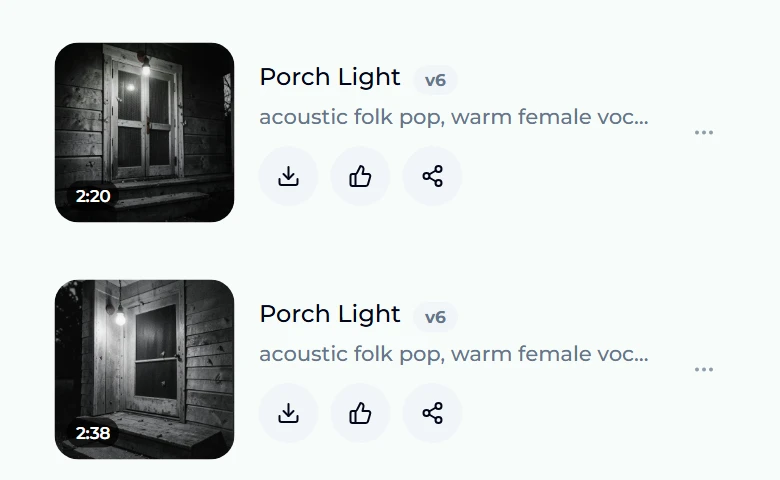
The two takes are genuinely different performances of the same words — a different melody on the chorus, a different pace in the verses. Listen to both before you change anything; very often one of them is the song.
Writing the style box
The style box is where the arrangement lives, and short beats long. A good style line has four parts:
- Genre — "acoustic folk pop", "boom bap hip hop", "80s synth pop". One or two, not six.
- Voice — "warm female vocal", "raspy male vocal", "duet". Without it, the model picks.
- Instruments — two or three that define the sound: "fingerpicked guitar, soft brushed drums".
- Feel or tempo — "nostalgic", "driving", "84 bpm". A number is the most reliable way to stop a ballad from becoming a jog.
Our full line was acoustic folk pop, warm female vocal, fingerpicked guitar, soft brushed drums, nostalgic, 84 bpm — 96 characters. There is more room than that, but every extra term is one more thing competing for the model's attention. If you need more ideas, our Suno prompts guide has tested style lines by genre.
When the song does not sound like you imagined
- A line is sung in the wrong place. Check the tags — a missing
[Chorus]makes the model guess where the hook is. Adding the tag and rerunning fixes most of these. - Words are skipped or doubled. Usually a line that is much longer than its neighbours. Split it in two.
- The mood is off. Change the style, not the lyrics. "Melancholic" or "hopeful" in the style box moves a performance more than rewording a verse.
- One take is right except for one section. Do not regenerate the whole thing: open the song in the studio and use Replace Section to re-sing just that span, or extend it if it ends too soon.
- You want the same words in another genre. Keep the lyrics, change the style line, run again — or make a cover of the take you like.
No lyrics yet
If you have the idea but not the words, write them first and sing them second — it gives you a draft you can fix before any credits go on audio. The AI lyrics generator (1 credit a draft) turns a one-line brief into tagged verses, a chorus and a bridge; its Create Song with These Lyrics button carries them straight into the studio's Own Lyrics tab, so nothing needs copying. Our AI lyrics generator guide covers how to brief it, and if the song is a rap, how to write rap lyrics walks through the same flow with bars and a hook.
FAQ
Can I use my own lyrics with an AI song generator?
Yes. On lyrics to song or in the Own Lyrics tab of the studio, the text you paste is what gets sung. Use the Custom tab, not Simple — the Simple box is a description the AI writes its own lyrics from.
How long can my lyrics be?
The lyrics to song form takes up to 5,000 characters, which is several times a typical song. Length matters less than structure: a clear verse–chorus layout sings better than a long unbroken block.
Do the section tags get sung?
No. Tags in square brackets like [Verse] and [Chorus] are read as structure, not lyrics. Anything else in the box can be sung, so keep notes and instructions out of it.
How much does it cost?
10 credits a run, and each run returns two full takes. New accounts get free credits on sign-up, and more come with any plan or credit pack. The free tier runs on v6 Mini; v6 and v6 Wild are on paid plans.
How long does it take?
In our test both takes were rendering within seconds and finished in under a minute. Longer or busier songs can take a little longer; the list updates on its own.
Who owns the song?
The lyrics are yours, and the audio is your generation. What you may do with it commercially depends on your plan — check the licence details on the pricing page before you release it.
Final take
Turning lyrics into a song is mostly preparation: tag the sections, write out every chorus, keep the lines singable, and describe the sound in a short style line with a tempo in it. Then paste, title and generate on the lyrics to song page, listen to both takes, and fix what is left with a targeted edit instead of starting over. The words are the part only you could write — the rest takes about a minute.