
TL;DR
Almost every Suno error comes from one of two places: a filter that read something in your style, description or lyrics and refused it, or a temporary problem on the generation servers. Filter errors never go away on retry — you have to change the words that tripped them. The fixes, in order of how often they come up: remove real artist names from the style and describe the sound instead; write spelled-out numbers like "ninety-three" as digits, because Suno strips spaces and hyphens and matches producer tags; rewrite lyric lines flagged as copyrighted in your own words; soften lines the safety filter calls inappropriate; and upload your own recording instead of a released one. For "Internal Error", try once more, then change the lyrics — changing only the title or the style does nothing, because the lyrics are what the service is rejecting. On Suno AI Music a failed generation refunds its credits automatically, and the failed song card now tells you which of these you hit, in your language.
In this guide
- Where Suno errors come from
- Artist name in your style or description
- Producer tag in your lyrics
- Lyrics contain copyrighted material
- Prompt contained inappropriate material
- Audio matches an existing recording
- Internal Error and why retrying the same lyrics fails
- Busy servers and timeouts
- A checklist before you press Generate
- FAQ
- Final take
Where Suno errors come from
A generation goes through two gates before any music is made. First, the text you typed — the style, the description and the lyrics — is checked against several filters: real artist names, known producer tags, copyrighted lyrics and unsafe content. Then the request goes to the generation servers, which can be busy, slow, or fail on a particular input.
That split is the most useful thing to understand about Suno errors:
| Kind of error | Will retrying help? | What to change |
|---|---|---|
| Artist name, producer tag, copyrighted lyrics, inappropriate content | No — the same words fail every time | The specific words the message points at |
| Audio matches an existing recording | No | The uploaded audio |
| Internal error | Sometimes, once | If it fails twice, the lyrics |
| Busy servers, timeout | Yes, after a short wait | Nothing |
We looked at every failed generation on Suno AI Music to see which messages people actually hit. Artist names in the style were the most common Suno error by a wide margin, followed by internal errors and copyrighted lyrics. The pattern behind the frustrating cases was always the same: someone changed the title three or four times and resubmitted identical lyrics.
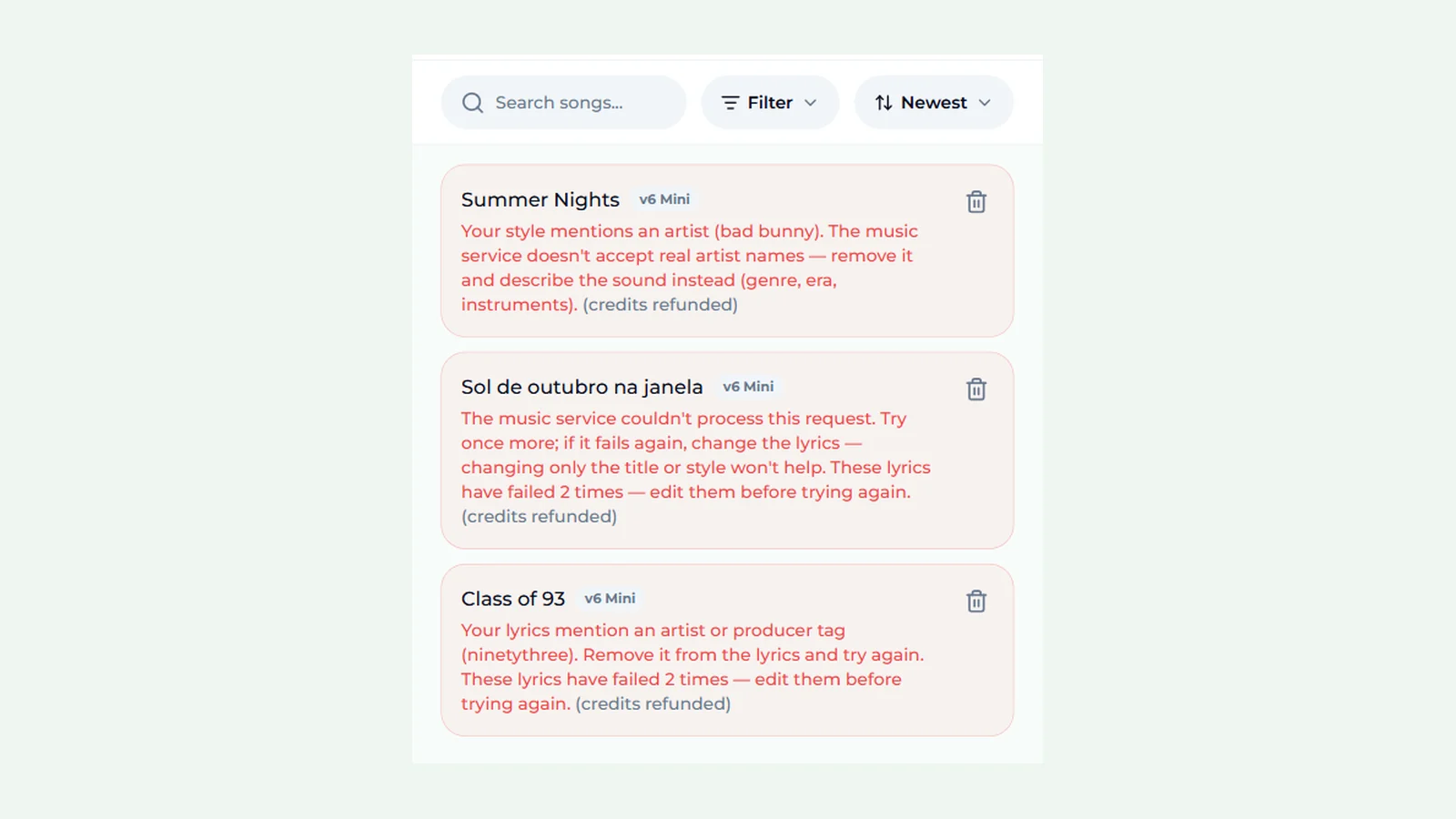
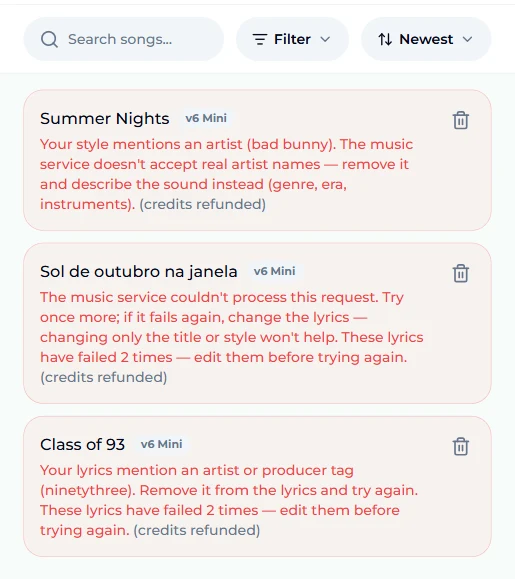
On our site, every failed song stays in your list with a short explanation and the note (credits refunded), so you know what to fix and that the attempt cost nothing:
Artist name in your style or description
The message: "Your tags contain artist name … — we don't reference specific artists, please change your tags and try again." The same error appears for the description ("Your description contains artist name …").
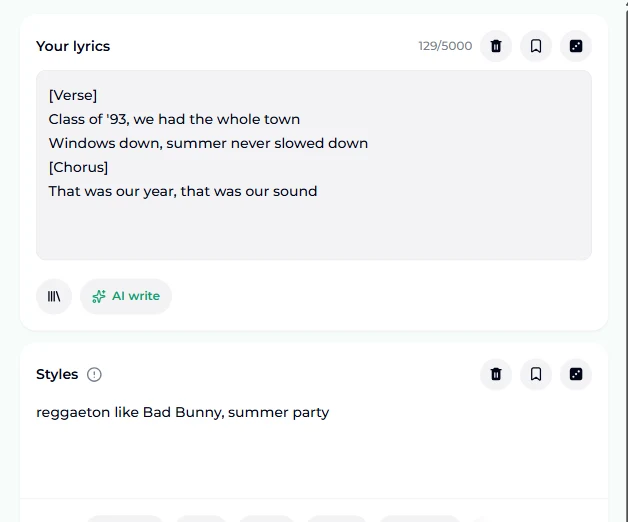
Why it happens: Suno does not generate in the style of a named, real artist. Any recognisable artist or band name in the style box or the song description is refused — "like Bad Bunny", "Taylor Swift vibes", "System of a Down guitars" all fail. The filter is literal: the name alone is enough, whatever words surround it.
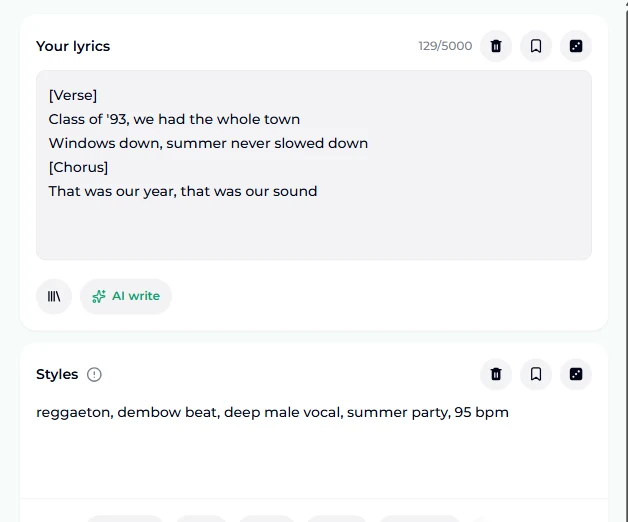
The fix: delete the name and describe what you liked about that artist's sound. Think in four parts: genre, era, instruments and voice.
A few translations that work:
| Instead of | Try |
|---|---|
| like Bad Bunny | reggaeton, dembow beat, deep male vocal, Latin trap influence |
| Taylor Swift style | catchy pop country, female vocal, acoustic guitar, big singalong chorus |
| System of a Down guitars | aggressive alternative metal, chugging distorted guitars, theatrical vocals |
| Lo-fi like Nujabes | jazzy lo-fi hip hop, mellow piano chords, vinyl crackle, 85 bpm |
The rewritten style usually gets you closer to what you wanted anyway, because the model responds to concrete descriptors better than to a name. Our Suno prompts guide has more phrasing that works, and the Suno tags list covers what belongs in the style box versus the lyrics box.
Producer tag in your lyrics
The message: "Your lyrics contain producer tag … — we don't reference specific artists, please change your lyrics and try again."
Why it happens: this one confuses people because there is no artist name in the lyrics at all. Many hip hop and pop producers sign their beats with a spoken tag, and Suno blocks those tags too. The catch is how it matches: it removes spaces and hyphens from your lyrics before comparing them with its list. So an ordinary phrase can collide with a real tag — a line about 1993 written as "ninety-three" becomes "ninetythree", and "low light" or "low-light" becomes "lowlight". Common slang phrases that double as producer tags trip it the same way.
The fix: the message names the phrase it matched, so find it in your lyrics and change just that phrase:
- Write numbers as digits. "Class of ninety-three" → "Class of '93". It is sung the same way.
- Swap one word. "Low light" → "dim light" or "soft light".
- Rephrase slang. If a slang phrase is flagged, a near-synonym usually passes and keeps the line.
You almost never need to delete a whole verse. One word is usually the entire problem.
Lyrics contain copyrighted material
The message: "Your lyrics contain copyrighted material. Please change it and try again."
Why it happens: Suno compares lyrics against published songs. Pasting the lyrics of a real song — even with a few words changed — gets blocked. Occasionally original lyrics are flagged too, usually because a line is identical to a famous lyric or a well-known chorus phrase. The warning is an automated moderation result, not a legal ruling that someone owns your words.
The fix:
- If you pasted an existing song, write your own lyrics. For a new song in the same mood, describe it in the AI lyrics generator and let it draft original words.
- If the lyrics are yours, find the line that matches. Remove sections and try again until it passes — the last section you removed contains the match. Then rewrite that line.
- Do not just change the title. The title is not what was matched, so the same lyrics will fail again.
If you want to cover a real song you have the rights to sing, that is a different job: see our guide to how to cover a song.
Prompt contained inappropriate material
The message: "Prompt contained inappropriate material" or "Your request was rejected by the safety system."
Why it happens: a safety filter checks the style, description and lyrics for sexual content involving minors, real-world violence against named people, hate speech and similar categories. It also catches some words that are fine in context — the filter reads words, not intent, so a dark breakup song or a war ballad can trip it.
The fix: find the most graphic line and soften it. Metaphor usually survives where a literal description does not, and the song often reads better for it. Remove names of real people from violent or sexual lines entirely. If an upload was refused with "Video upload contains restricted content", the frames of the video were the problem, not your text — try a different clip.
Audio matches an existing recording
The message: "This audio matches an existing recording in our catalog."
Why it happens: when you upload audio — to extend it, cover it or use it as a reference — it is checked against released music. A commercial song, or a recording of one playing in the room, matches.
The fix: upload audio you made: your own singing, your own instrumental, or a song you generated on the site. If you only need the melody idea, hum it into your phone and upload that instead of the original track. To turn one of your own songs into a different version, use cover a song or extend a song on a track from your library.
Internal Error and why retrying the same lyrics fails
The message: "Internal Error, Please try again later."
Why it happens: this is the least informative Suno error, and the one that wastes the most time. Sometimes it really is a passing server problem. But when the same lyrics fail repeatedly, the service is failing on that particular input — usually something in the lyrics it cannot process — and it does not say what.
The fix:
- Try once more. If it was a passing problem, the second attempt works.
- If it fails again, change the lyrics. Shorten them, remove unusual symbols or very long lines, and split extremely long verses. Changing the title, the style or the model does not help, because none of those is what fails.
- Test in halves. Generate with only the first half of the lyrics, then only the second half. The half that fails contains the problem.
On Suno AI Music, once the same lyrics have failed twice, the failed card says so — "These lyrics have failed 2 times — edit them before trying again" — so you do not burn an evening retitling the same song. Credits for every failed attempt are refunded automatically.
Busy servers and timeouts
The messages: "We are currently experiencing elevated usage. Please try again later" and "The music generation timed out."
Why it happens: too many people are generating at once, or a single generation ran too long and was stopped.
The fix: wait a minute or two and press Generate again with nothing changed. These are the only Suno errors where an unchanged retry is the right move. Most generations finish in one to three minutes, so if a song is still spinning after ten, it will fail and refund on its own.
A checklist before you press Generate
Most failed generations are avoidable with thirty seconds of checking:
- No real artist or band names in the style or the description — describe the sound instead.
- Numbers written as digits in the lyrics ('93, not ninety-three).
- Lyrics are your own, not pasted from a published song.
- No graphic lines about real people.
- Uploads are your own recordings.
- Structure tags on their own lines —
[Verse],[Chorus]— and nothing unusual mixed into the lyrics box.
If a generation still fails, read the message before retrying. It tells you which box to fix — the style, the description, the lyrics or the upload — and that is the only box worth changing.
FAQ
Why does Suno say my lyrics contain an artist name when they don't?
Because it matched a producer tag, not an artist. Suno removes spaces and hyphens before comparing, so ordinary phrases like "ninety-three" or "low light" can collide with real producer tags. Write numbers as digits and swap the flagged word.
Does changing the title fix a Suno error?
No. None of the filters check the title, so a song that failed for its lyrics or style fails again with any title. Change the part the message names.
Do I lose credits when a generation fails?
Not on Suno AI Music. A failed generation refunds its credits automatically, and the failed song card shows (credits refunded). Pricing for packs and plans is on the pricing page.
Why can't I use an artist's name in the style?
Suno does not generate imitations of named real artists. Describe the genre, era, instruments and voice you are after instead; the result is usually closer to what you wanted.
How do I find which lyric line is causing the error?
Generate with half the lyrics, then the other half. Keep halving the part that fails until you reach the line. For producer tags and artist names, the message already names the phrase.
Is "Internal Error" my fault?
Not always. Try once more. If the same lyrics fail again, change the lyrics — that combination is what the service cannot process, and retrying it unchanged keeps failing.
Final take
Suno errors look random until you notice which box each one points at. Artist names live in the style, producer tags and copyrighted lines in the lyrics, catalogue matches in uploads — and an internal error that repeats is a lyrics problem in disguise. Read the message, change only the words it names, and never retitle and retry the same lyrics. Then go back to the AI music generator: failed attempts cost nothing, and the failed card tells you exactly what to change.